148
EMBROIDERY — — — — — — — — — — — — — — — — — — — — — — — — — — — — — — — — — — — — — — — — — — — — —
Selecting alphanumeric
characters
Specify the characters for embroidery.
Memo
z When "The pattern is too large for the
embroidery frame" is displayed, no more
characters can be input.
z Characters from different fonts (sans serif and
serif, etc.) cannot be combined.
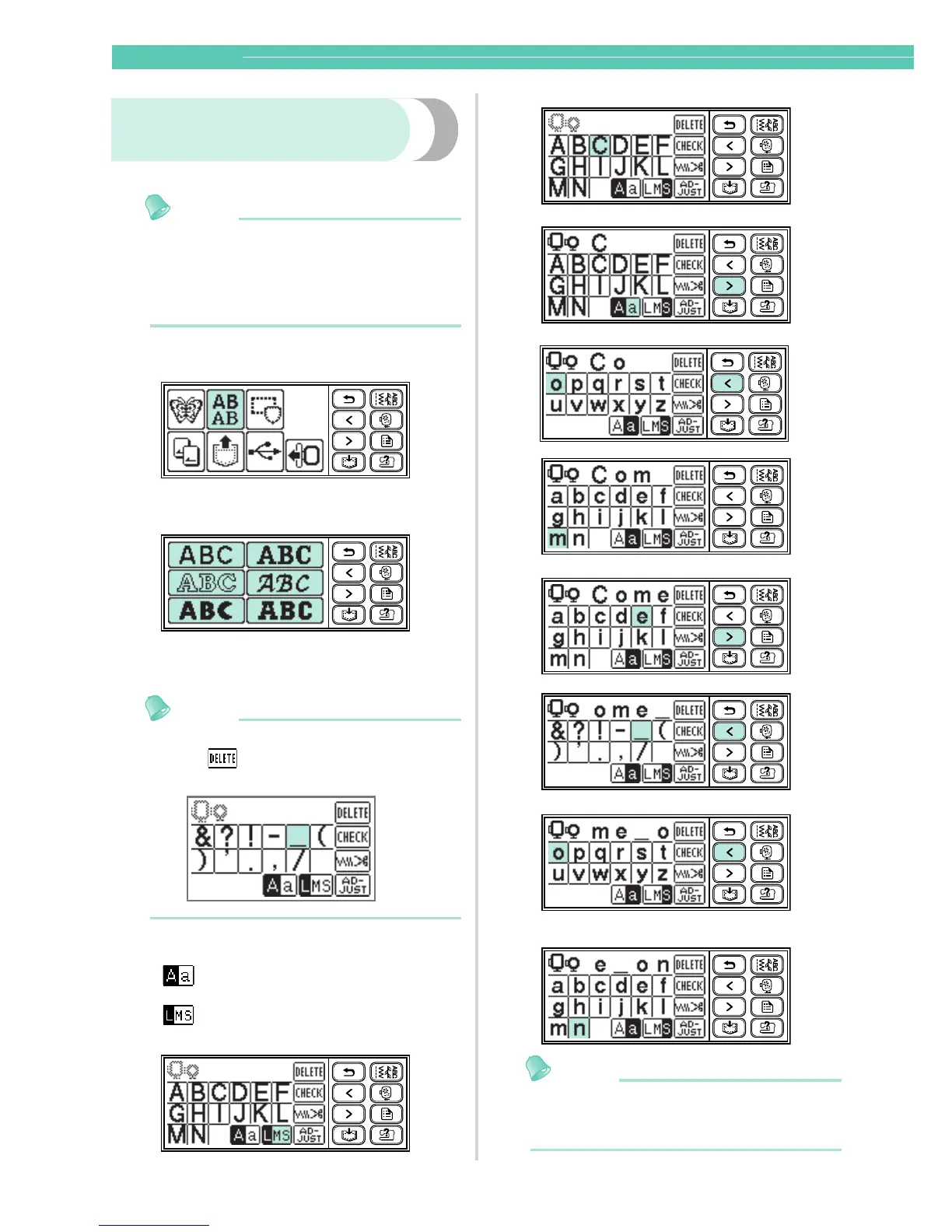
Select the alphanumeric characters.
Enter the characters.
Memo
z If a character is pressed by mistake,
press .
z To enter a space, press "_".
Example: Come on
Memo
z The characters you entered can be saved for
later use. For details, refer to "Saving
patterns" (page 168).
Switch between uppercase/
lowercase
Switch among large/medium/small
sizes










 To Next Page