18
GETTING READY — — — — — — — — — — — — — — — — — — — — — — — — — — — — — — — — — — — — — — — — — — — —
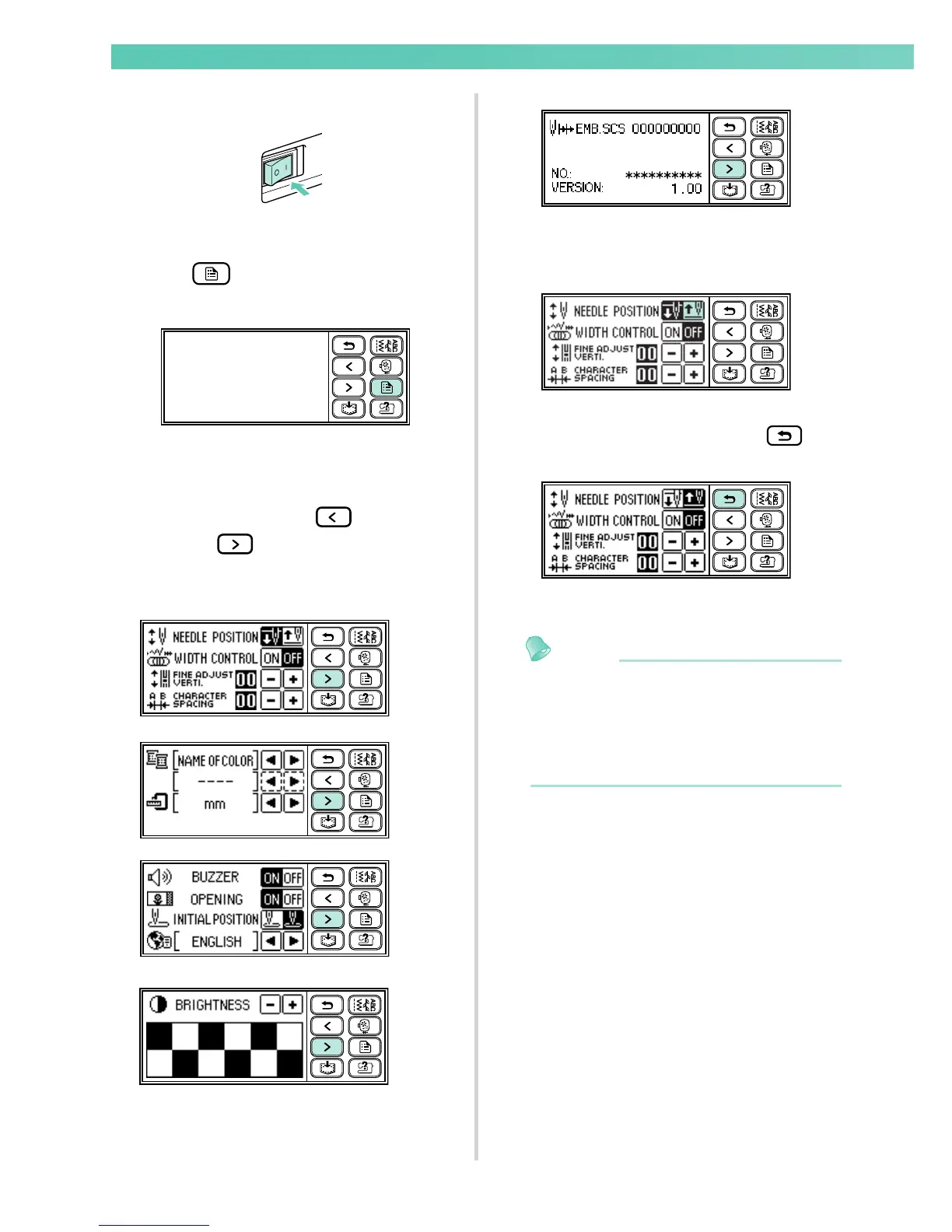
Turn on the sewing machine.
The highlig hted display is t he initial settin g.
X The LCD comes on.
Press (Settings key) on the display
panel.
X The setting screen appears.
Press the item to be set.
Switch the screen using (Previous page
key) and (Next page key).
• The following screens show their default
settings.
Example: Changing the needle stop position
When settings are complete, press
(Back key).
X The initial stitch screen appears again.
Memo
z "NO." is the individual number for the
sewing machine.
z "VERSION" is the program version which is
installed in the sewing machine.
z Settings that are changed are saved even if
the power is turned off.










 To Next Page