G75 Irrigation Window Controller
8
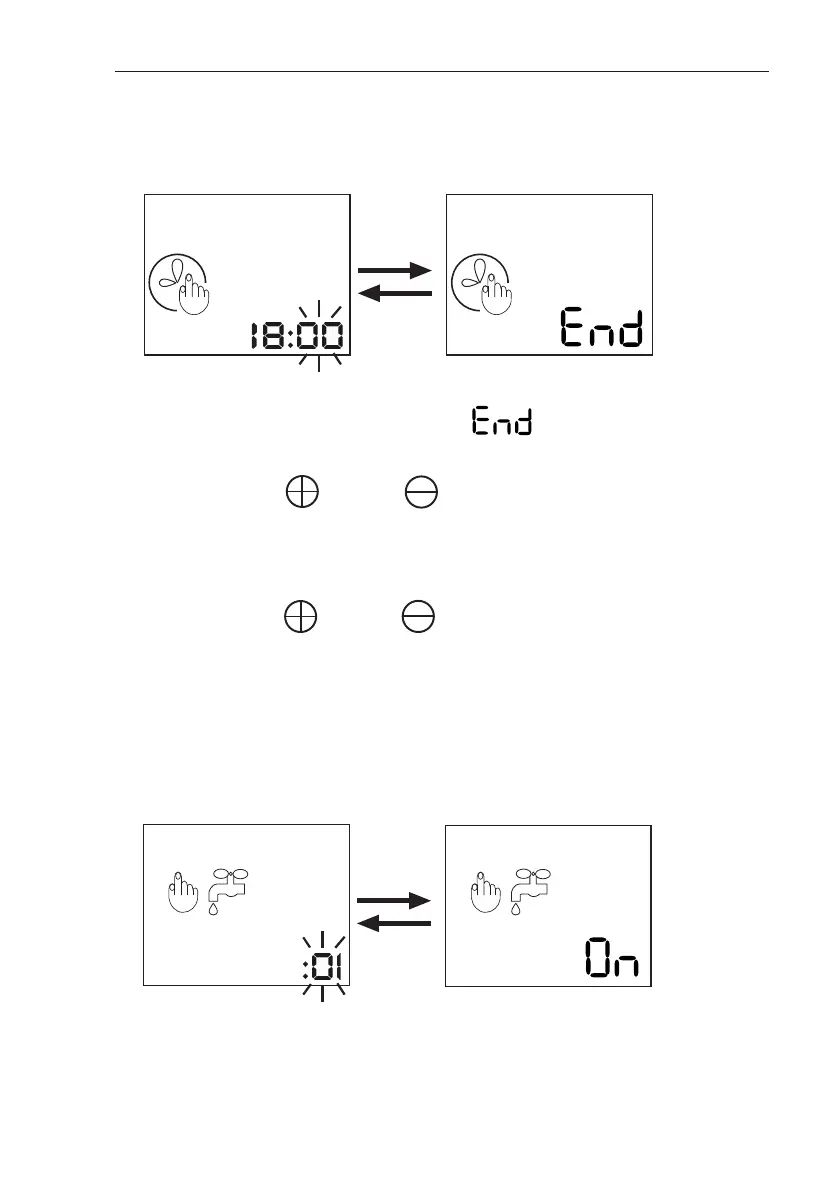
Setting the Window End Time
The following screen will then appear:
On this screen, the clock numbers refer to the time you
wish the irrigation Window to end. flashes on
the screen, alternating with the numbers.
1. Use the and the buttons to adjust the
minutes.
2. Press SET to continue.
3. Use the and the buttons to adjust the
hours.
4. Press SET to continue.
1 2 3 4 5 6 7
1 2 3 4 5 6 7
On this screen, the numbers refer to the amount of time
the irrigation will be on, each time it activates within the
1 2 3 4 5 6 7 1 2 3 4 5 6 7
Setting the ON Time (Duration Time)
The following screen will then appear:


 To Next Page