NOTE: You cannot program the Controller
if it is set to manual operation (Page 3) or if
it set to OFF . To release from manual
operation press and SET simultaneously.
To release from OFF press briefly on the
MODE button.
Programming the
Controller
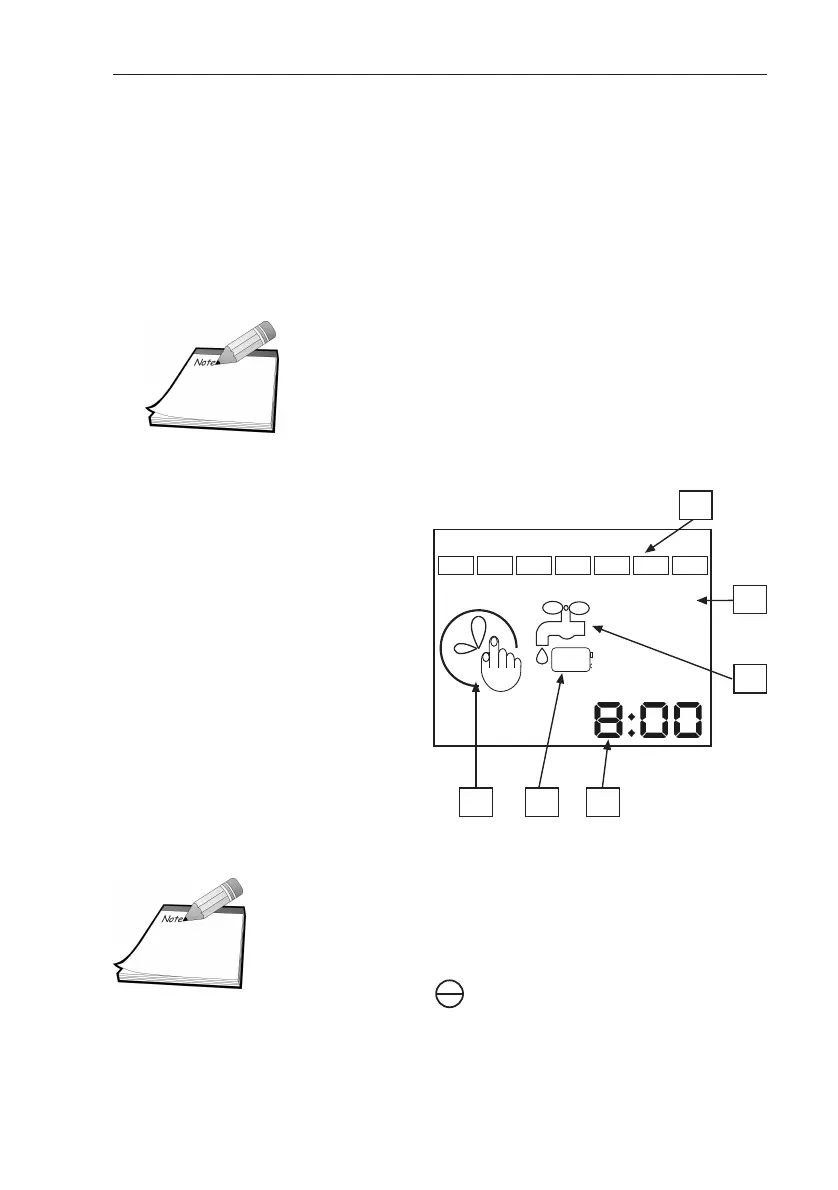
Meaning of Controller Icons
NOTE: Quick presses of the MODE button
turns the Controller off, or on.
Longer presses of the MODE button put
the Controller in programming mode.
1. Irrigating days
of the week
2. Cycle start (shows cycle
has started)
3. Irrigation
4. Timing or clock
5. Low battery
6. Time adjustment
G75 Irrigation Window Controller
5
1 2 3 4 5 6 7
START
1
3
6
4
2
5


 To Next Page