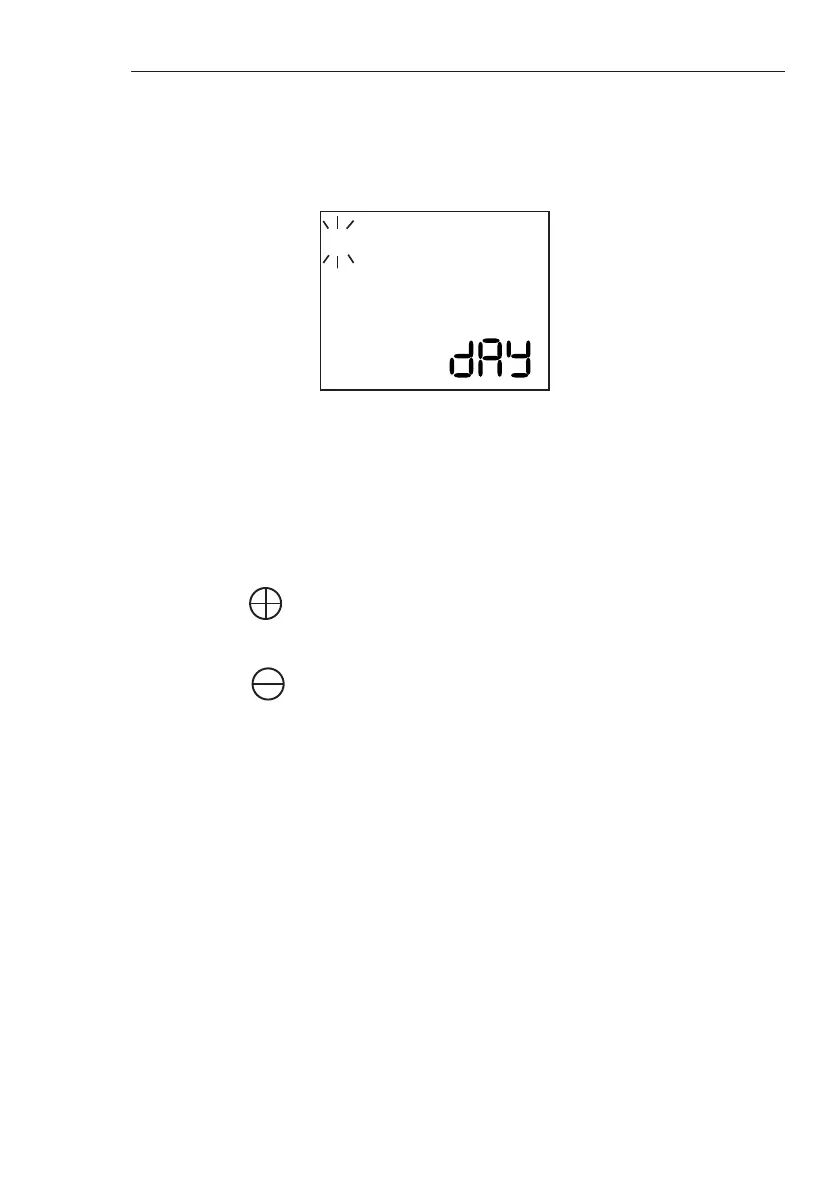
1. Press SET to reach the day you wish to irrigate.
The number (corresponding to the day of the
week) will flash.
2. Press to select that day (the square which
appears indicates day is selected).
3. Press to deselect a day.
4. Press SET until all days are programmed as
desired. Current day continues flashing.
5. Press SET to complete programming.
G75 Irrigation Window Controller
10
4. Press SET to continue.
Setting the Days
The following screen will then appear:
1 2 3 4 5 6 7
You must select the days you wish the irrigation
Window to operate.
You have just received a new batch of chicks, and a heat
wave is forecast. You need to cool the chicken coop with
short bursts (one minute) of the sprinkler system, every
half-hour, from 8:00 in the morning till 18:00. Make sure
the clock is set, and the day of the week is also set. Press
MODE twice to get to Window start time
Example



 To Next Page