Setting the Clock
If screen is blank, press MODE to activate.
To set the program, you must be in operating mode.
Before programming the Controller you must set
the clock.
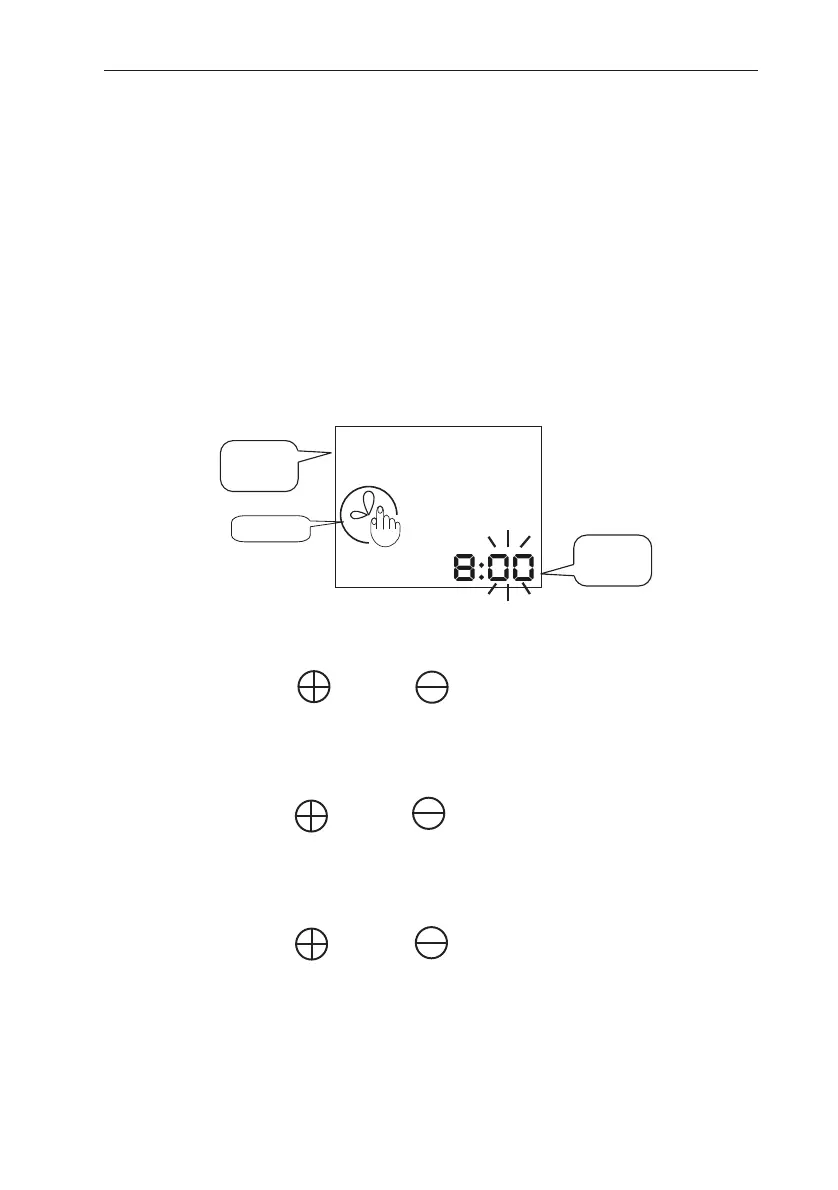
1. Press MODE until the time adjustment icon
appears (The minutes will be flashing):
On this screen the numbers represent the current time.
2. Use the and the buttons to adjust the
minutes.
3. Press SET to continue.
4. Use the and the buttons to adjust the
hours.
5. Press SET to continue.
6. Use the and the buttons to select the
current day of the week. The selected day will
flash.
7. Press SET to return to operating mode.
G75 Irrigation Window Controller
6
1 2 3 4 5 6 7
Current
Time
Days of
the Week
Clock


 To Next Page