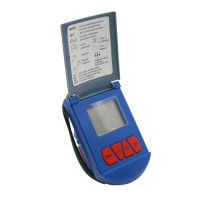
Basic Controller Functions
This section gives a brief description of the Controller
buttons. See the following sections for further details.
MODE Button - Quick presses of the MODE button
turn the controller off, or on. Longer presses of the
MODE button put the Controller in programming mode.
SET Button - Press the SET button to set a function
and proceed.
- Use these buttons to increase and decrease
schedule functions.
Installation
1. Turn off the main faucet.
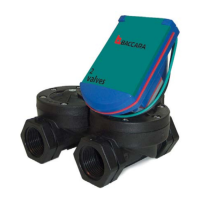
2. Install the valve in the irrigation system so that the
black arrow on the valve is pointing in the direction
of the water flow. The Controller may be swiveled
around to facilitate installation.
3. Occasionally the valve opens in transit. To ensure
that the valve is closed before you open the main
faucet, first make sure that the Controller is not
set to OFF (If it is set to OFF, press briefly on the
MODE button to turn it on.) Then press and
SET simultaneously to open, and press and
SET simultaneously to close, You are now ready to
program the Controller.
4. Turn on the main faucet.
G75 Irrigation Window Controller
2


 To Next Page