Setting the Window
The Window is the time between the Start and End of
the irrigation. The cycle consists of the ON time (actual
irrigation time), and the OFF time (interval between
irrigations). The cycle recurs during the Window.
During programming, the screen will revert to operating
mode if left inactive for 30 seconds.
Setting Window Start Time
1. Press the MODE button until the clock settings
screen appears, then press MODE again until
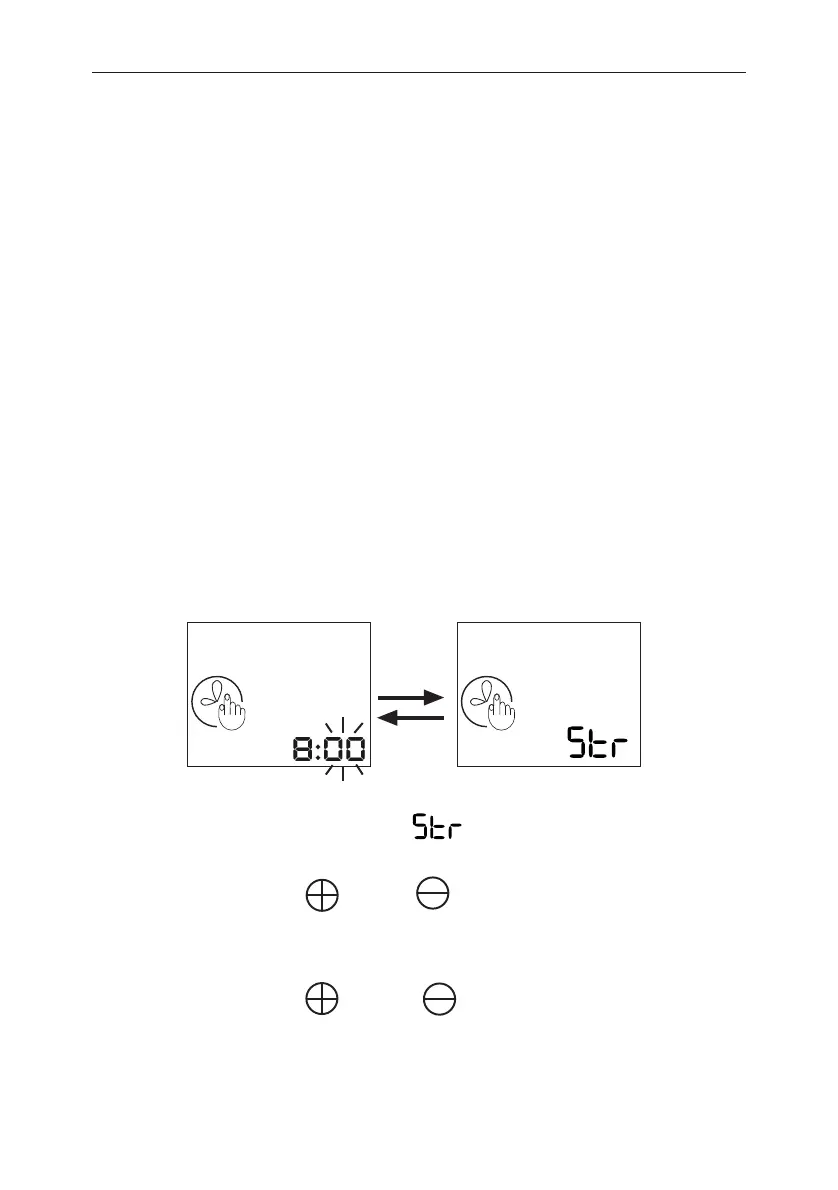
the following screen appears (the minutes will
be flashing).
On this screen, the clock numbers refer to the time you
wish the Window to begin. flashes on the screen,
alternating with the numbers.
2. Use the and the buttons to adjust the
minutes.
3. Press SET to continue.
4. Use the and the buttons to adjust the
hours.
5. Press SET to continue.
G75 Irrigation Window Controller
7
1 2 3 4 5 6 7 1 2 3 4 5 6 7


 To Next Page