Page 28
5
6
7
8
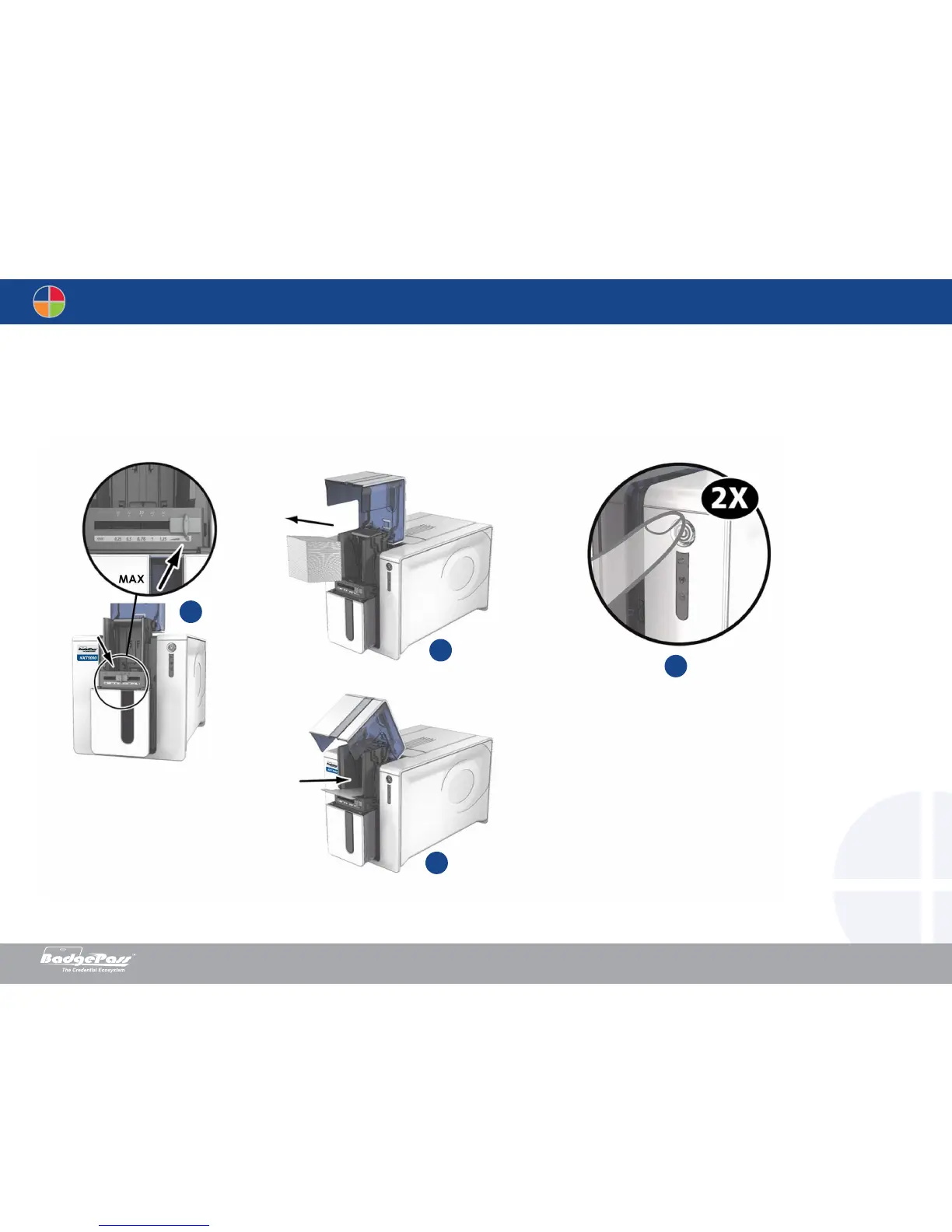
5. Using the lever, set the card thickness to the MAX position.
6. Remove any cards present in the feeder.
7. Double click the cleaning button on the control panel before inserting the cleaning card.
8. Take the “T” shaped cleaning card and insert it in the feeder as shown. Cleaning starts.
Document History
BadgePass NXT5000 USER GUIDE



 To Next Page