Page 31
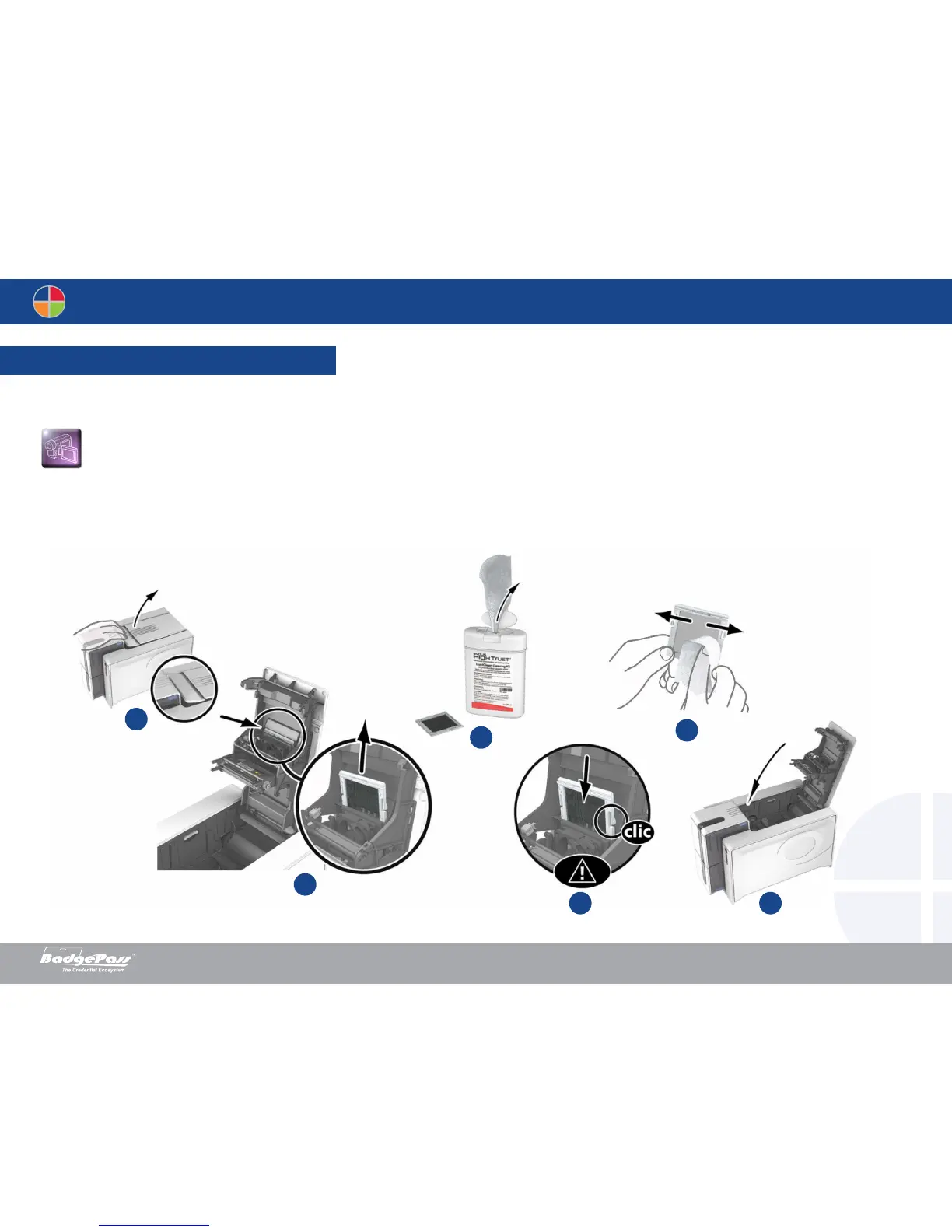
1. Open the printer cover. Locate the dust filter.
2. Remove the filter by pulling it upwards and slide it out to release it completely.
3. Once the filter is removed from its slot, obtain a cleaning wipe supplied by your BadgePass Dealer.
4. Clean the filter by rubbing the wipe either side of it.
5. To replace it, insert the filter into its slot (notch towards you) and lower it until you hear it click indicating that it is correctly positioned.
6. Close the cover.
3-3c Servicing the dust filter
The dust filter is located above the print head fan. This filter can become fouled up over time and it is recommended to clean it once a year or every 10,000 cards depending on
your working environment.
2
1
4
5 6
3
Document History
BadgePass NXT5000 USER GUIDE



 To Next Page