Page 9
1-3c Cards
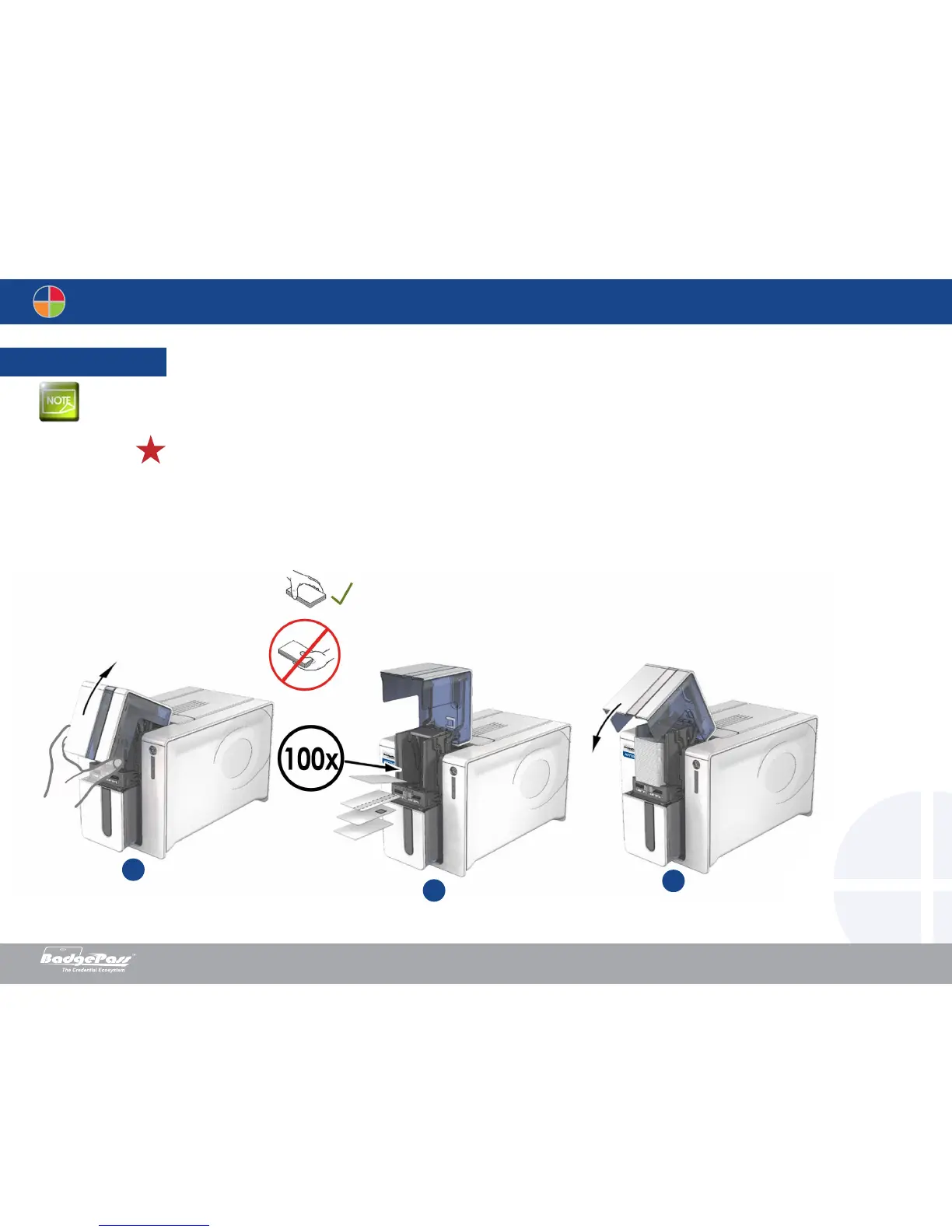
For optimum quality, the cards used must be ISO 7810 certified. Use only the card types recommended by BadgePass. Do not touch the printable surface of the cards
in order to preserve print quality.
Do not use cards that have been damaged, folded, embossed or dropped on the floor. Keep your cards protected from dust.
Loading the cards
1. Open the card feeder.
2. Insert the cards, a maximum of 100 cards of thickness 0.76 mm. Ensure the cards are positioned as illustrated in the diagram.
3. Close the feeder.
1
2
3
Document History
BadgePass NXT5000 USER GUIDE



 To Next Page