Page 30
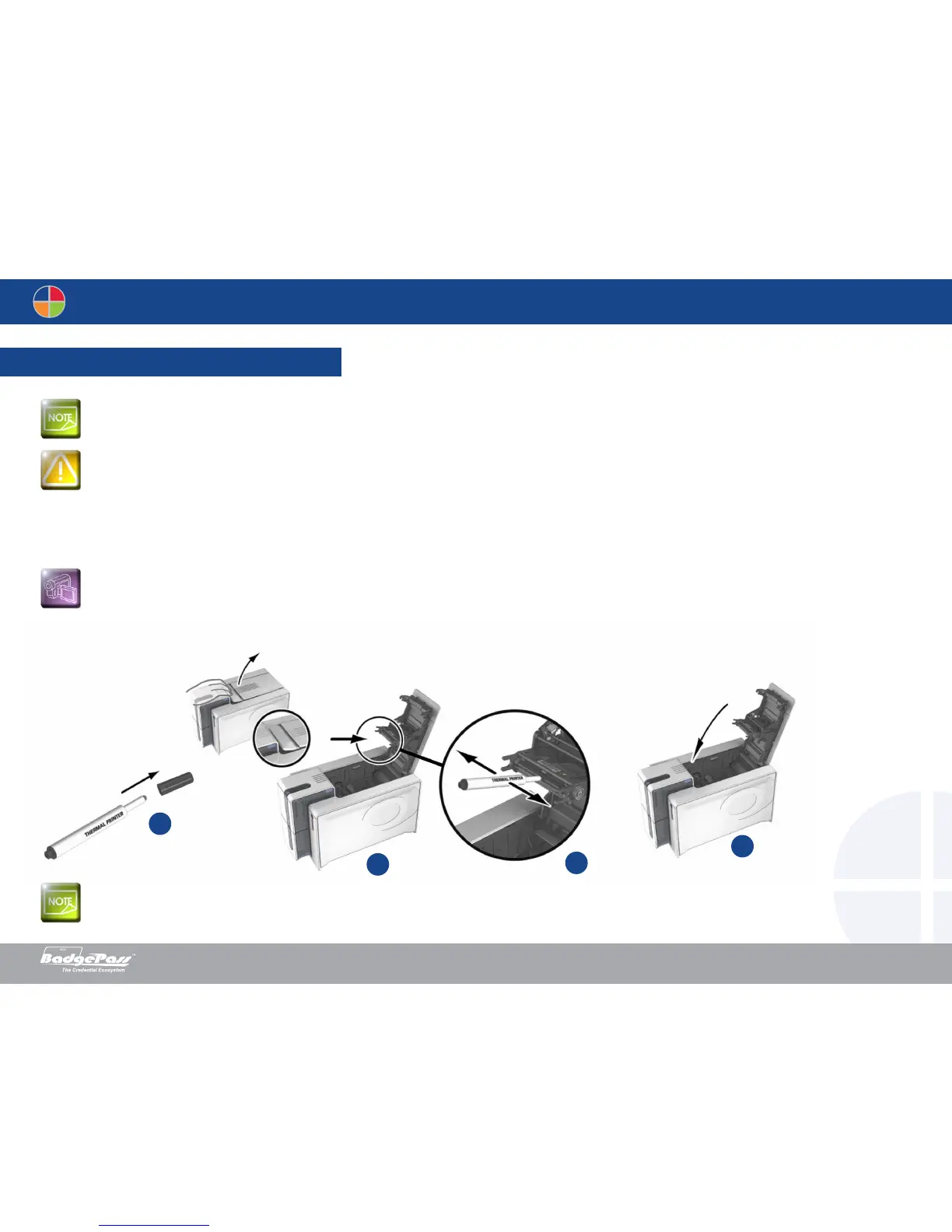
1. Remove the cover from the cleaning pen.
2. Unplug the power supply cable, open the cover, and then find the print head.
3. Gently rub the pen from left to right along the print head for a few seconds.
4. Close the cover. Reconnect the printer.
Recommended cleaning cycle: every 5 routine cleaning cycles. Servicing accessory: cleaning pen
The cleaning pen can be used up to 8 times for cleaning the print head.
Follow the procedure below:
3-3b Servicing the print head
Unplug the printer from its power supply before cleaning the print head. All cleaning cycle procedures must be followed to ensure long life of the printer’s
components. Avoid any contact between the print head and any metal or sharp objects. Avoid touching the print head directly with your fingers, as this
could affect print quality or permanently damage the print head.
Wait for 2 minutes after cleaning before using your printer.
2
1
4
3
Document History
BadgePass NXT5000 USER GUIDE



 To Next Page