Page 43
Before changing the print head, please unplug the power cable.
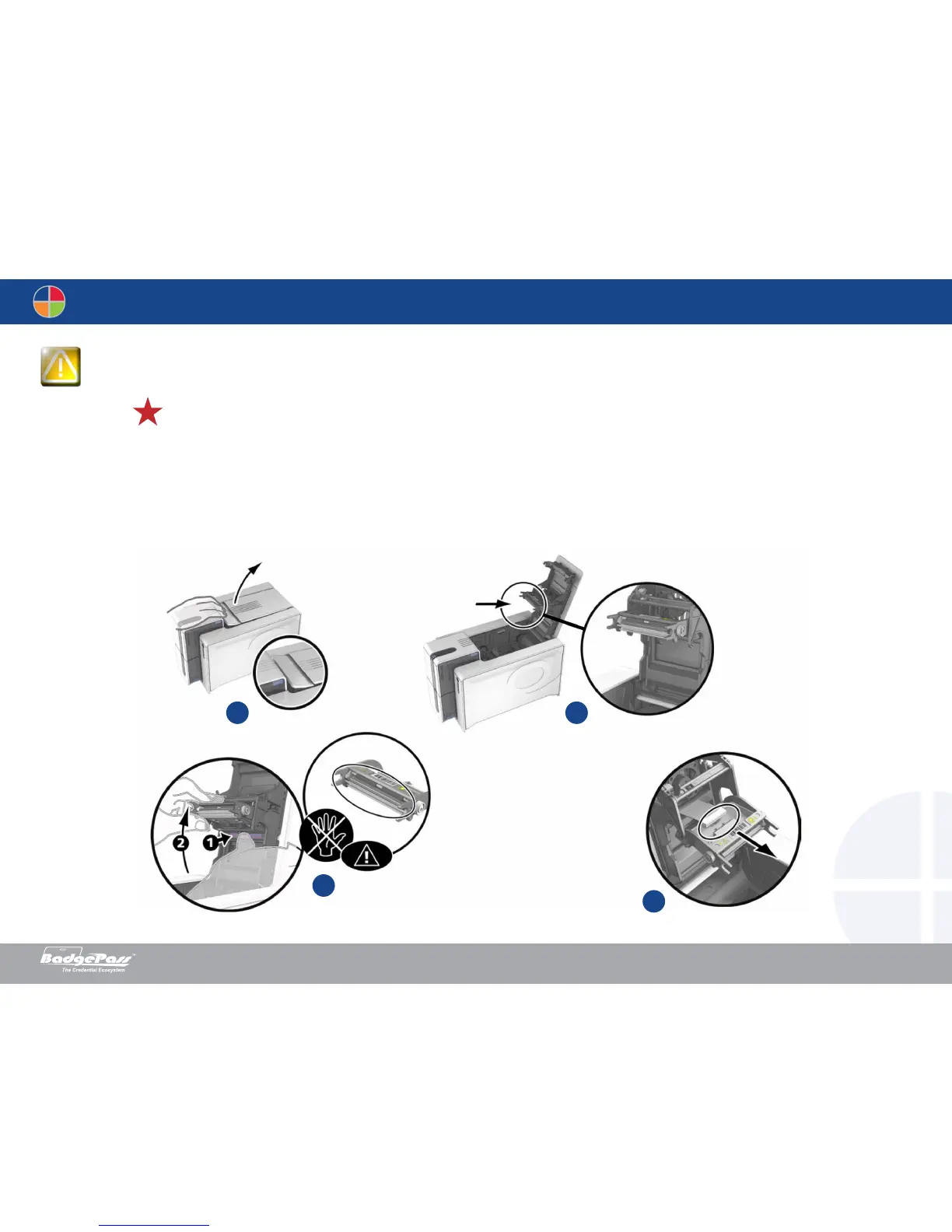
Removing the defective print head
1. Open the printer cover.
2. Locate the print head.
3. Press on the plastic part behind the head (pressure plate) and pull on the head with the other hand as shown in the diagram in order to free the lugs from the holding fork, then
remove the lugs from their slots.
4. Tilt the head carefully downwards and disconnect the connector linked to the cable without using force on the mechanism.
21
4
3
Document History
BadgePass NXT5000 USER GUIDE



 To Next Page