EasyManua.ls Logo

Badger Meter ER-500 - User Manual

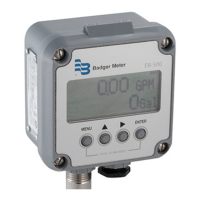
Badger Meter ER-500
36 pages
Print Icon
To Next Page IconTo Next Page
Loading...
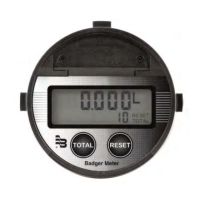
Display
ER-500 Advanced
DSY-PM-00028-EN-02 (February 2017)
Programming Manual

Questions and Answers

  • C
    cody91Aug 12, 2025
    Why is the flow rate indication erratic on my Badger Meter ER-500?
    • T
      Tyler MooreAug 12, 2025
      If the flow rate indication on your Badger Meter Measuring Instruments is erratic, it typically indicates a weak signal. First, replace the pickup and check all connections to ensure they are secure. Then, verify that the correct factor is being used. Also, confirm that the ILR transmitter's meter size selection switch is set to the correct size.
  • H
    holtlindaAug 19, 2025
    What to do if the flow rate display interprets reading constantly on Badger Meter ER-500 Measuring Instruments?
    • A
      Autumn HebertAug 19, 2025
      If the flow rate display on your Badger Meter Measuring Instruments constantly interprets readings, it usually indicates external noise. To resolve this, keep all AC wires separate from DC wires. Check for any large motors near the meter pickup and ensure there are no radio antennas in close proximity.
  • C
    connerkevinAug 27, 2025
    How to troubleshoot a no LCD display on Badger Meter ER-500 Measuring Instruments?
    • J
      jmorganAug 27, 2025
      If your Badger Meter Measuring Instruments' LCD display is not working, here's what you should check: * **Battery:** Verify the battery voltage. It should be 3.6V DC. Replace the battery if the input is 3.4V DC or lower. * **Loop Power:** Check the 4…20 mA input. The voltage must be within the specified minimum and maximum supply voltage to ensure enough current to run the display. Check the input voltage "across" or in parallel with the 4…20 mA terminals, and check the current with the ammeter in series with the 4…20 mA output.
  • A
    Ashley JonesSep 4, 2025
    Why is there no rate or total displayed on my Badger Meter ER-500?
    • C
      carneykyleSep 4, 2025
      If no rate or total is displayed on your Badger Meter Measuring Instruments, start by checking the connection from the meter's transmitter to the display input terminals. Inspect the turbine meter rotor for any debris that might be obstructing it, ensuring it spins freely. Finally, verify the programming of the flow monitor.

Badger Meter ER-500 Specifications

General IconGeneral
TypeElectromagnetic Flow Meter
Accuracy±0.5% of rate
Accuracy (rate)±0.5% of rate
Measurement PrincipleElectromagnetic Induction
OutputPulse, Frequency
Output Signals4-20 mA, Pulse, Frequency
Operating Temperature-4°F to 140°F (-20°C to 60°C)
Process ConnectionFlanged, threaded
Housing MaterialStainless Steel
Liner MaterialPTFE, PFA
Electrode MaterialStainless Steel, Hastelloy
ApprovalsCE

Related product manuals