9
DISPLAY MANUAL DP C171.UART
NORMAL OPERATION
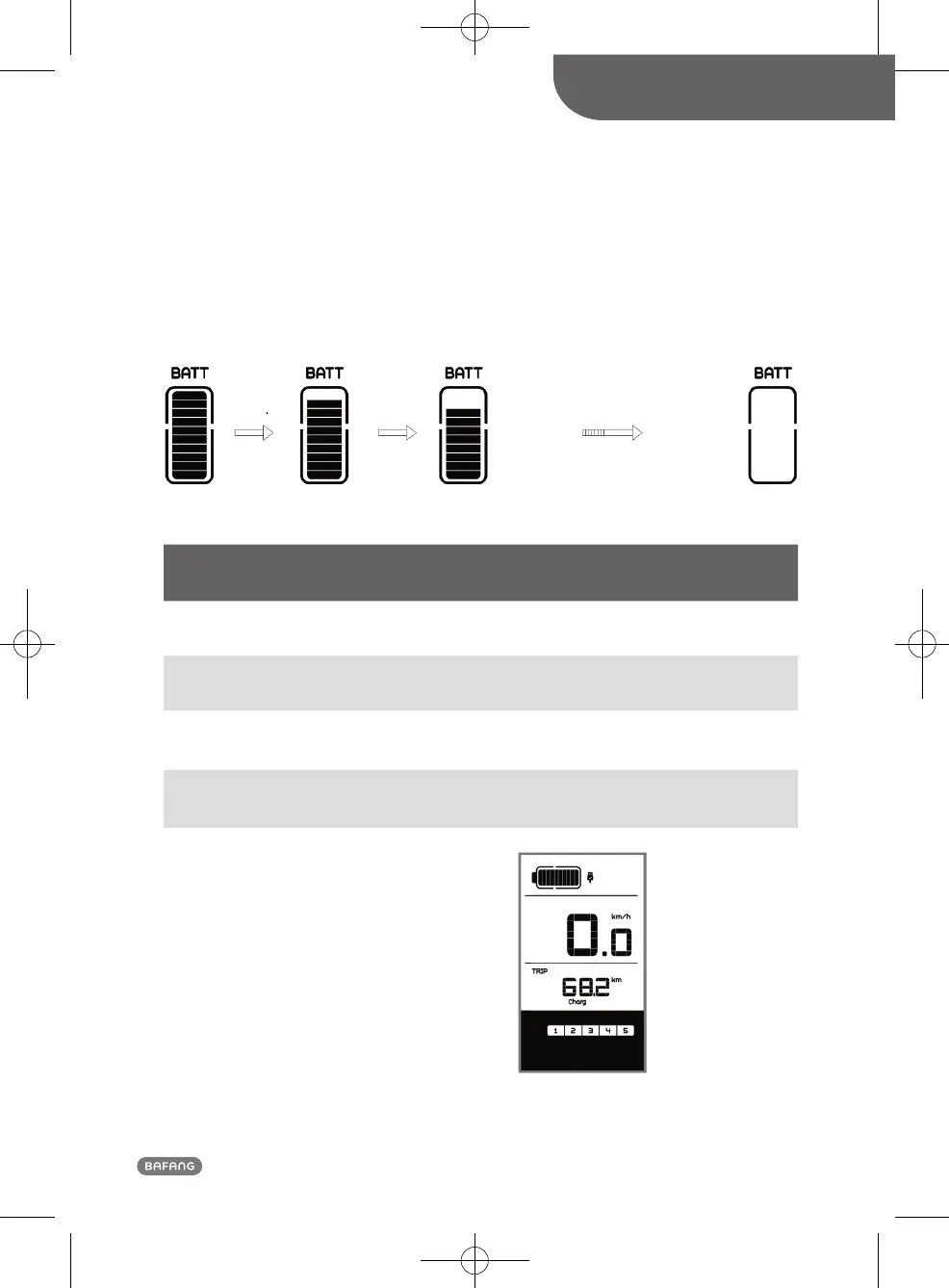
• Battery Status Indication
When the battery status is normal, a certain number of the battery LCD segments as well as the bor-
der light up according to the actual quantity of charge. If all of the 10 segments will black out with
the border blinking, the battery needs to be charged immediately.
• Battery status indication
Number of
Segments
Charge in
Percentage
Number of
Segments
Charge in
Percentage
Number of
Segments
Charge in
Percentage
10 ≥90% 6 50%≤C<60% 2 15%≤C<25%
9 80%≤C<90% 5 45%≤C<50% 1 5%≤C<15%
8 70%≤C<80% 4 35%≤C<45%
Border
blinking
C<5%
7 60%≤C<70% 3 25%≤C<35%
• When display turns off, connect the USB
cable to the port of the display and then dis-
play turn on and begin charge. If display is
being on, only connect the USB cable to the
port to the display and display begin charge.
Maximum charge voltage is 5V, maximum
charge current is 500mA












 To Next Page