89
HEATING SYSTEMS
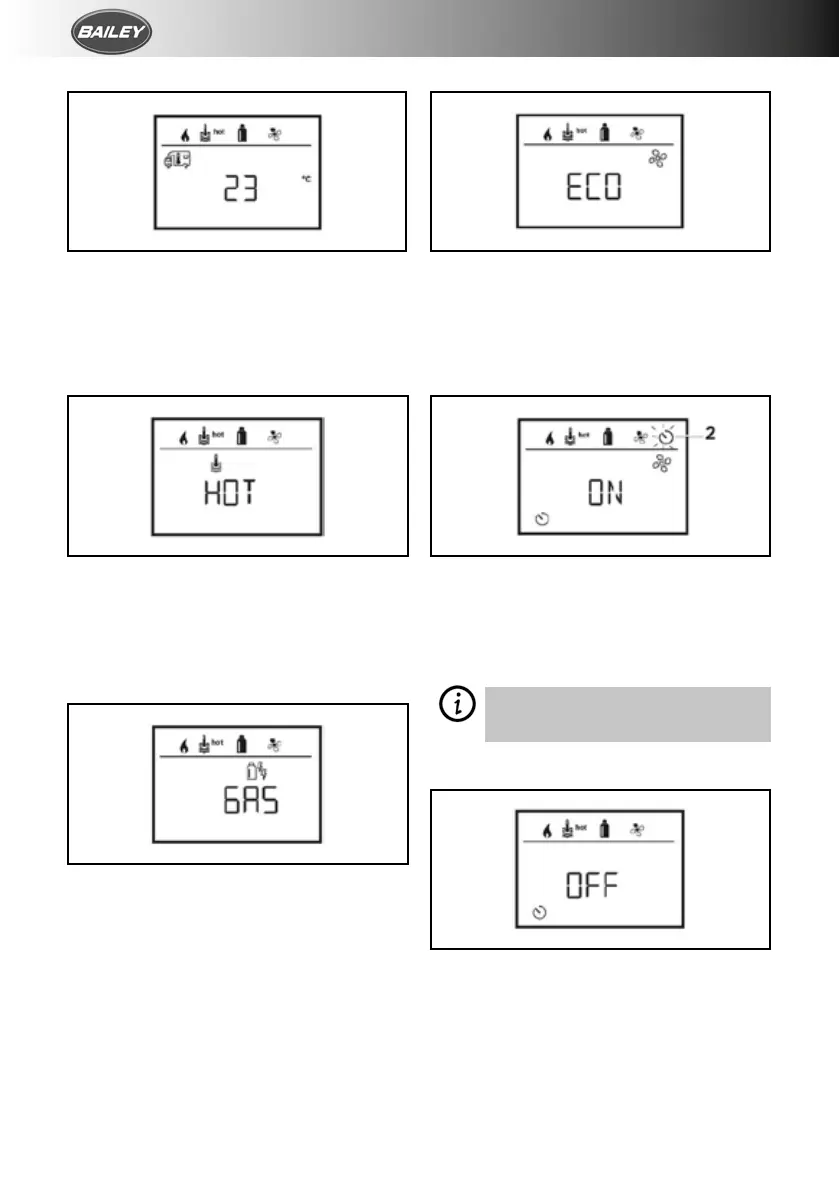
Set the Room Temperature
6. Click to change to the setting level.
7. Use the control knob/push button to select
the required room temperature.
8. Click the control knob/push button to
confirm the value.
Set the Hot Water Level
9. Click to change to the setting level.
10. Use the control knob/push button to select
the required hot water level.
11. Click the control knob/push button to
confirm the value.
Select Power Type
12. Click to change to the setting level.
13. Use the control knob/push button to select
the power type.
14. Click the control knob/push button to
confirm the value.
Select Fan Level
15. Click to change to the setting level.
16. Use the control knob/push button to select
the required fan level.
17. Click the control knob/push button to
confirm the value.
ACTIVATE THE TIMER (ON)
18. Click to change to the setting level.
19. Use the control knob/push button to
activate the timer (ON).
20. Click the control knob/push button to
confirm the value.
The timer remains active, even for
several days, until it is deactivated
(OFF).
DEACTIVATE THE TIMER (OFF)
1. Click to change to the setting level.
2. Use the control knob/push button to
deactivate the timer (OFF).
3. Click the control knob/push button to
confirm the value.



 To Next Page