25
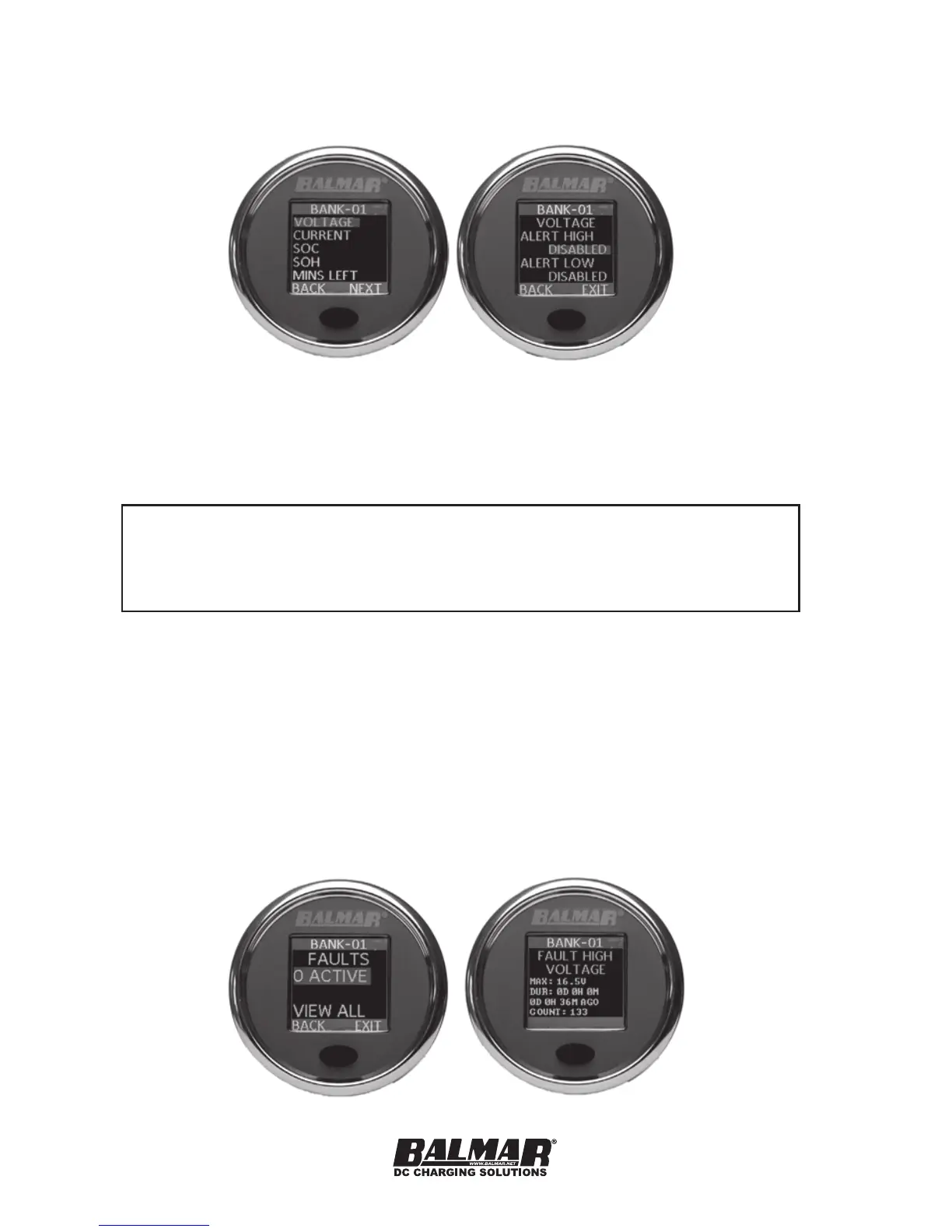
To set an alert, ensure you have the correct SmartShunt selected
(the device name shows on the top bar) and select ALERTS from the
CONFIG menu.
First, select the type of alert you wish to congure, then if you wish to
congure for a high or low value. Once selected, you can change the
value one digit at a time, using the same method used to congure the
battery capacity.
NOTE: When a HIGH value is congured, the parameter must
exceed the set value for the ALERT to be triggered. When a LOW
value is congured, the parameter must fall below that value for the
ALERT to be triggered.
Faults
Faults are triggered when specic values have been passed that may
have an impact on safety or the health of the battery. For example.
draining a battery down to less than 5% SoC will trigger a fault, as it can
adversely affect the life of a battery. Exceeding the safe current carrying
ability of the SmartShunt will also trigger a fault. Faults can help a user
identify behavior that will shorten the life of a battery. Faults can only be
cleared from History with a Factory reset.


 To Next Page