74
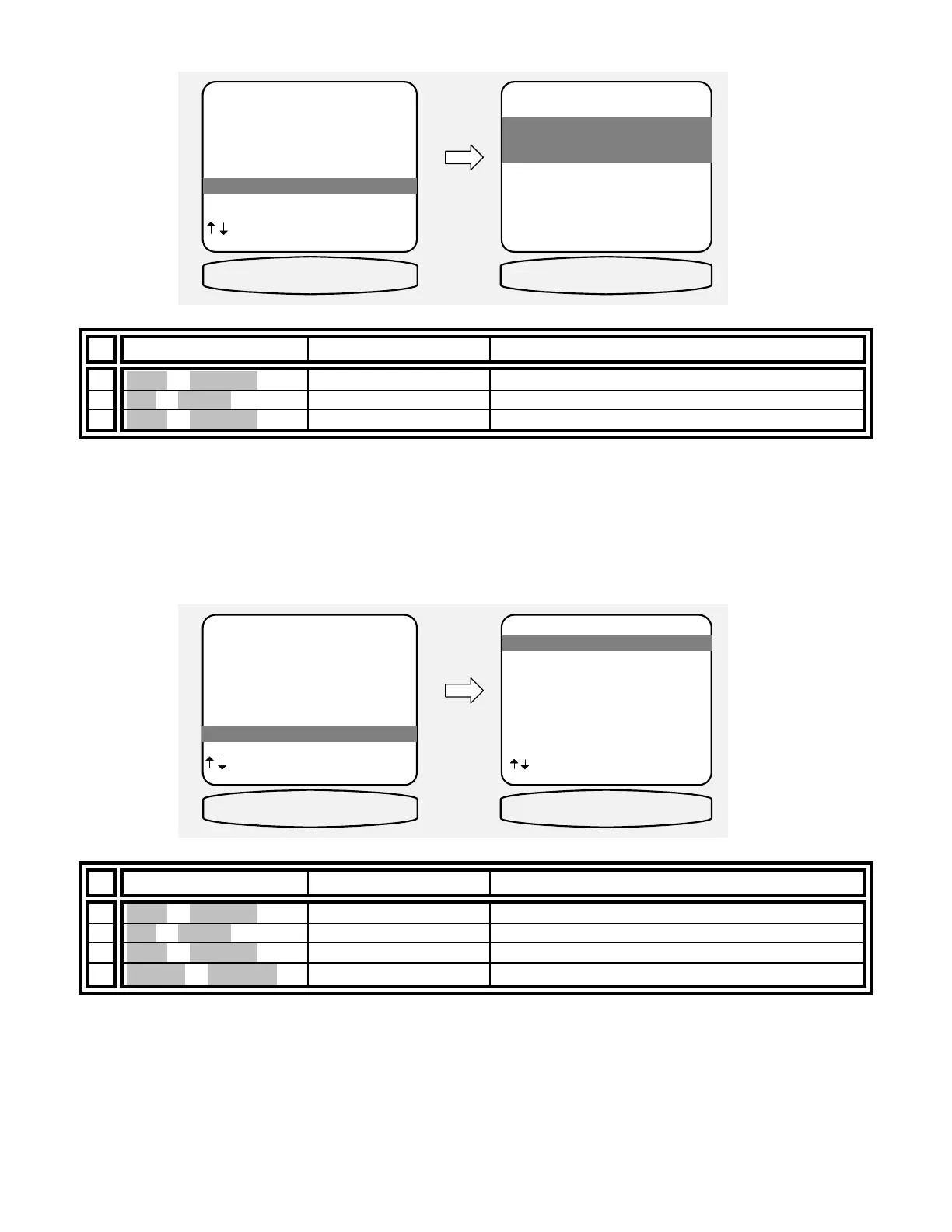
DSP Usage
Allows displaying the current DSP usage in MIPS.
From Remote From Front Panel Action
1
À(UP) or §(DOWN)
(UP) or (DOWN) move to DSP Usage
2 SEL or ENTER (ENTER) activate DSP USAGE
3
À(UP) or §(DOWN)
(UP) or (DOWN) display currently used DSP MIPS
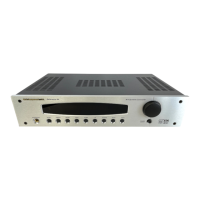
RS-232 Control Port
Configure the advanced computer interface control port on your processor. For further information concerning RS-
232 operation, see BKC-DIP for the computer interface protocol, and the AVR507 and Reference 50 device
specific appendixes.
RS-232 port setup -
From Remote From Front Panel Action
1
À(UP) or §(DOWN)
(UP) or (DOWN) move to RS-232 Control Port
2 SEL or ENTER (ENTER) activate RS-232 PORT SETUP
3
À(UP) or §(DOWN)
(UP) or (DOWN) move to Port
4
¶(LEFT) or •(RIGHT)
VOLUME KNOB select Enabled or Disabled
ADVANCED SYSTEM SETUP
1 Zone 1 Setup 'A'
2 Zone 2 Setup 'B'
3 Power On Titles
4 Control Out
5 Security Options
6 DSP Usage
7 RS-232 Control Port
next item SEL select
MENU setup system
6 DSP Usage
DSP USAGE
1 Utilized DSP
Processing Power
XXX MIPS
MENU advanced setup
1 Utilized DSP
Processing Power
XXX MIPS
DSP USAGE
XXX MIPS FREE
ADVANCED SYSTEM SETUP
1 Zone 1 Setup 'A'
2 Zone 2 Setup 'B'
3 Power On Titles
4 Control Out
5 Security Options
6 DSP Usage
7 RS-232 Control Port
next item SEL select
MENU setup system
7 RS-232 Control Port
RS-232 PORT SETUP
1 Port Enable
2 Baud Rate 9600
3 Echo Enable
4 Update Enable
5 Receive ID 0
6 Transmit ID 0
next item SEL select
MENU advanced setup
1 Port Enable
RS-232 PORT
PORT ENABLED


 To Next Page