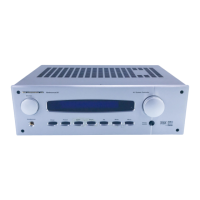
Need help?
Do you have a question about the B&K Reference 30 and is the answer not in the manual?
Configure speaker dimensions, location, levels, and crossovers for optimal audio.
Crucial safety instructions and warnings before device installation and use.
THX Ultra, Two-Zone, Digital I/O, Control Outputs, High-Res Audio, Room EQ.
Connecting external audio and video devices to the processor.
Explanation of analog and digital audio signal differences and benefits.
Dolby Pro Logic, Dolby Digital, Surround EX, DTS audio formats explained.
DVD Audio format and Home THX Cinema Processing features.
Bass routing, Preamp, Processor, Zone, and Amplifier functions.
Comparison of Component, S-Video, and Composite video standards.
Explanation of buttons, power, and volume controls.
Indicators showing audio status and the main processor display.
AC receptacle, IEEE 1394, Control outs, IR in, RS-232 input.
Component Video inputs, Line inputs, Digital audio ports.
Line level outputs, Zone 2 outputs, Digital outputs, AC fuse holder.
Guidance on planning audio/video cable connections for optimal setup.
Step-by-step guide for analog audio/video hookups.
Connecting component video and DVD audio sources.
Connecting digital audio sources, including laser discs.
Connecting subwoofer and other surround speakers to amplifiers.
Outputs for controlling external equipment with +12 VDC signals.
Inputs for receiving infrared remote control signals.
Addressing questions on digital outputs and AC-3 RF demodulators.
Questions about turntable connection and mixed video signals.
Navigating the processor's menu system using the remote or front panel.
Defining speaker sizes (small/large) for bass management and configuration.
Configuring front and center speaker sizes.
Configuring surround and surround back speaker sizes.
Configuring subwoofer bass distribution settings.
Setting speaker distances for accurate sound staging.
Calibrating individual speaker volume for balanced output.
Adjusting crossover frequencies and LFE settings.
Adjusting low pass filter slope and peak limiter settings.
Adjusting LFE channel level and DTS mode preference.
Adjusting subwoofer phase for optimal bass response.
Adjusting audio response for room acoustics using test tones.
Correcting accentuated bass using a notch filter.
Setting custom bass and treble for all sources.
Adjusting front panel display brightness.
Controlling on-screen display overlays.
Changing the background color of on-screen menus.
Configuring video output for Zone 1 monitor (AUTO/MANUAL).
Adjusting aspect ratio for Zone 1 monitor display.
Choosing and configuring input sources.
Setting default audio modes for each input source.
Setting default speaker configurations for input sources.
Matching input source volume levels.
Customizing names for input sources.
Associating component video inputs with sources.
Dedicating an input for DVD Audio.
Recalling presets with current or saved volume settings.
Options for naming saved presets.
Procedures for backing up and restoring system settings.
How to power the processor on and off using the main switch or sleep function.
Putting the processor into standby mode for remote operation.
Selecting audio/video sources for playback.
Using the tape monitor loop for analog recordings.
Operating the built-in AM/FM tuner.
Making temporary changes to center, surround, subwoofer levels.
Single-channel, two-channel, and surround sound audio output options.
THX processing and DVD Audio mode for enhanced audio.
Notes on speaker selection, headphones, and control outputs for modes.
Setting THX and Stereo audio modes.
Overriding audio processing with EQ presets via remote.
Setting custom bass and treble for all sources.
Using loudness and theater EQ presets.
Controlling the second audio zone using the remote.
How to recall saved system presets.
Process for saving current system settings as a preset.
Managing presets for Zone 1 through the menu.
Recalling presets within the Zone 1 operation menu.
Saving presets within the Zone 1 operation menu.
Recalling presets within the Zone 2 operation menu.
Saving presets within the Zone 2 operation menu.
Understanding the information shown on the video and front panel displays.
Advanced configuration options for Zone 1.
Setting Zone 1 max level and product ID for remote control.
Controlling Zone 1 overlays and V1 output mode.
Automatic or manual surround mode selection.
Setting Zone 2 level control and maximum volume.
Setting Zone 2 product ID and V2 output mode.
Linking Zone 2 input selection and power control to Zone 1.
Customizing the text displayed at power-on.
Configuring outputs for controlling external devices.
Configuring Control Outputs 1 and 2 for specific sources or functions.
Configuring Control Outputs 3 and 4 for specific zones or modes.
Setting visibility and lock options for system settings.
Locking presets, front panel, and IR for security.
Configuring the RS-232 port for computer interface.
Configuring baud rate, echo, and update settings for RS-232.
Setting receive and transmit IDs for RS-232 communication.
Solutions for sound, display, and video color problems.
Troubleshooting remote control and surround sound playback.
Detailed technical specifications for audio, video, tuner, and processor components.
General specs like power, dimensions, and warranty.
Procedure for returning equipment for service or repair.
 General
| Brand | B&K |
|---|---|
| Model | Reference 30 |
| Category | Controller |
| Language | English |

 To Next Page