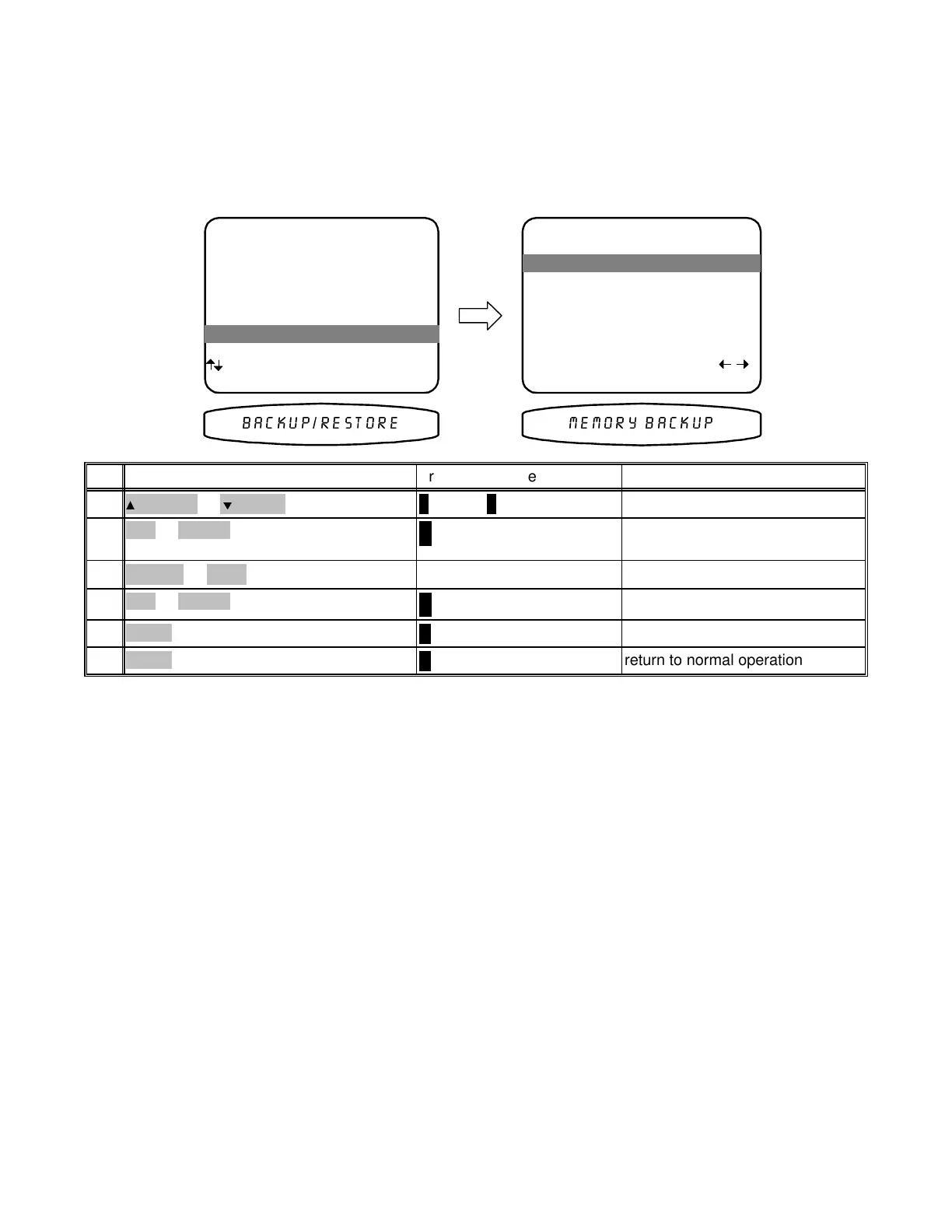
MEMORY BACKUP
Your processor continually saves any settings you have made even if power is lost. However, you may wish to
save a backup of your settings in case of inadvertent changes to them. To perform a backup follow the procedure
below. To restore backup settings perform the same procedure but select restore instead of backup. If you have
never made a backup, then performing a restore will call back the original factory settings. Make sure you are in
the MAIN MENU and your remote is in B&K mode.
MAIN MENU
1 Zone 1 Operation
2 Zone 2 Operation
3 Zone 1 Favorite Presets
4 Zone 2 Favorite Presets
5 System Setup
6 Memory Backup/Restore
next item SEL select
MENU exit menu system
6 Memory Backup/Restore
MEMORY BACKUP AND RESTORE
1 Memory Operation Backup
Save ALL memory
settings in EEPROM
SEL perform adjust
MENU main menu
1 Memory Operation Backup
0(025< %$&.83%$&.835(6725(
return to normal operation
∠ MENU
MENU6
return to MAIN MENU
∠ MENU
MENU5
perform Backup or Restore
↵
(ENTER)
SEL or ENTER4
choose Backup or RestoreVOLUME KNOB
(REW) or
(FF)
3
activate MEMORY BACKUP AND
RESTORE
↵
(ENTER)
SEL or ENTER2
move to Memory Backup/Restore
∧ (UP) or ∨ (DOWN)
(PAUSE) or
(STOP)
1
ActionFrom Front PanelFrom Remote
45
p/n 12857 Rev. 0717A


 To Next Page