Section 2. Getting Started
"CLICK"
"CLICK"
2
1
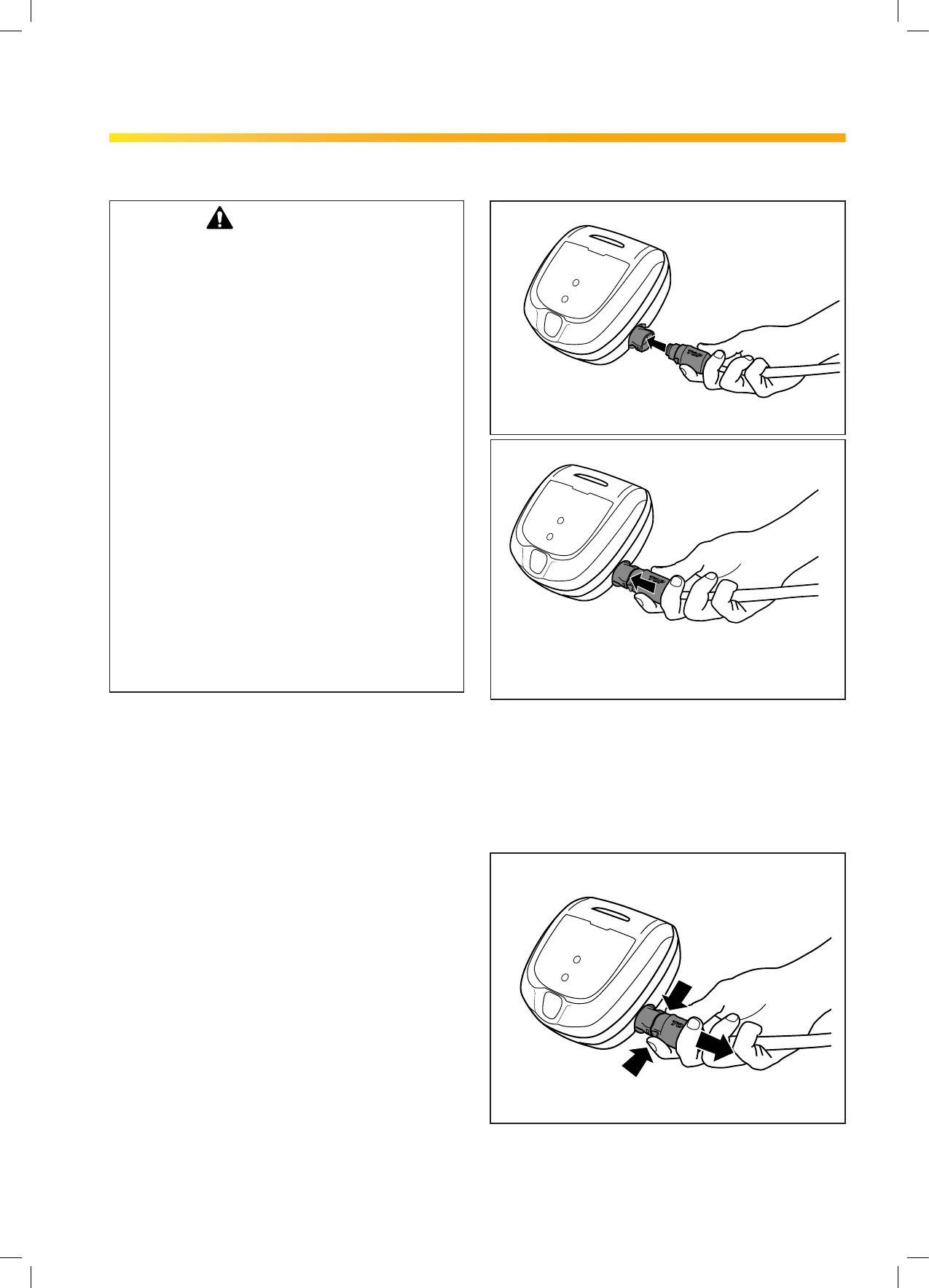
Figure 10. Connect the Power Cord
To Disconnect:
• Grip the power cord rmly on each side and
press two tabs to release (see Figure 11.)
Figure 11. Disconnect the Power Cord
2.6 Connecting the Floating Cable to
the Control Box
WARNING
Failure to comply with the following warnings
can result in permanent injury, electrocution or
drowning.
PREVENT ELECTRICAL SHOCK
• Keep the Control box at least 3.5 m from the edge
of the pool.
• The cleaner is to be installed in accordance
with the relevant requirements of the Australian
wiring rules AS/NZS 3000. Also refer to the
installation instructions relating to the swimming
pool equipment for which the cleaner will be an
integral part. The cleaner is to be supplied through
a Residual Current Device (RCD) with a rated
residual operating current of 30mA.
• Do not use an extension cord to connect the
Control box.
• Do not allow anyone to swim while the cleaner is
in the pool.
• The Control box is water-resistant, not waterproof.
In order to prevent electrocution, never submerge
the Control box or leave exposed to inclement
weather.
To Connect:
• Rotate the power cord so that TOP is shown
on the top side. Press the power cord rmly
into the control unit until you hear a "click"
(see Figure 10 ). The clicking indicates the
power cord is connected correctly creating a
watertight seal.
Section 2. Getting Started
H670900_REVA 7


 To Next Page