R5900120 /03 ClickShare CX-50 Gen232
3.7 Network connected setup
Overview
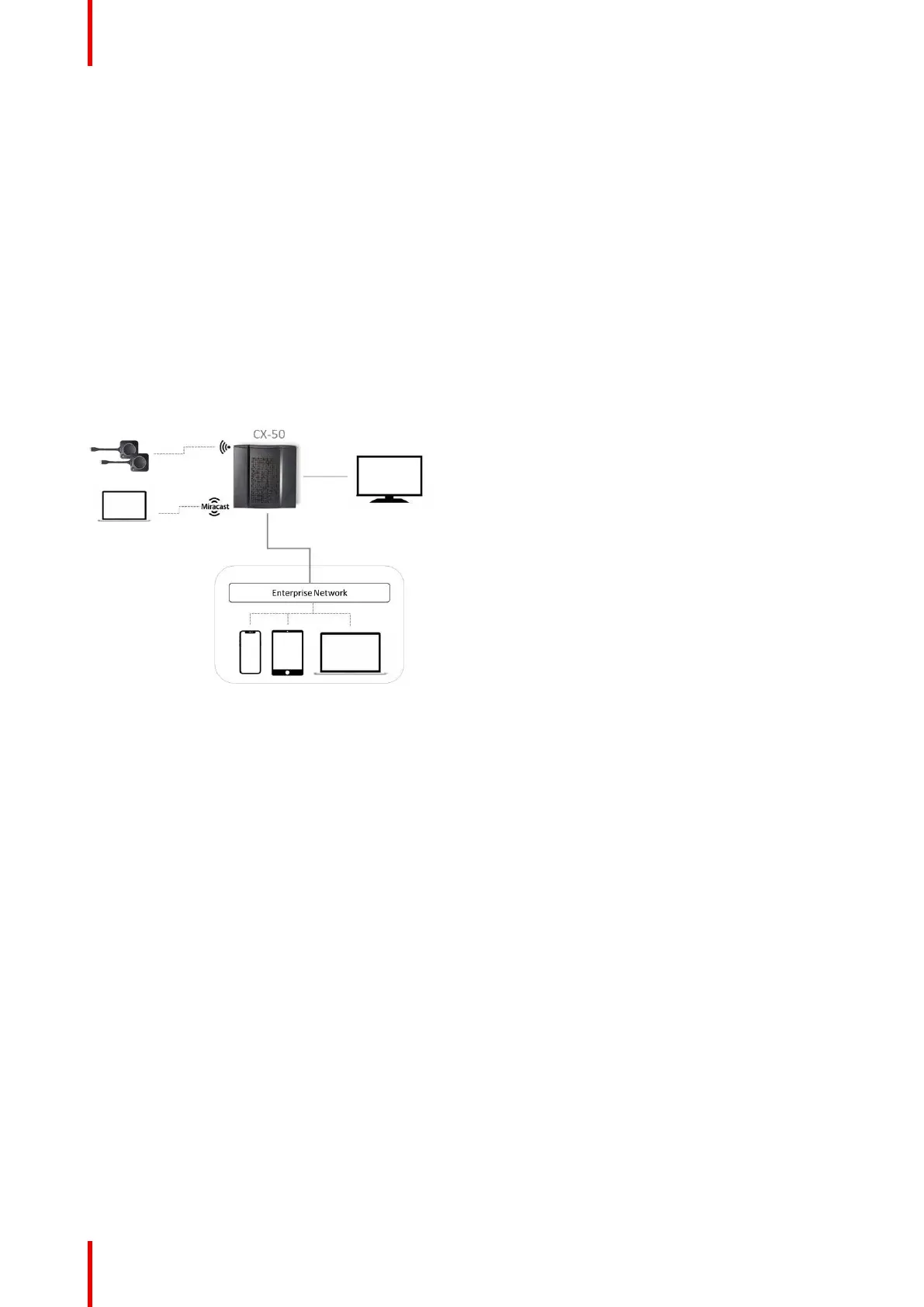
This is the simplest installation which offers a seamless experience for employees and is the recommended
setup for temporary setups, visitors' centers, small to medium installations without network integration needs,
for internal meeting rooms, for companies with a flat network topology or when the ClickShare Button will be
the main way for people to the system.
In this default mode, ClickShare Buttons and Base Units operate directly out of the box (Buttons must be
paired to the Base Unit before they can be used) and users can share to the Base Unit with the ClickShare
Desktop App, the ClickShare Mobile App, AirPlay, Google Cast via the network to which the Base Unit is
connected without losing the internet connectivity. Sharing via Miracast depends on the configuration of the
device.
Using a ClickShare Button allows guests to stay connected to the Guest LAN and thus retain internet
connectivity. Guest mobile devices will usually need to connect to the Base Unit directly and will only be able
to access the internet if the device supports to use data (3G/4G) at the same time.
Image 3–3
Miracast on CX-50
When the Base Unit is connected to the network via the LAN cable, than Miracast can be used via Wi-Fi Direct
and over infrastructure (MS-MICE).
When the Base Unit is connected to a wireless network via client mode, than Miracast can be used via Wi-Fi
Direct and Over Infrastructure (MS-MICE). If the Base Unit is set up in a dual network configuration, MS-MICE
will only be available on the LAN connection. When not connected to that network, the user’s device will
connect to the Base Unit through Wi-Fi direct.
CX-50 Gen2 Installation














 To Next Page