47R5900120 /03 ClickShare CX-50 Gen2
3.18 HDMI connection to the Base Unit
About HDMI in
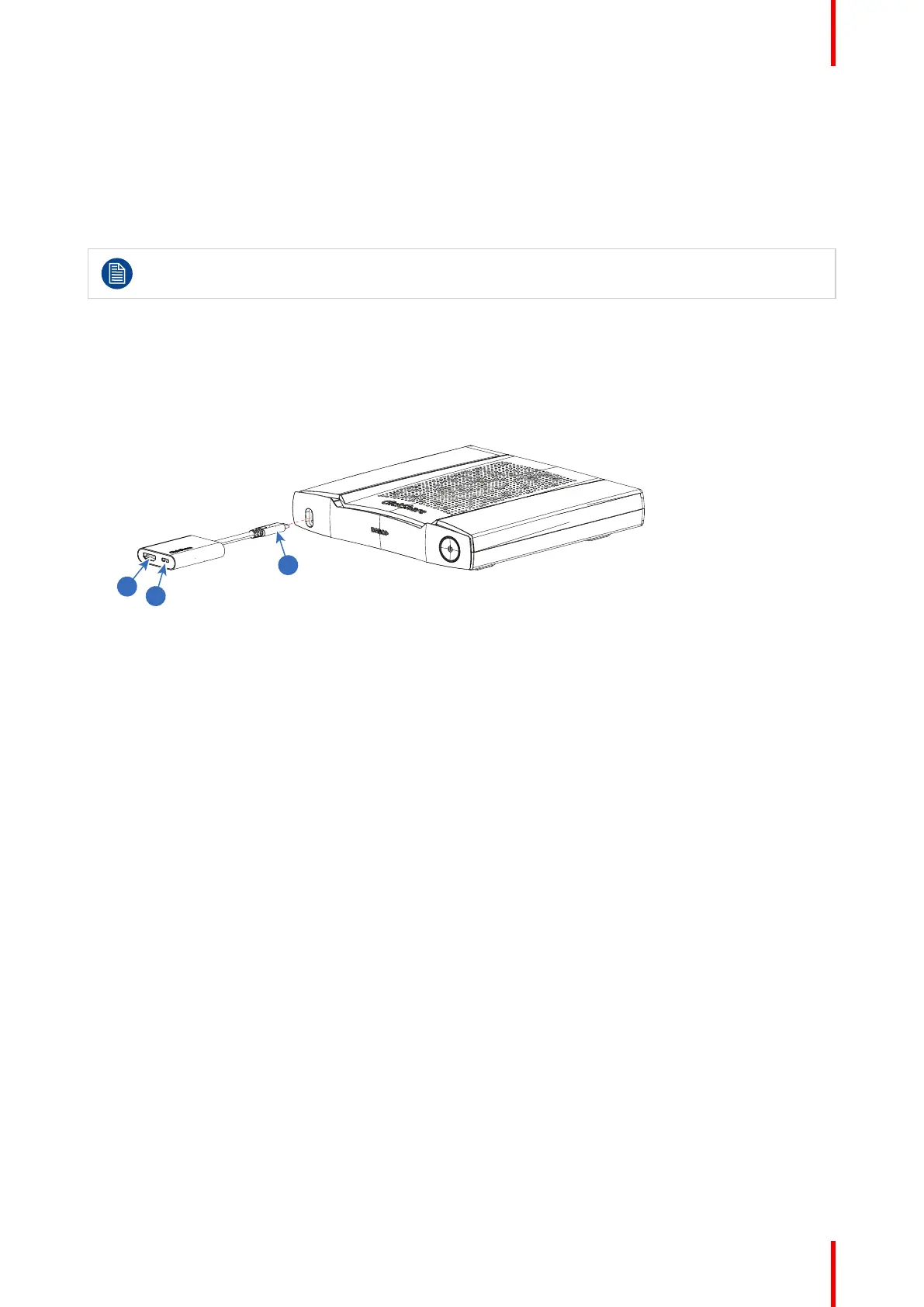
By default there is no HDMI in to the Base Unit. To connect HDMI to the Base Unit a Barco adapter must be
used. This adapter makes it possible to connect an HDMI source to the Base Unit and a USB Type-C
TM
port
remains available. The connected HDMI signal will be converted to DipslayPort over USB-C.
DisplayPort over USB-C needs bo be enabled in the Configurator, tab page Display & Audio, Inputs.
Required parts
Barco HDMI-in to USB-C convertor kit (R9861581)
How to connect
1. Connect the USB Type-C
TM
connector of the HDMI adapter with the front USB Type-C
TM
port (1).
Image 3–12
2. Connect your HDMI source with an HDMI cable to the HDMI input of the HDMI adapter (2)
3. The spare USB Type-C
TM
port can be used for wired roomdock.
CX-50 Gen2 Installation














 To Next Page