4. Operation
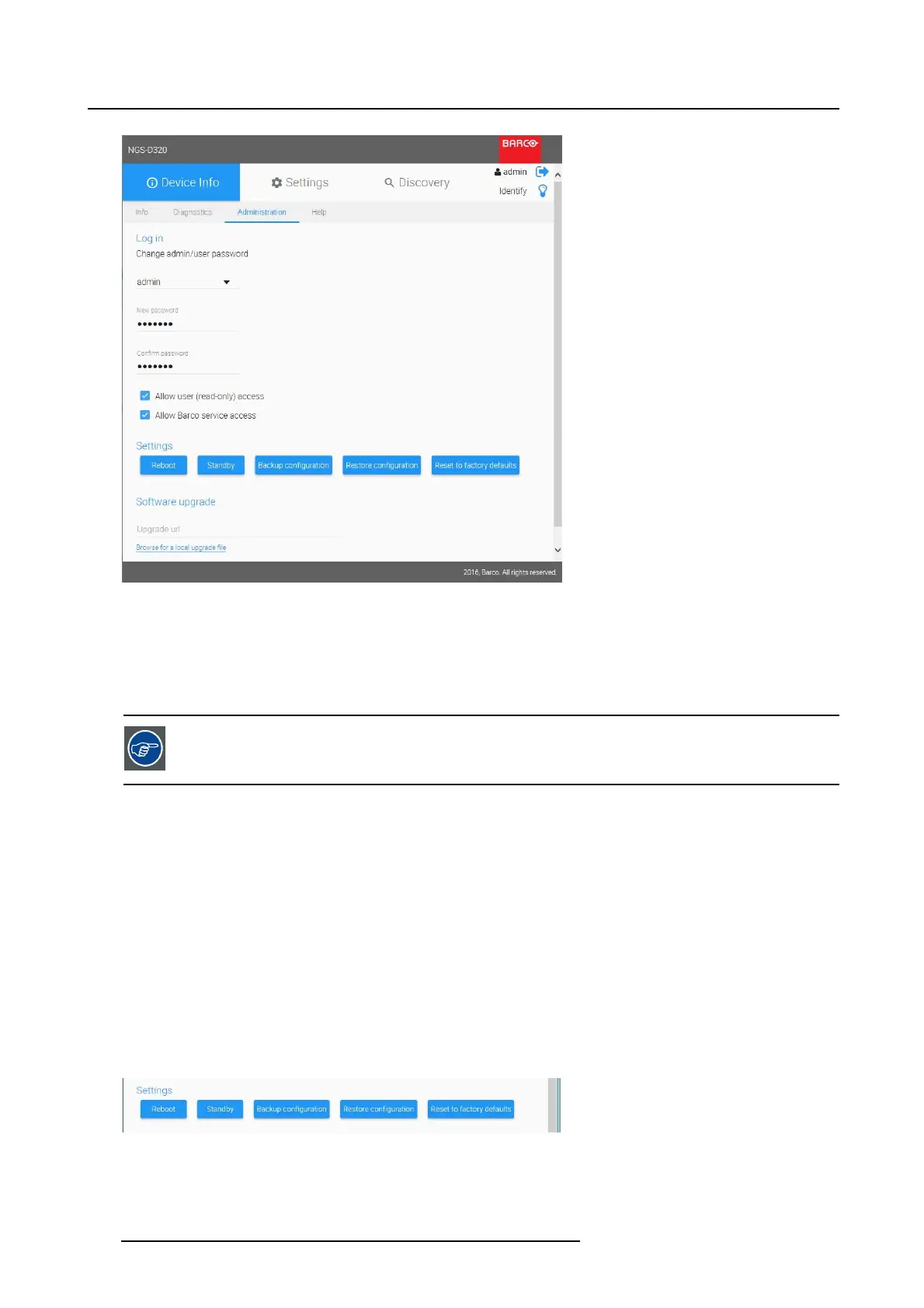
Image 4-11
Device Info _ Administration
Login
1. Change the Administrator password: select admin and type the new password with confirmation.
2. Change the User password: select user and type the new password with confirmation.
The password must have a length of minimum 6 characters.
Devi ce acces s
Configure the device acces with these two checkboxes:
1. Allow user (read-only) access
- When checked, the user can login to the device webUI with the user account password. The user
obtains read-only access.
- When unchecked, the user account cannot access the webUI.
2. Allow Barco service access
- When checked, the user can have ssh (secure shell) access to the device.
- When unchecked, ssh access is disabled (defa
ult).
Device settings
Change the device settings as such:
Image 4-12
Device Info _ Dev ice settings
30 K5903129 NGS-D320 29/09/2016



 To Next Page