4. Operation
4.5.4 Decoder settings
4.5.4.1 Overview
Decoder settings tab
1. Select the tab Decoder Settings
Image 4-21
Settings _ Decoder Settings
The Decoder Settings page allows to set up the device for decoding & streaming media.
2. Press the Refresh button to ensure you have the latest device status displayed correctly before mak-
ing any changes.
All available output connectors on the device will always be listed, even if no active connection is
present. Configuration changes can be made at any time, they will be applied when the connection is
live. This allows to pre-configure the device in advance.
4.5.4.2 Audio
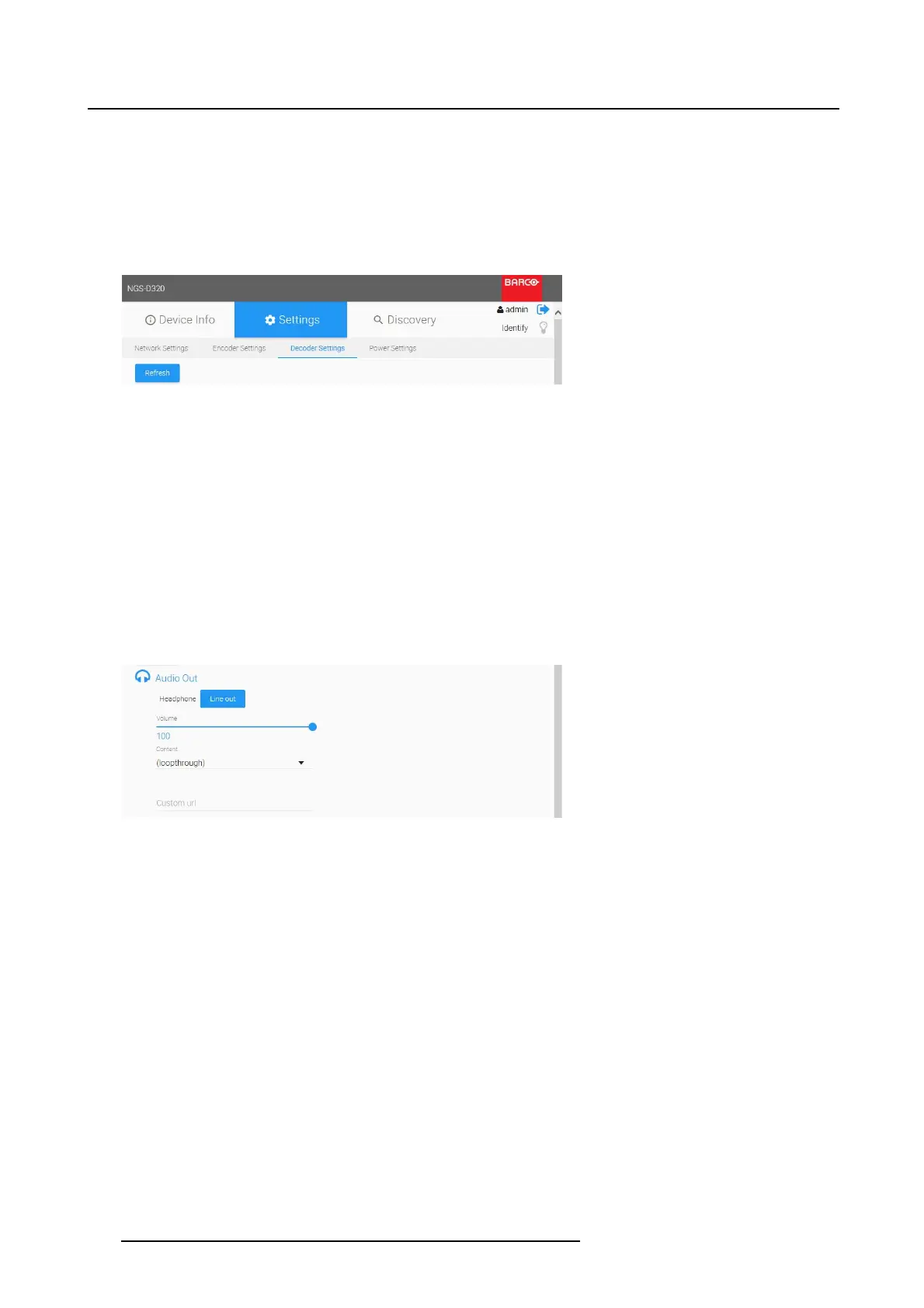
Headphone / Line Out
1. Select Headphone or Line Out to be configured for streaming.
Image 4-22
Decoder settings Audio out
2. The Volume is by default set to 100%. Change the slider to adjust the volume.
3. The Content field is set to loop through by default.
The drop down box will list any available audio stream on the network. Select a stream from another
NGS-D320 to allow playback on the decoder.
The audio decoding can also be disabled.
4. When a stream is selected, the Custom url field will automatically be filled in.
It is also possible to manually enter a url into
the Custom u rl field to connect to an audio stream.
5. Press Apply to save settings.
4.5.4.3 DVI Out/DP Out/HDMI Out
Output Timing
1. Select the Output Timing in the drop down box:
38
K5903129 NGS-D320 29/09/2016



 To Next Page