4. Operation
- Standby
- EDID preferred timing
- One of the specific timings (listed in the drop down box)
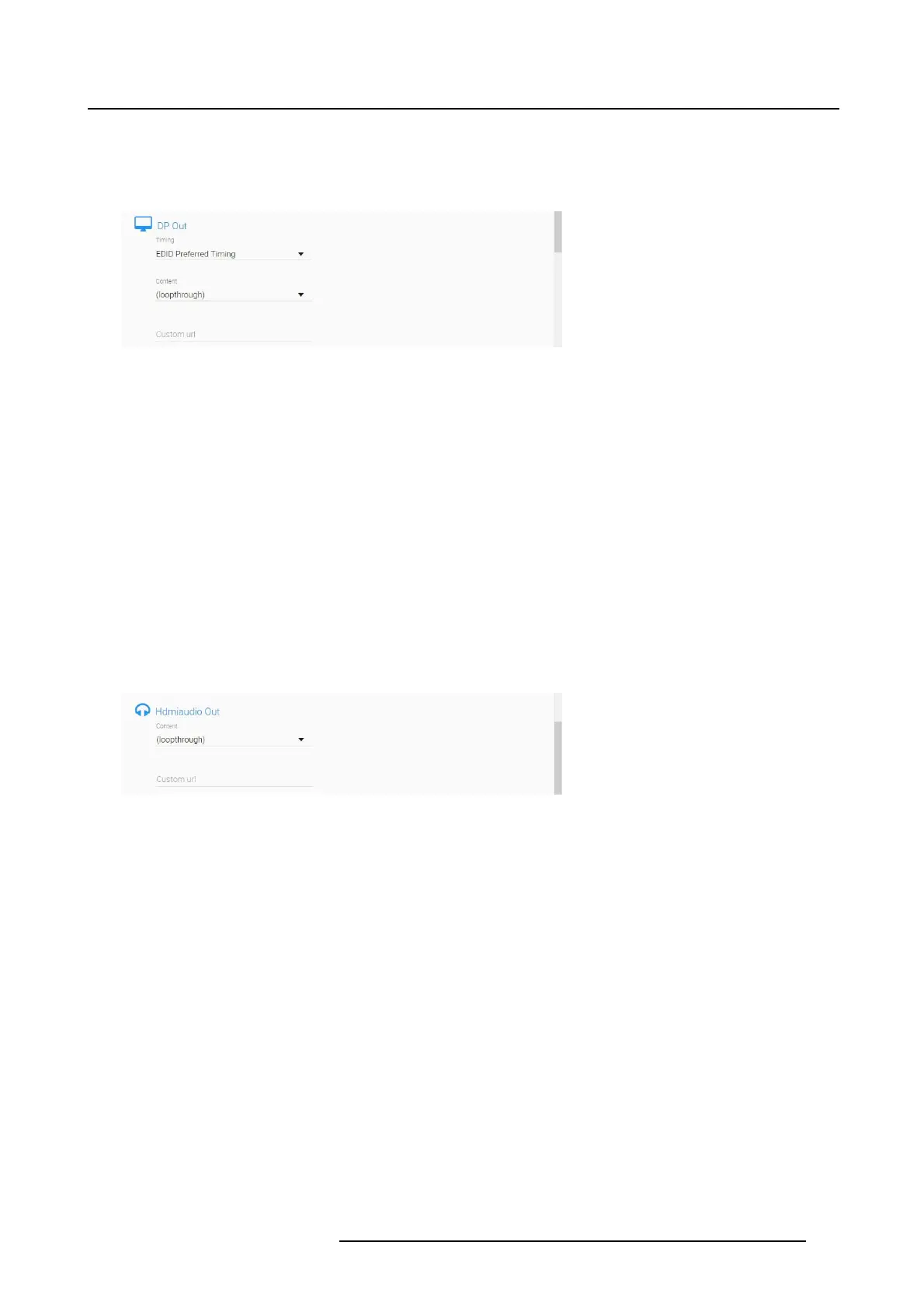
Image 4-23
Decoder settings DVI Out / DP Out/ HDMI Out
2. The Content field is set to loop through by default.
The drop down box will list any available video stream on the network.
For each interface type, select a stream from another NGS-D320, to allow playback on the output port
of the decoder. It is also possible to disable decoding..
Note that decoding will be active depending on available resources. Refer to "Resources", page 9 for
more information.
3. When a stream is selected, the Custom url field will automatically be filled in.
It is also possible to manually type a url into the Custom url fieldtoconnecttoanaudiostream.
4. Press Apply to save settings.
4.5.4.4 HDMI Audio Out
HDMI Audio Out
1. The Content field is set to loop through by default.
Image 4-24
Decoder settings HDM I Audio Out
The drop down box will list any available audio stream on the network. Select a stream from another
NGS-D320 to allow playback on the decoder.
The audio decoding can also be disabled.
2. When a stream is selected, the Custom url field will automatically be filled in.
It is also possible to manually enter a url into the Custom url field to connect to an audio stream.
3. Press Apply to save settings.
K5903129 NGS-D320 29/09/2016
39



 To Next Page