Vesa-mount installation
Nio display systems 41
Vesa-mount installation
The panel, standard attached to the tilt & swivel foot, is
compatible with the VESA 100 mm standard. So it can be used
with an arm stand according to the VESA 100 mm standard.
Therefore, the tilt & swivel foot must be removed from the panel.
Important:
• Use an arm that is approved by VESA (according to the VESA
100 mm standard).
• Use an arm that can support a weight of at least 13 kg
(28.66 lbs).
To attach the display to an arm stand:
1. Put the display face down on a clean and soft surface. Be
careful not to damage the panel screen.
2. Remove the tilt & swivel foot cover.
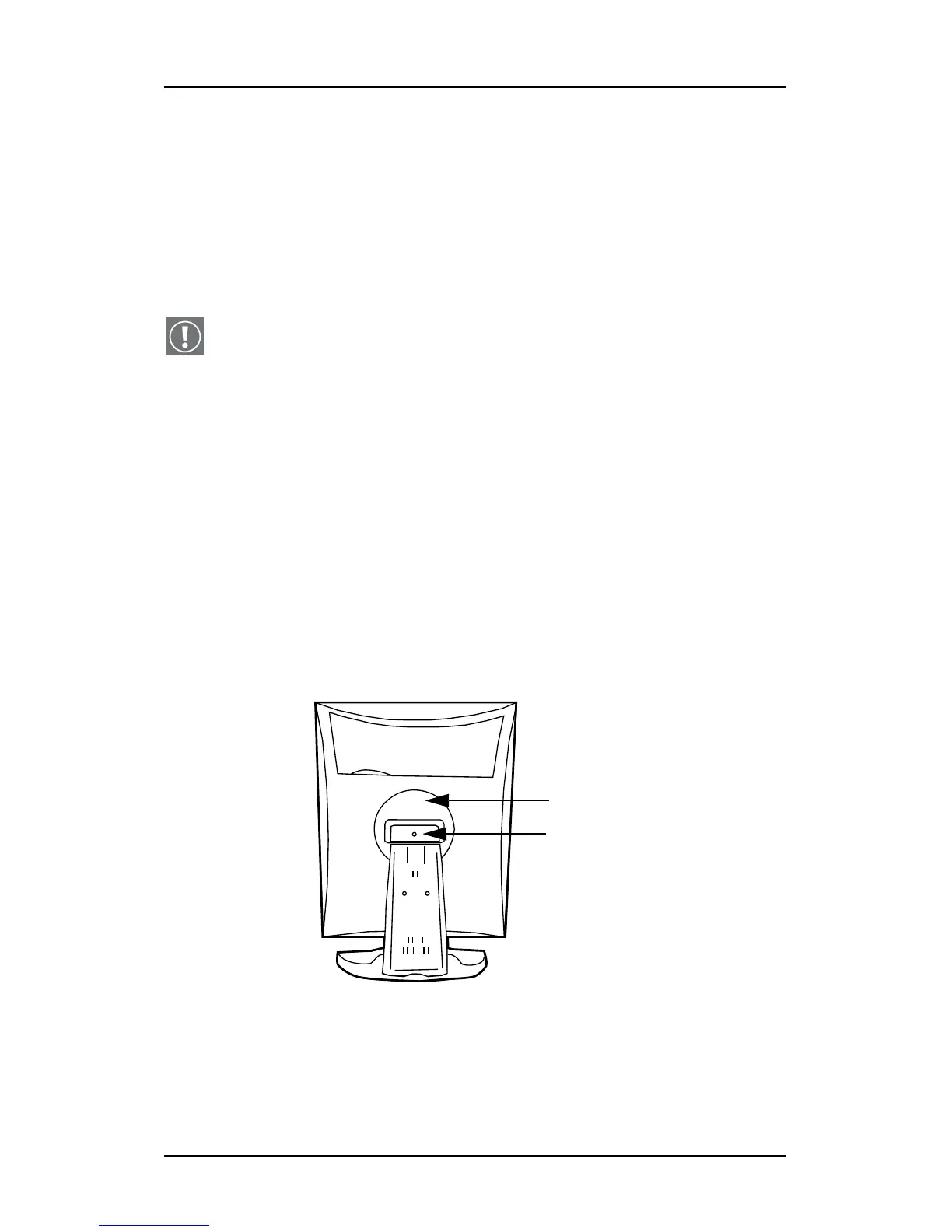
3. Remove the small screw (A) fixing the small plastic cover on
top of the foot. Next, remove the small cover itself.
Figure 21: Display with tilt & swivel foot cover removed
4. Unscrew the 2 screws fixing the round plastic cover (B).
A
B




 To Next Page