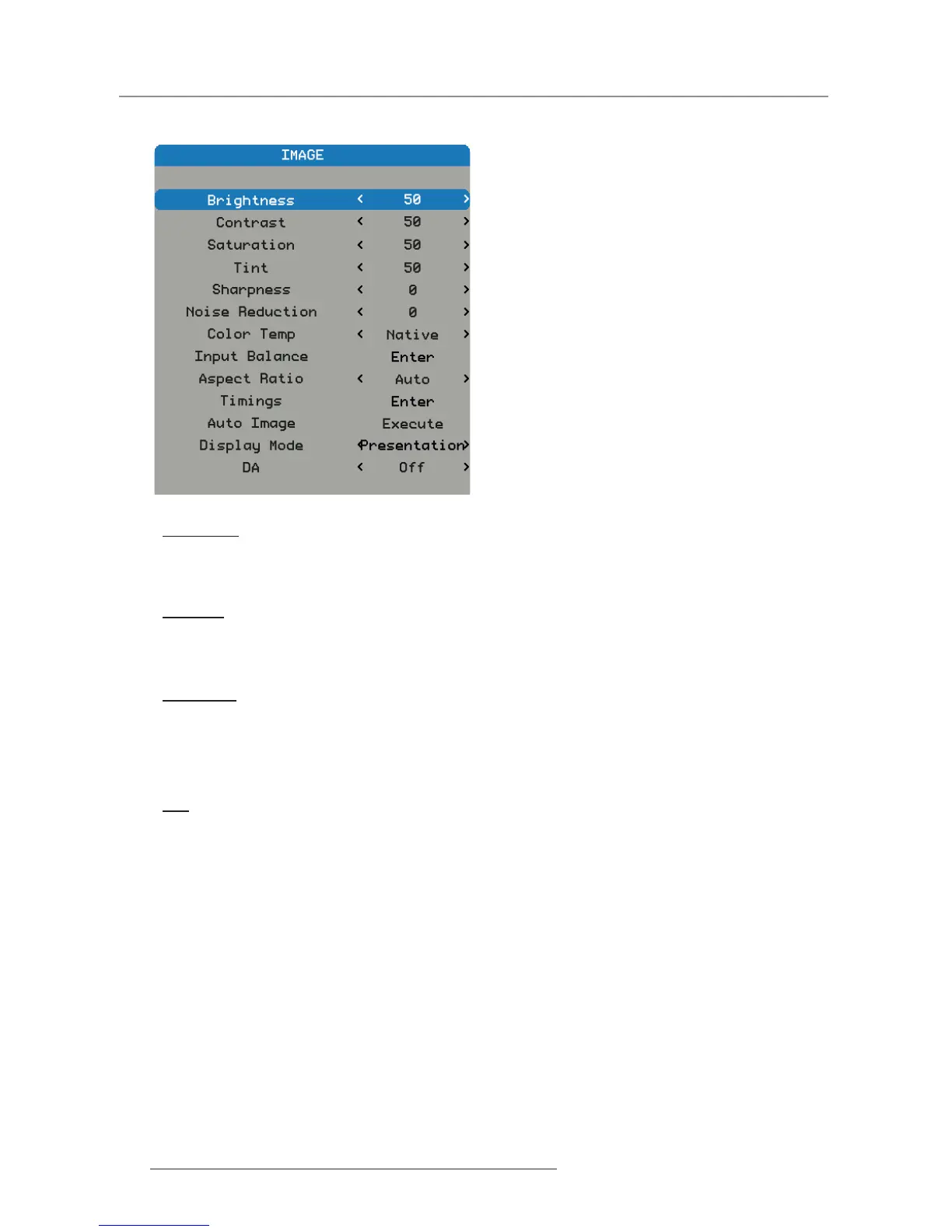
4.1.2.2 Image Menu
Brightness
Adjust the brightness of the image.
Press the ◄ to darken image. y
Press the ► to lighten the image. y
Contrast
Adjust the contrast of the image.
Press the ◄ to decrease the contrast. y
Press the ► to increase the contrast. y
Saturation
Adjust the color saturation of the image.
Note: Saturation function supported sources: Composite, Sync on Green.
Press the ◄ to decrease the amount of saturation in the image. y
Press the ► to increase the amount of saturation in the image. y
Tint
Adjust the tint (color balance between red and green) of the image.
Press the ◄ to increase the amount of green in the image. y
Press the ► to increase the amount of red in the image. y


 To Next Page
 Loading...