Configuration through web interface– 36
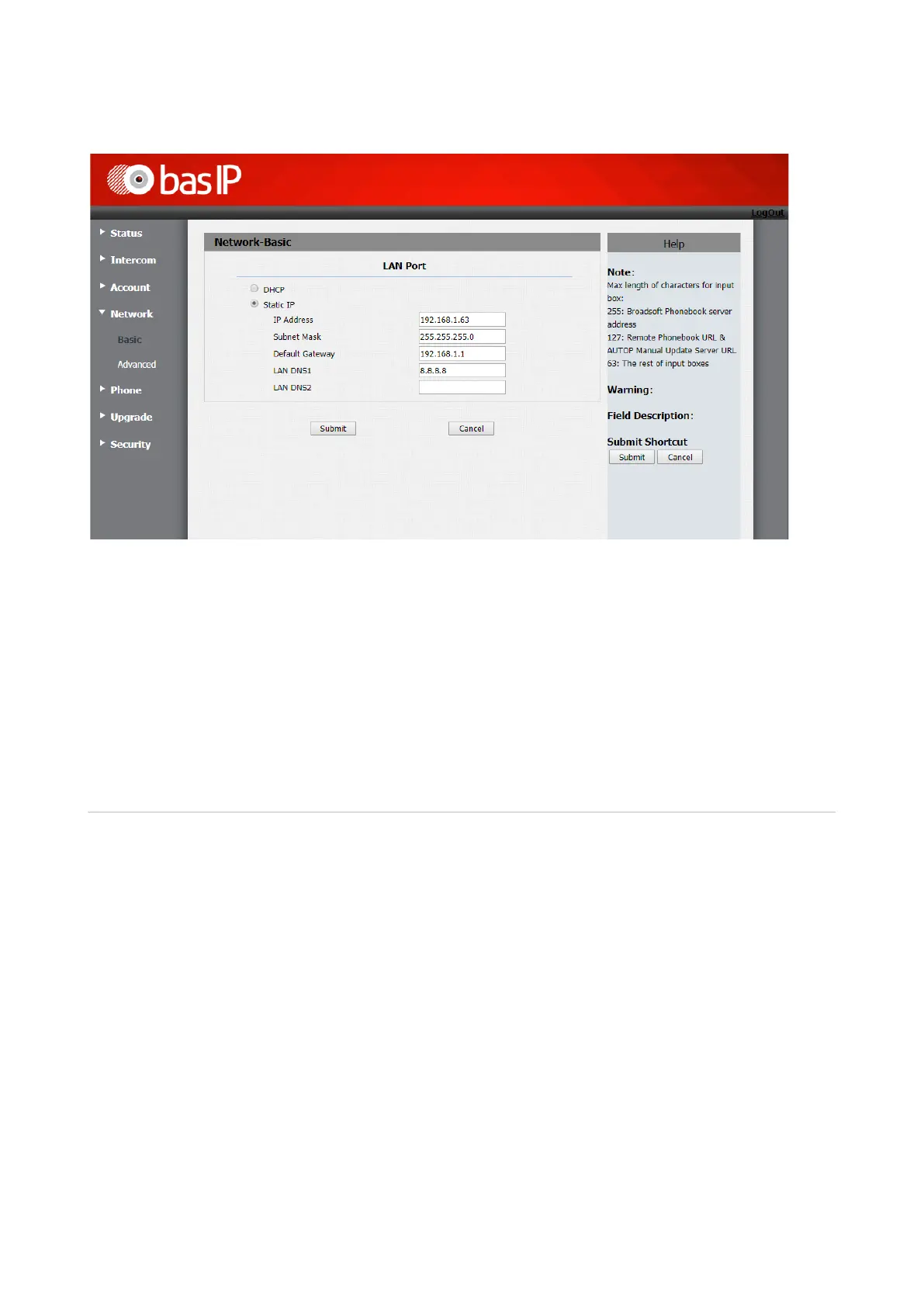
DHCP: Enable automatic receiving of the network settings.
Static IP Address: Enable manual mode for specifying network settings.
IP address: The IP address of the outdoor panel.
Subnet Mask: Subnet mask.
Default Gateway: The default gateway.
DNS1: The primary DNS server address.
DNS2: The secondary DNS server address.
Advanced
Select “Advanced” to access the advanced network settings:


 To Next Page