REPLACEMENT OF 9V BATTERY & OPTIONAL BATTERY BACKUP
CHARGER AND BATTERY PACK
Basic American Medical Products, a division of GF Health Products, Inc. www.grahamfield.com 999-0843-190A Service Manual
19
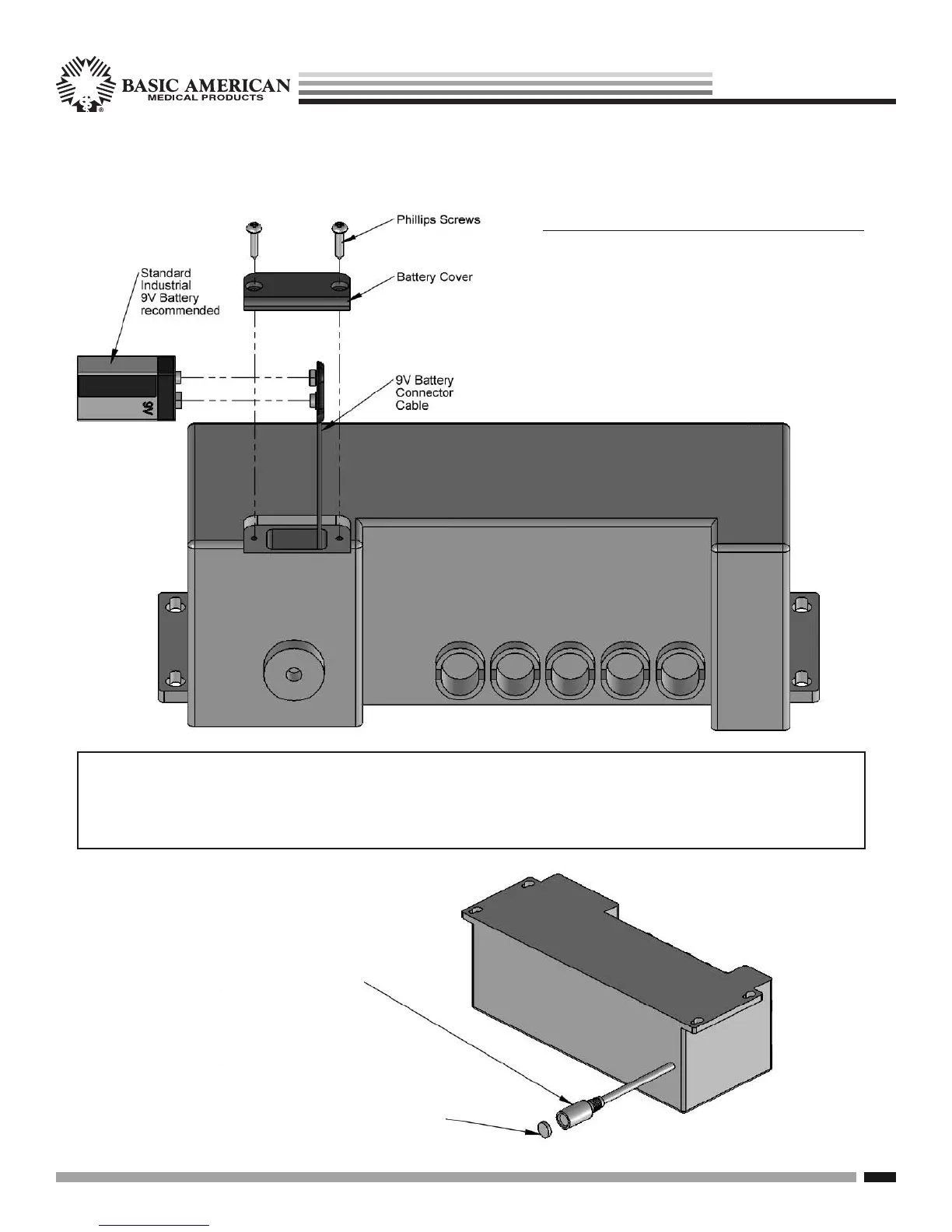
REPLACING YOUR INTERNAL 9V BATTERY:
1. Remove battery cover on the underside of your
control box by unscrewing the two phillips screws
as shown.
2. Remove the existing battery connected to
the Connector Cable from the battery slot.
3. Unplug the existing battery and discard. Plug
in the new battery to the Connector Cable and
reinsert into slot. Replace Battery Cover.
NOTE: THE 9V BATTERY INCLUDED WITH YOUR CONTROL BOX IS ONLY GOOD FOR
ONE CHARGE - LOWERING THE BED ONCE IN THE EVENT OF A POWER OUTAGE. YOU
WILL NEED TO REPLACE AFTER EACH SINGLE USAGE. A STRONGER BATTERY PACK IS
AVAILABLE AS A SEPARATE PURCHASE. PLEASE ORDER WITH BACKUP CHARGER.
UNDERSIDE OF
CONTROL BOX
Battery Charger
Adapter Cable
Plugs directly
into “optional”
ILCOCHARGE
Backup Battery
& Battery Pack
purchased
separately.
To plug in battery charger,
first remove the protective
cap with small screwdriver.


 To Next Page