26
o Use the oven setting selection buttons (9) until the cooking
De
To delete a saved cooking programme, switch the oven on using
cycle number that you want to select appears on the display.
Press the confirmation button (8) to confirm your choice. If the
word EXIT appears, it means that no personal recipes have been
saved.
leting saved cooking programmes
o
the oven ON/OFF button (6). SELECT COOKING ME
will appear on the display.
Use the oven
NU
o setting selection buttons (9) until RECIPES
(8) to
y. Pre u
n
your choice.
n (8) to confirm your choice.
ooking with the food probe
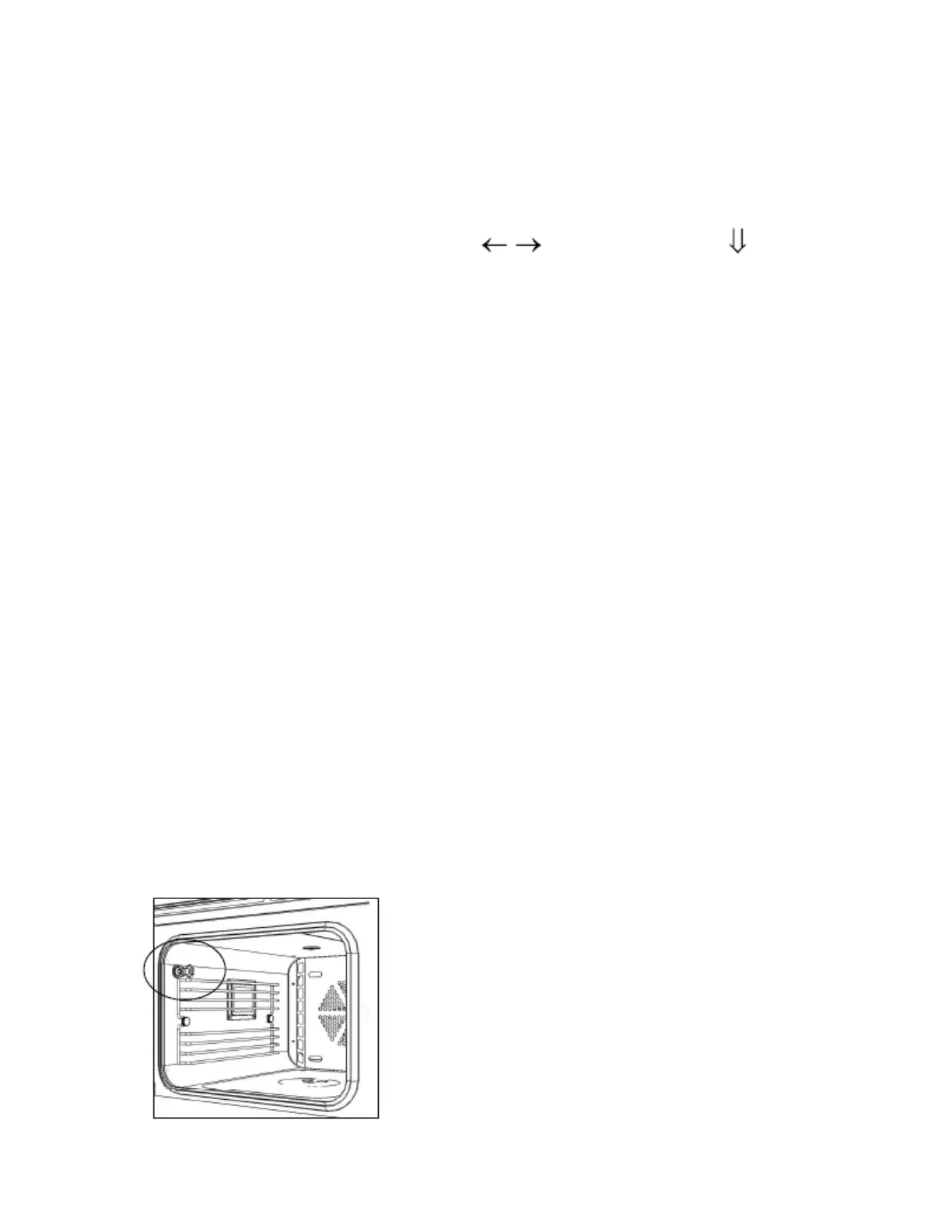
ou can cook your favourite dishes using the food probe. The sensor in
e probe detects the internal temperature of the food during cooking.
will indicate when the set core temperature has been reached and
the
upper left hand corner of the oven.
erature sensor should be
inserted into the food that you are
king.
appears on the display. Press the confirmation button
confirm your choice.
o Use the oven setting selection buttons (9) until YOUR OWN
RECIPES appears on the displa ss the confirmation b tton
(8) to confirm your choice.
o Use the oven setting selection buttons (9) until DELETE
COOKING CYCLE appears on the display. Press the confirmatio
button (8) to confirm
o Use the oven setting selection buttons (9) until the cooking
cycle number that you want to delete appears on the display.
Press the confirmation butto
o When the cooking programme has been deleted, the word DONE
will appear on the display.
C
Y
th
It
meat has been cooked to satisfactorily.
o Insert the probe into the hole in the
o The temp
going to cook. It senses the internal
temperature of the food during
coo



 To Next Page