Operating Instructions
Level measurement
CleverLevel
®
PL20H/S
Adaptive trigger – hygienic/industrial
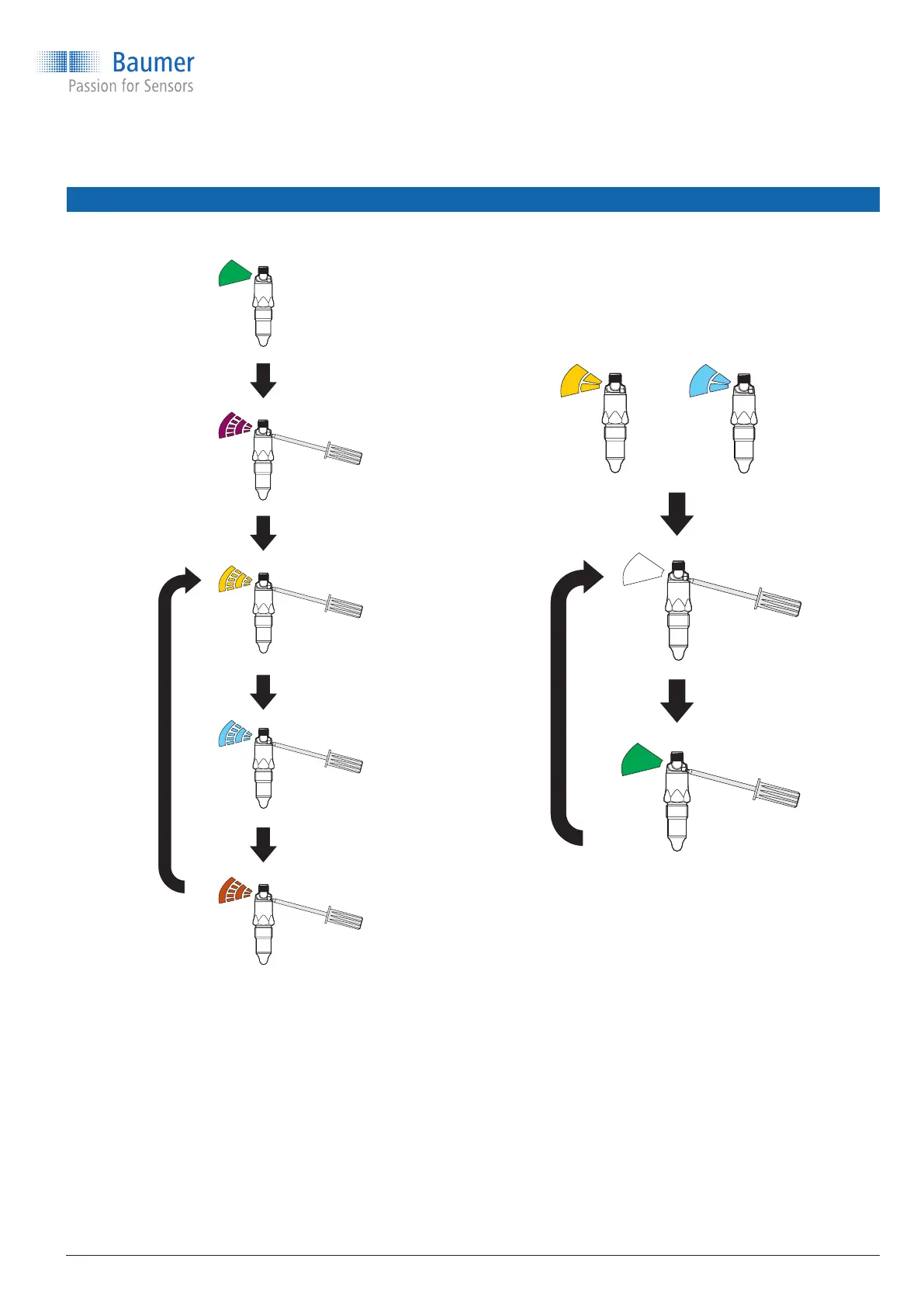
14.5 qTeach conguration procedure
Step 1: Selecting the switch
5 s
+3 s
+3 s
A switch is selected by holding the screwdriver on
the qTeach area and removing it when the LED
displays the color assigned to the switch:
Yellow: SW1
Cyan: SW2
Orange: Factory setting
Step 2: Selecting the trigger type
+ 3 s
The trigger type for the selected switch can be
chosen by holding the screwdriver on the qTeach
area and removing it when the desired trigger type
is displayed:
White: Window trigger
Green: Adaptive trigger
Conguration via qTeach is enabled in the factory settings and can be disabled by the user in FlexProgram.
www.baumer.com
15 / 44



 To Next Page