Operating Instructions
Level measurement
CleverLevel
®
PL20H/S
Adaptive trigger – hygienic/industrial
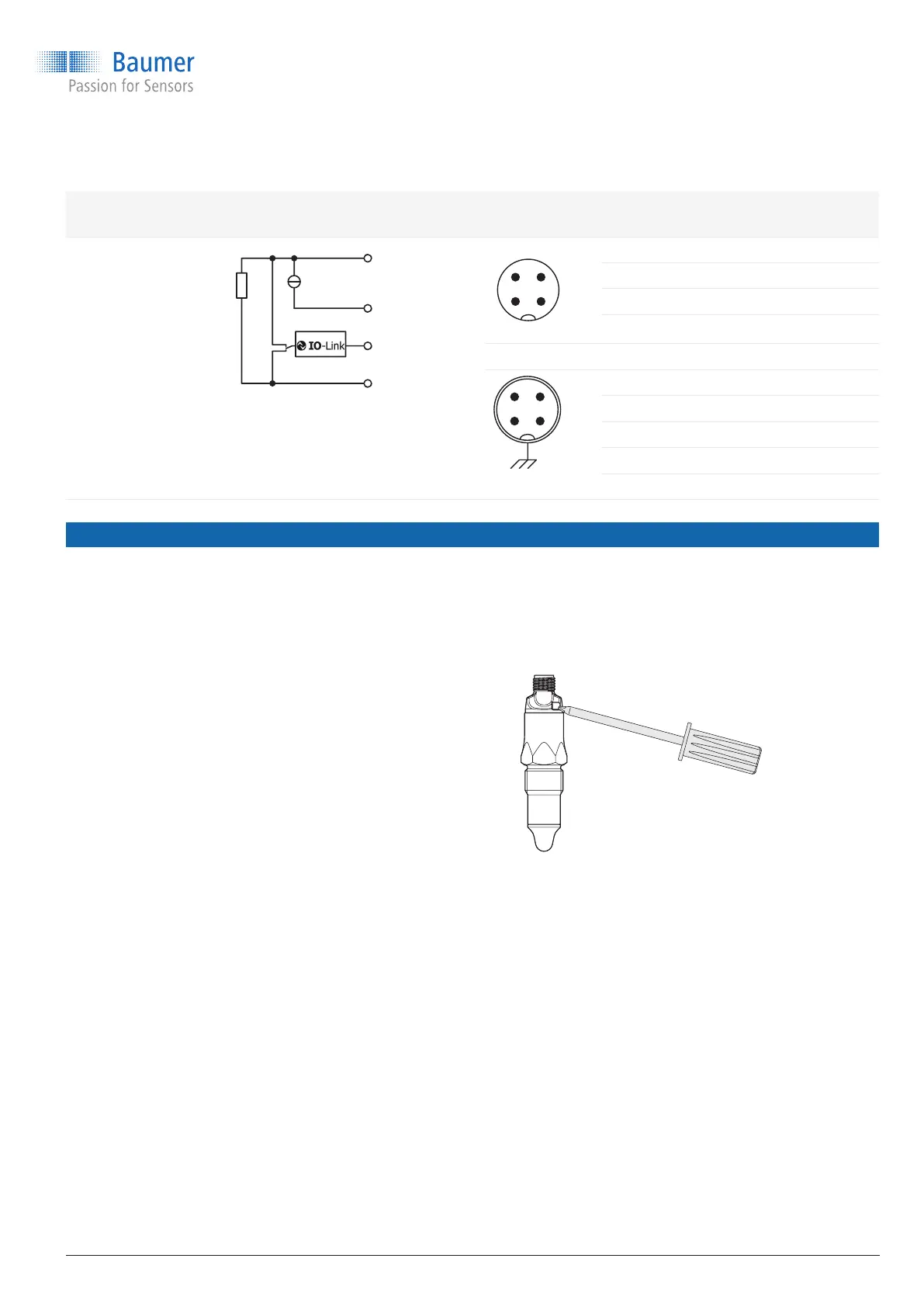
Output type Equivalent circuit Electrical
connection
Function Pin assignment
Programmable
output
IO-Link + Analog
4 ... 20 mA
Digital (push-pull)
lout
SW1
GND (0 V)
4 ... 20 mA
4 3
1 2
+ Vs 1
SW1 (IO-Link) 4
Iout 2
GND (0 V) 3
2
+ Vs 1
SW1 (IO-Link) 4
Iout 2
GND (0 V) 3
Frame ground Plug thread
8. Conguration
The sensor can be congured either via qTeach,
remote teach, FlexProgrammer 9701 or IO-
Link master. The following trigger modes are
possible:
Adaptive trigger
Window trigger
Analog output 4 … 20 mA
For a detailed description of the different output
modes and different parameter settings, refer to
“14. Conguration overview and factory settings”
on page 13.
Conguration via qTeach
Via qTeach, the different trigger types can be set
for SW1 and SW2. The switch logic is normally
open (NO) for both SW1 and SW2.
For a graphical overview of the conguration
procedure, refer to “14.5 qTeach conguration
procedure” on page 15.
Note: Conguration is only possible during the rst
5 minutes after connecting the sensor to the power
supply. After that, qTeach is locked.
Step 1: Selecting the switch
9 Sensor is powered up.
f
Hold a screwdriver or other metal object on the
qTeach detector.
The LED rapidly blinks magenta. The LED
alternates between yellow, cyan and orange in
3 second intervals.
f
When the LED has the color assigned to the
desired switch, remove the screwdriver from the
qTeach area:
Yellow: SW1
Cyan: SW2
Orange: Factory setting
The LED slowly blinks in the selected color.
www.baumer.com
9 / 44



 To Next Page