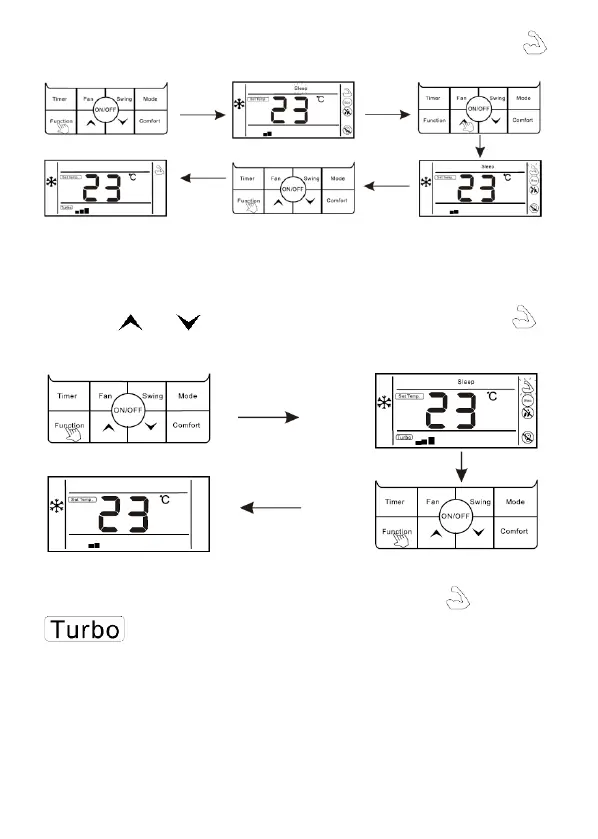
3. Press "Function" button to confirm turbo function, at this moment, icon " ",
fan speed display is (Turbo and speed speed icons).
Cancel turbo function:
1. When turbo function is opened, press "Function" button to enter the interface
of function selection.
2. Press " " or " " switch to strong function, at this moment, icon " " is
flashing, press "Function" button to cancel strong function, and strong icon would
not display.
Note: The unit without turbo function can also set turbo function on the
wired controller, the performance is high fan speed, but “ ” icon and “
” icon do will not display.
The setting of "Sleep" function
Sleep function: Make indoor unit will run according to pre-set sleep temperature
curve, which creates a comfortable sleep environment and improves sleep quality.
Enter sleep function:
1. In the stale of running, press "Function" button to enter the interface of
function selection.



 To Next Page