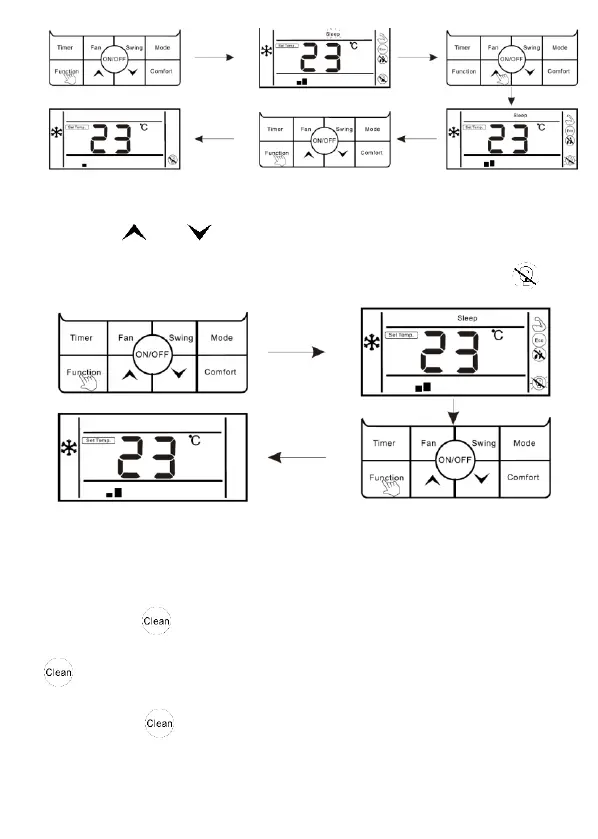
Cancel light sensation:
1. When light sensation function is on, press "Function" button to enter the
interface of function selection.
2. Press " " or " " button to switch to light sensation function, icon is
flashing.
3. Press “Function” button again to cancel light sensation function, icon “ ” will
disappear.
The setting of "Clean" function
Clean function: The air conditioner can clean the evaporator automatically, which
can not only keep air fresh, but also reduce the recession of cooling effect.
Enter clean function:
1. In the state of standby, press "Function" button to enter the interface of function
selection, icon " " is flashing.
2. Press “Function” button again to confirm clean function, at this moment, icon "
" is lighting.
3. When the unit is performing clean function, the wired controller will keep
displaying icon " ", until it is finished.



 To Next Page