EasyManua.ls Logo

Baxtran BR16 - User Manual

Baxtran BR16
66 pages
Go to English
Print Icon
To Next Page IconTo Next Page
Loading...
ES|FR|IT|EN
INDICADOR
INDICATEUR
INDICATORE
INDICATOR
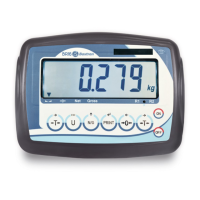
BR16
El fabricante se reserva el derecho de modificar sin previo aviso las características de sus productos para introducir mejoras técnicas o cumplir con nuevas regulaciones oficiales./Le
constructeur se réserve le droit de modifier les caractéristiques de ses produits en vue d’y apporter des améliorations techniques ou de respecter de nouvelles réglamentations./The
manufacturer reserves the right to modify the specifications of its products in order to make technical improvements or comply with new regulations. Il produttore si riserva il diritto di modificare
senza preavviso le caratteristiche dei suoi prodotti al fine di introdurre dei miglioramenti tecnici o di conformarsi alle nuove normative ufficiali./Le constructeur se réserve le droit de modifier
les caractéristiques de ses produits en vue d’y apporter des améliorations techniques ou de respecter de nouvelles réglamentations./The manufacturer reserves the right to modify the
specifications of its products in order to make technical improvements or comply with new regulations.
20171023
marca propiedad de | est une marque de | trade mark propiety of |marchio di proprietà di:
Pol. Empordà Internacional Calle F. Parcela 15-16
17469 VILAMALLA - (Girona) SPAIN
T. (34) 972 527 212 - F. (34) 972 527 211
V. 4

Table of Contents

Question and Answer IconNeed help?

Do you have a question about the Baxtran BR16 and is the answer not in the manual?

Baxtran BR16 Specifications

General IconGeneral
TypeDigital Multimeter
Diode TestYes
Continuity TestYes
DC Current Range10A
DisplayLCD

Summary

Product Specifications

Before Using the Scale

Load Cell Connection Procedure

7-Pin Cell Wiring Scheme

Data Protocol and Head Information

Scale Keyboard Layout and Functions

Piece Counting Mode Operation

Scale Parameters Configuration

Internal Counting (A;D) | UF-1

Configure internal counting and scale sums.

Weight Limits Configuration | UF-2

Set upper and lower weight limits for alarms.

Auto Switch Off | UF-3

Configure automatic scale deactivation time.

Display Illumination | UF-4

Adjust scale display backlight settings.

Hold Function | UF-5

Enable steady weight display for moving objects.

RS-232 Data Output | UF-6

Configure serial data transmission settings.

Converter Speed Configuration | UF-7

Set the analog-to-digital converter speed.

Blind Zero | UF-8

Configure zero display behavior with divisions.

Gravity Configuration | UF-9

Set the gravity value for accurate measurements.

Calibration Readjustment Procedures

Zero + Weight Calibration | ECF-1

Calibrate zero and then apply a known weight.

Zero Calibration | ECF-2

Perform zero point calibration of the scale.

Weight Calibration (Span)

Calibrate the scale using a known weight.

Technical Parameter Configuration

Calibration Entrance and Exit

Steps to enter and exit the calibration menu.

Weight Calibration LF 1

Configuration Settings LF 2

Internal Counting Display

Display internal counting values and settings.

Possible Parameter Values

Overview of available settings for parameters.

AD Converter Speed Configuration LF 4

Blind Zero Function LF 5

Approval Conformity LF 6

Gravity Setting LE 7

Initial Zero Setting LF 8

Product Guarantee Information