ENUSER’S MANUAL RTI
43
19. FEEDING THE PAPER PRINTER FORWARD
To feed the paper printer forward you must press the key as many times as it is necessary.
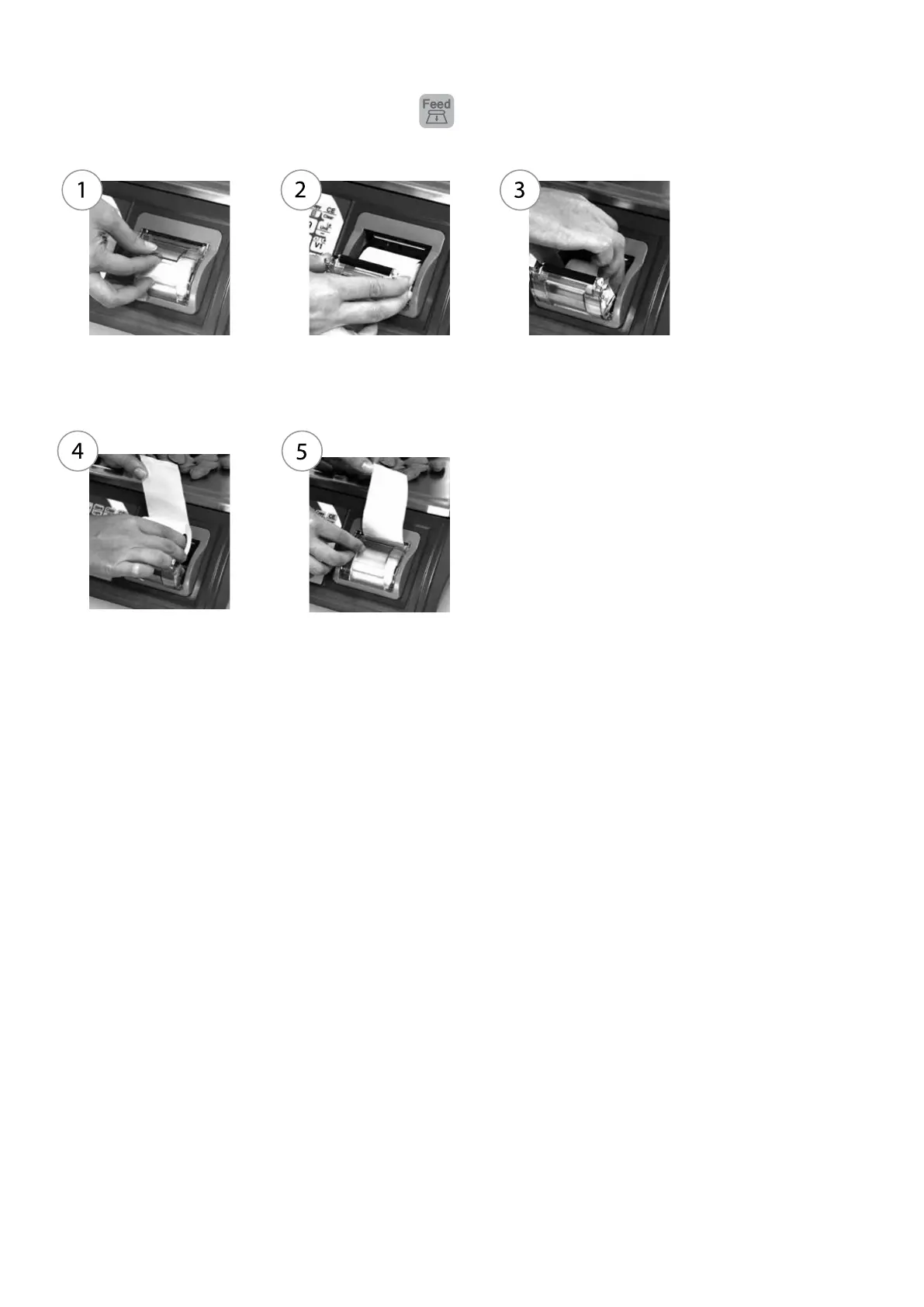
20. CHANGING THE PAPER OF THE PRINTER
Open the lid, lifting the
green handle upwards.
Open the lid of the printer
completely pulling it out.
Remove the paper roll
from the printer.
Place the new paper
roll as it is shown in the
image.
Close the lid of the
printer until you hear the
‘click’.



 To Next Page