■ Hardware Setup
2-10
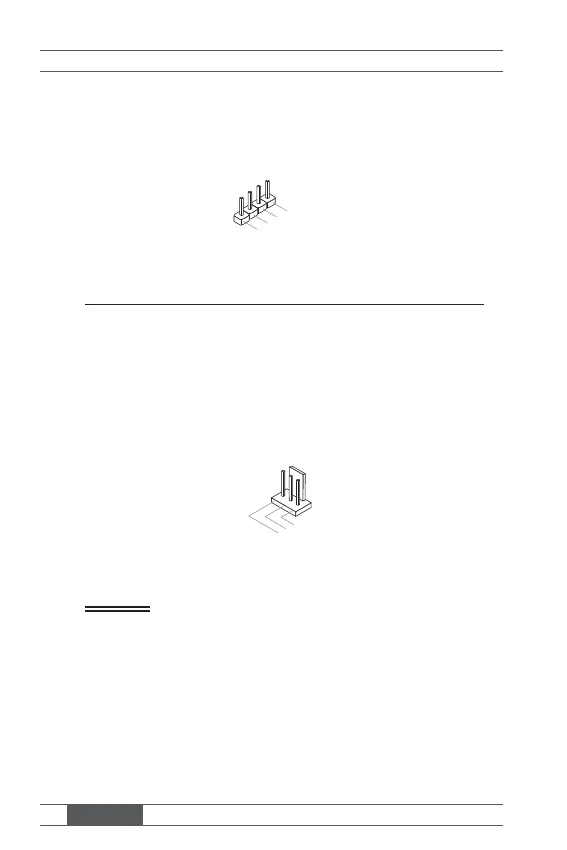
Audio Amplifi er Pinheader: JAMP1
The JAMP1 is used to connect audio amplifi ers to enhance audio perfor-
mance.
2.AMP_L+
1.AMP_
-
4.AMP_R
3.AMP_R-
Fan Power Connector: CPUFAN1, SYSFAN1
The fan power connector supports system cooling fan with +12V. When
connecting the wire to the connectors, always note that the red wire is the
positive and should be connected to the +12V; the black wire is Ground and
should be connected to GND. If the mainboard has a System Hardware
Monitor chipset onboard, you must use a specially designed fan with speed
sensor to take advantage of the CPU fan control.
1.Ground
2.+12V
3.Senso
Important
• Please refer to the recommended CPU fans at processor’s offi cial web-
site or consult the vendors for proper CPU cooling fan.
• Fan cooler set with 3- or 4-pin power connector are both available for
CPUFAN1.



 To Next Page