Need help?
Do you have a question about the BEA WIZARD II SMR and is the answer not in the manual?
Instructions for removing the sensor cover by prying a tab or using a screwdriver.
Details on attaching the mounting template, drilling holes, and securing the sensor to the header.
Procedure for feeding and routing the sensor cable through the door header, ensuring proper water diversion.
Wiring configurations for connecting the Wizard to automatic door controls with separate or single activation/safety inputs.
Adjusting the width of the radar motion detection field by selecting the correct antenna and adjusting its angle.
Setting the depth of the radar motion sensing field by adjusting the vertical antenna angle and sensor tilt.
Selecting the lens for the desired IR sensing field width, offering wide or narrow patterns with overlapping spots.
Adjusting the depth of the IR presence sensing field by modifying the tilt angle of the IR pattern.
Guide to unlocking, changing parameters, checking values, and locking sensor settings via remote control.
Configuration of Rain/Snow modes, immunity levels, installation settings, and infrared immunity using the remote.
Procedure to launch assisted setup for infrared curtains after mechanical adjustments or initial installation.
Instructions for programming the sensor using built-in buttons without a remote control, including customization.
Steps for applying power to the Wizard, observing LED status, and completing the initial setup procedure.
Common problems, probable causes, and corrective actions for issues like incorrect LED status or door operation.
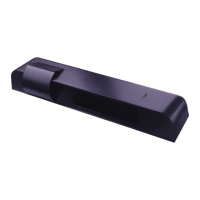
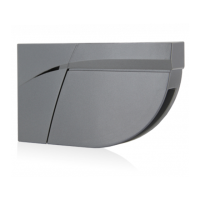
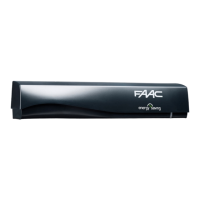
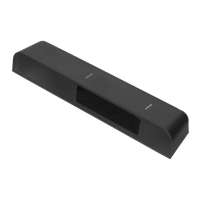
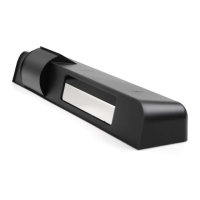
The WIZARD II SMR is a combined radar activation and active infrared safety sensor designed to enhance the functionality and safety of automatic doors. This device integrates two primary sensing technologies: a radar motion sensor for activation and an active infrared presence sensor for safety, ensuring comprehensive detection capabilities.
The radar motion sensor is responsible for detecting approaching traffic and triggering the door's activation. It operates on a microwave frequency of 24.125 GHz and utilizes a microprocessor for signal processing. The sensor can be configured for various detection modes, including bidirectional, unidirectional, and unidirectional with MTF (Motion Tracking Function), allowing it to adapt to different traffic patterns and environmental conditions. Its sensing field can be adjusted in both width and depth. The width is determined by the choice of antenna (wide or narrow pattern), while the depth is controlled by the vertical angle of the planar antenna, which can be rotated from 15° to 50° in elevation. A tilt angle adjustment further refines the sensing field's position relative to the door, with options for 15°, 30°, and 45° to draw the pattern closer or further away. The radar's sensitivity and hold time are also adjustable, allowing fine-tuning to prevent unwanted activations or premature door closures.
The active infrared presence sensor provides a crucial safety function by detecting objects or individuals within the door's threshold area, preventing the door from closing on them. This sensor uses focused active infrared technology and a self-monitored microprocessor to ensure reliable operation. Its detection field, like the radar, can be adjusted in both width and depth. The width is determined by the installed lens, offering either a wide pattern with 2 curtains of 24 overlapping spots or a narrow pattern with 2 curtains of 12 overlapping spots. The depth of the IR pattern can be adjusted by changing the tilt angle from +4° to -4° using an adjustment screw, moving the curtain closer to or further from the door face. The IR sensor's response time is very fast, less than 128ms, ensuring immediate reaction to detected presence. It also features an auto-learn function to adapt to the environment and can be configured for different monitoring modes and curtain numbers.
The device features a 3-color LED indicator that provides visual feedback on its operational status: red for presence detection, green for motion detection, and orange for monitoring process or fault indication. This allows for quick assessment of the sensor's state.
The WIZARD II SMR offers extensive adjustability, making it suitable for a wide range of automatic door applications. Mechanical adjustments include the radar antenna's angle and the IR lens selection and tilt. These physical adjustments are complemented by a comprehensive remote control system, which allows for precise electronic configuration of various parameters.
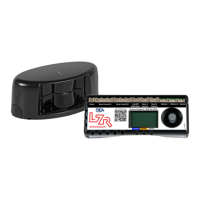
The remote control enables users to unlock the sensor for adjustment sessions, change parameter values (such as maximum duration of presence detection, output configuration, radar sensitivity, relay hold time, auto-learn presence sensing, detection mode, microwave immunity, IR immunity, SMR mode, IR curtain, secondary sensitivity, height & frequency, output redirection, and door control function), and check current parameter values. The remote control interface uses a combination of button presses and LED flashes (red for parameter number, green for parameter value) to guide the user through the programming process. A lock key is used to retain settings and return to normal function.
For installations without a remote control, the device can be manually set up using two integrated programming buttons. This manual setup allows for resetting to factory defaults and customizing settings by navigating through parameters and values indicated by LED flashes.
The sensor's output can be configured to integrate with various automatic door control boxes. It supports separate activation and safety inputs, or a single input for both, depending on the control box's capabilities. Wiring options are provided for microprocessed controls, controls without a safety circuit, and controls that use a relay for activation and safety signals.
The device is designed for easy mounting on the door header, with a template provided for precise placement. Cable routing is designed to divert rainwater and ensure a clean installation.
The WIZARD II SMR is designed for robust and reliable operation, with a degree of protection rated at NEMA 3S / IP54, making it suitable for various environmental conditions. However, proper installation and periodic checks are essential for optimal performance and longevity.
Troubleshooting procedures are clearly outlined in the manual, addressing common issues such as an illuminated orange LED (indicating saturation or internal fault), a red LED on (presence detected or saturation), red LED flashing during setup (infrared curtains too close), door opening when it should close (wrong relay configuration), door not closing (on-off switch faulty, improper relay configuration, faulty door control), and door not opening (on-off switch faulty). These procedures guide users through corrective actions, including launching new setups, adjusting infrared patterns, checking wiring, and verifying relay configurations.
The device is self-monitored, which contributes to its reliability. In case of a fault, the orange LED will stay on, prompting a power reset and observation. If the fault persists, replacement of the Wizard is recommended.
It is explicitly stated that internal repair of the sensor should not be attempted by unauthorized personnel. All repairs and component replacements must be performed by BEA, Inc. Unauthorized disassembly or repair may jeopardize personal safety, expose users to electrical shock, and adversely affect the product's safe and reliable performance, thereby voiding the product warranty.
Accessories such as a ceiling adapter, universal rain cover, spotfinder, and cable adapter are available to facilitate installation and enhance the device's functionality in specific environments.
The manual also emphasizes the importance of safety precautions during installation and maintenance, including shutting off power, maintaining a clean and safe environment, being aware of pedestrian traffic, stopping pedestrian traffic during tests, dissipating electrostatic discharge before handling circuit boards, and checking all wiring before powering up. Compliance with applicable safety standards (e.g., ANSI A156.10) upon completion of installation is also highlighted.
 General
| Technology | Microwave |
|---|---|
| Detection Principle | Doppler radar |
| Detection Mode | Motion |
| Detection Range | Adjustable |
| Power Supply | 12-24V DC |
| Relay Output | 1A, 30V DC/AC |
| Housing Material | ABS |
| Type | Microwave motion sensor |


 To Next Page