Need help?
Do you have a question about the BEA WIZARD SMR and is the answer not in the manual?
Covers supply voltage, power, temperature, and protection ratings.
Details dimensions, weight, housing material, and cable type.
Explains microwave technology, frequency, and detection field parameters.
Explains infrared technology, beam patterns, and detection characteristics.
Covers output specifications, hold time, and adjustment options.
Identifies the main parts of the sensor unit.
Lists essential safety measures for handling and installation.
Provides step-by-step instructions for physically mounting the sensor.
Explains specific wire connections for different control types.
Provides additional wiring guidance and configuration examples.
Explains how antenna angle affects detection field size and shape.
Describes how to adjust the proximity and width of the infrared beam.
Controls the sensitivity level of the motion detection.
Sets the duration the output relay remains active after detection.
Defines the type and state of the sensor's output signals.
Configures the time for the sensor to adapt to its environment.
Selects between bi-directional, uni-directional, and MTF modes.
Adjusts immunity to disturbances and infrared detection sensitivity.
Sets mounting height parameters and enables/disables SMR mode.
Manages the activation and deactivation of the secondary IR curtain.
Selects the operational logic for the automatic door.
Optimizes sensor performance during rainy conditions.
Optimizes sensor performance during snowy conditions.
Procedure to restore all settings and codes to their original factory values.
Explains how to enter and navigate the sensor's customization menu.
Details how to alter parameter values using the buttons and LED feedback.
Lists all configurable parameters with their values and default settings.
Illustrates a practical example of changing sensor settings manually.
Describes the expected LED behavior during power-up and set-up.
Solves problems indicated by the red LED status.
Diagnoses and resolves issues causing doors to open or fail to close.
Troubleshoots when the red LED is off and doors do not operate correctly.
Resolves problems with doors repeatedly opening or failing to detect.
Addresses problems with the remote and access code entry.
Troubleshoots rapid flashing LEDs during set-up and lack of motion response.
Presents the specific wiring connections for the Stanley Duraglide system.
Provides the wiring diagram and notes for Besam CUJ-9 AMD II systems.
Presents the specific wiring connections for the Besam Uni-Slide system.
Provides the wiring diagram and notes for Dor-O-Matic 96K systems.
Presents the specific wiring connections for the Horton C2150 control system.
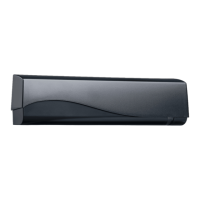
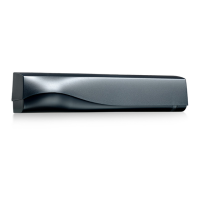
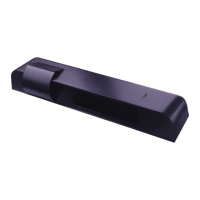
The Wizard SMR (PN:10WIZARDSMR) is a sophisticated sensor system designed for automatic sliding doors, combining K-band microwave and focused active infrared technologies to provide both activation and safety. Its primary function is to detect motion for door activation and to ensure safety by detecting presence, preventing the door from closing on individuals or objects.
The activation function of the Wizard SMR utilizes K-band microwave technology with digitally processed motion tracking. This allows for unidirectional sensing, which is particularly beneficial for energy conservation as it only activates the door when approach is detected from a specific direction. The motion sensing field can be adjusted in terms of width and depth, and its vertical angle can be tilted to optimize detection patterns. Users can choose between a wide or narrow field antenna to tailor the detection area to specific door opening requirements. The system also offers different radar detection modes, including bi-directional, uni-directional, and uni-directional with motion tracking (MTF), which allows the sensor to switch between uni-directional and bi-directional detection based on the approach direction. An immunity setting helps reduce the influence of unwanted disturbances in the motion detection field without compromising the pattern.
For safety, the Wizard SMR employs focused active infrared technology, emitting two rows of 24 beams to create a robust presence detection field. This active infrared safety remains operational even when the door is closing, providing continuous protection. The infrared presence pattern can be adjusted nearer or farther from the door, and its width can be tailored to suit the specific door application. The infrared sensitivity can also be adjusted to reduce the impact of unwanted disturbances, such as high-intensity lights or reflective floors. The system includes a self-monitoring microprocessor that continuously checks the sensor's functionality.
The Wizard SMR offers various output configurations, including normally open (N.O.) and normally closed (N.C.) relay and transistor options, making it compatible with a wide range of door control systems. Newer models (serial numbers 52000 and greater) also provide an "ALL RELAY" output, enhancing compatibility with older, non-microprocessed control boxes.
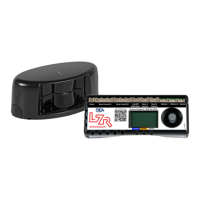
The device can be programmed and adjusted using either a universal remote control or manual push-buttons located on the unit.
Remote Control Adjustments: The remote control provides comprehensive access to various settings, including sensitivity for both radar and infrared, relay hold time, detection mode, immunity, output configuration, auto-learn time, and specific curtain setup launches. It also allows for the selection of radar mounting height and offers default value restoration. Special modes like "Rain Mode" and "Snow Mode" can be activated via the remote to optimize performance in challenging weather conditions. Rain Mode minimizes the effect of heavy rain on auto-learn requirements by changing the second infrared curtain from presence detection to motion detection. Snow Mode is designed to mitigate the effects of heavy snow by adjusting infrared sensitivity and auto-learn time.
Manual Adjustments: For basic setup and adjustments without the remote, two push-buttons on the unit allow users to enter a customizing mode. In this mode, the red LED indicates the parameter number being altered, and the green LED indicates the value. The right button selects the parameter number, and the left button alters the parameter value. This manual method allows for adjustments to radar sensitivity, relay hold time, output configuration, auto-learn, detection mode, immunity, IR sensitivity, and radar mounting height. The unit can also be reset to factory defaults by simultaneously pressing and holding both buttons.
Auto-Learn Function: The auto-learn feature enables the Wizard SMR to adapt to permanent changes within its detection field over a set period. This helps the sensor maintain optimal performance by learning and adapting to its environment.
LED Indicators: A 3-color LED (red, green, orange) provides visual feedback on the sensor's status:
The manual provides a detailed troubleshooting guide to address common issues such as the Wizard not powering up, an illuminated orange LED, red LED on at Wizard, red LED flashing during set-up, door opening when it should close, door not closing, and the door recycling open. This guide helps users identify probable causes and provides corrective actions, ranging from checking power supplies and wiring to adjusting infrared patterns and sensor settings.
For more complex issues, the manual provides contact information for B.E.A., Inc. technical support, including after-hours contacts, emphasizing the importance of not leaving any problem unresolved and ensuring the safe operation of the automatic door or gate.
The design allows for easy mechanical adjustments, such as inserting different microwave planar antennas for wide or narrow fields and adjusting the tilt angle of the antenna. The infrared lens can also be changed to narrow-field or wide-field options to suit different door openings or mounting heights. The BEA Spot-finder (PN: 10SPOT) is recommended for accurately adjusting the infrared beam position.
 General
| Detection Area | Adjustable |
|---|---|
| Technology | Microwave |
| Detection Mode | Motion |
| Output | Relay |
| Humidity Range | Up to 95% non-condensing |
| Dimensions | 120 mm x 80 mm |
| Weight | 200g |
| Alarm Output | Relay output |
| Type | Microwave and Microprocessor Based Motion Sensor |

 To Next Page