EasyManua.ls Logo

BEA EAGLE ARTEK - User Manual

BEA EAGLE ARTEK
12 pages
Print Icon
To Next Page IconTo Next Page
Loading...
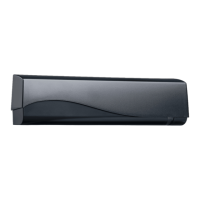
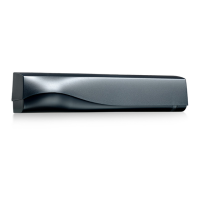
EAGLE ARTEK
3
4
1
5
2
75.0072.02 EAGLE ARTEK 20231023 Page 1 of 12
Unidirectional opening sensor for
automatic doors
(US version)
ENGLISH
Visit website for
available languages of
this document.
1. main connector
2. antenna
3. LEDs
4. push buttons
5. cover
retrofit interface harness (35.1563)
Ceiling accessories
10EACA (white)
10EACA-BLK (black)
Replacement covers
35.0303 - black
35.0319 - white
35.0320 - silver
Rain accessory
10EARA
Retrofit interface
10EARETROFIT
Bracket accessory
10EABA
ACCESSORIES
Question and Answer IconNeed help?

Do you have a question about the BEA EAGLE ARTEK and is the answer not in the manual?

Overview

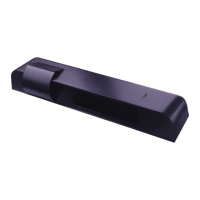
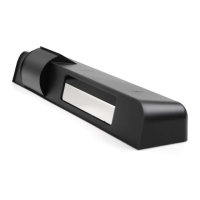
The EAGLE ARTEK is a next-generation unidirectional motion sensor designed for automatic sliding and swing doors. It utilizes BEA's DRO Radar technology, which allows for full digital adjustment of the radar field shape, eliminating the need for manual antenna swaps. This technology, developed through extensive research and testing, provides advanced motion detection capabilities. The sensor features a robust and sustainable design, cutting-edge electronics, and sophisticated software, ensuring precision, reliability, and flexibility in operation.

Key benefits of the EAGLE ARTEK include its robust and sustainable design, cutting-edge electronics, and in-house production, which contributes to better quality control and supply chain autonomy. The device is designed to be user-friendly, offering a compact form factor that allows for discreet integration with various door control systems, even the slimmest ones. It inherits the stability and flexibility of BEA's motion sensors, thanks to the ARTEK technology. Electronic management of the radar field shape and push-button adjustments for the detection field facilitate quick installation and setup. Furthermore, its compatibility with existing mounting references and plug-in interface accessories makes retrofitting easy for existing EAGLE installations.

Technical Specifications:

Technology / Performance:

  • Technology: Microwave
  • Detection mode: Motion
  • Transmitter frequency: 24.15 GHz
  • Transmitter radiated power: < 20 dBm EIRP
  • Transmitter power density: < 5 mW/cm²
  • Max. detection range: Wide: 13' x 6.5'; Narrow: 6.5' x 7' (@ 7' high)
  • Min. detection speed: 2 in/s

Electrical:

  • Supply voltage: 12 - 24 VAC ±10% (50 – 60 Hz); 12 - 24 VDC +30% / -10%
  • Max. power consumption: < 1 W
  • Output: Solid-state relay (free of polarity)
  • Max. switching voltage: 30 VAC / 42 VDC
  • Max. switching current: 100mA (resistive)

Physical:

  • Mounting height: 6 - 13'
  • Tilt angles: 0 - 90° vertical; -30 - 30° lateral
  • Temperature range: -4 - 131 °F (-20 – 55 °C)
  • Dimensions: 4.72" (L) x 1.96" (H) x 1.96" (W)
  • Material: ABS
  • Weight: 120 g
  • Cable length: 8'

Compliance:

  • Degree of protection: IP54 (IEC 60529)
  • FCC certification: FCC: G9B-100606; IC: 4680A-100606

Usage Features:

The EAGLE ARTEK offers flexible mounting options, including header mount (for swing/folding, sliding, and revolving doors) and ceiling mount (for swing/sliding/revolving doors).

Installation and Wiring:

To open the sensor, a screwdriver is inserted into the left or right notch and twisted to remove the cover. Installation involves drilling a cable pass-thru hole (Ø 1/4") and two mounting holes (Ø 1/8") using the provided template. The cable is then pulled through the pass-thru hole and plugged into the connector. The cable should be routed along the dedicated cable path on the sensor base to prevent damage. The sensor is secured by hand-tightening the mounting screws. Wiring to the door controller involves connecting the red and black wires for power supply and two yellow wires for activation. For retrofitting, an optional Retrofit Interface module (10EARETROFIT) can be used to utilize existing door control cables.

Field Angle Adjustments:

The sensor allows for both lateral and vertical antenna angle adjustments to optimize the detection field.

Settings via Remote Control:

The EAGLE ARTEK can be configured using a remote control, offering various settings:

  • Field Size: Adjustable from XXS to XXL.
  • Field Shape: Can be set to wide (default) or narrow. The sensor blinks to indicate the current setting.
  • Mounting Height: Configurable for heights < 10 ft or > 10 ft.
  • Immunity Filter: Settings include low, normal, high, and higher levels to prevent false detections.
  • Detection Mode: Options include bi (two-way), uni (one-way towards sensor), uni MTF (one-way with motion-tracking), and uni AWAY (one-way away from sensor).
  • Output Config: NO (normally open) or NC (normally closed).
  • Hold-Open Time: Adjustable from 0.5 s to 9 s.
  • Door Control (F2): Settings include auto, open (sensor detects constantly), and closed (sensor is in standby).
  • Factory Reset: Allows for a full or partial reset of settings.

Settings via Push Buttons:

The sensor also features push buttons for adjusting Field Size, Field Shape, and Immunity. A long push (2 seconds) on the ENTER button confirms selections. For Field Size, pressing '+' or '-' adjusts the size. For Field Shape, pressing ENTER for 2 seconds allows toggling between wide and narrow. For Immunity, pressing ENTER for 2 seconds allows increasing or decreasing the filter level. A full factory reset can be performed by a long push (4 seconds) on the '+' and '-' buttons simultaneously.

Access Code:

An access code (1 to 4 digits) can be saved to secure the sensor, especially when multiple sensors are installed close to each other. To save an access code, use the remote control. A known access code can be deleted, or an unknown one can be deleted by cycling power and accessing the sensor within 1 minute.

Maintenance Features:

Precautions:

  • Always shut off power before wiring.
  • Maintain a clean and safe work environment.
  • Be aware of pedestrian traffic and stop it during tests.
  • Dissipate ESD charge before handling circuit boards.
  • Check wiring placement to prevent damage from moving door parts.
  • Ensure compliance with safety standards (e.g., ANSI A156.10).
  • Do not attempt internal repairs; all repairs must be performed by BEA, Inc. Unauthorized repairs void the warranty and may pose safety risks.

Installation Tips:

  • Ensure the door control system and header cover profile are correctly grounded.
  • Installation and setup should only be performed by trained and qualified personnel.
  • Always test the installation's proper operation before leaving the premises.
  • Avoid vibrations and do not cover the sensor.
  • Avoid proximity to neon lamps or moving objects.

Cleaning & Maintenance:

  • Do not use harsh cleaning agents on the sensor.

Troubleshooting:

The manual provides a comprehensive troubleshooting guide for common issues:

  • Door remains closed, LED off: Check wiring and power supply.
  • Door does not react as expected: Check door control setting (F2), output configuration, and wire to the antenna.
  • Door opens and closes repeatedly: Ensure the sensor is secured, detection mode is unidirectional, increase antenna angle and immunity filter, or reduce field size.
  • Door opens for no apparent reason: Ensure detection mode is unidirectional and increase immunity filter.
  • Sensor detects rain: Change antenna angle, decrease field size, or increase immunity filter.
  • Sensor detects objects outside detection field (highly reflective environment): Change antenna angle, decrease field size, or increase immunity filter.
  • Sensor detects movement of opposite door (airlock vestibule): Change antenna angle, adjust field shape, or increase immunity filter.
  • LED flashes quickly after unlocking: Enter correct access code, or cut and restore power to access the sensor without a code, or change/delete the access code.
  • Sensor does not respond to remote control: Check/change batteries, or aim the remote control towards the sensor.
  • Door remains open, LED stays on: Set door control to "auto."

The EAGLE ARTEK is a sophisticated and reliable sensor designed to enhance the safety and efficiency of automatic doors, backed by BEA's commitment to quality and user-friendly solutions.

BEA EAGLE ARTEK Specifications

General IconGeneral
BrandBEA
ModelEAGLE ARTEK
CategorySecurity Sensors
LanguageEnglish

Related product manuals