75.0127 V3 Jul. 2003 [Rev. 8/13/2004]
Page 10 of 17
POWER-UP
PROCEDURES
TROUBLE-
SHOOTING
MANUAL SET-UP
(without remote) –
Cont.
: Change radar sensitivity from 7 to 9 and set hold time to 4 seconds:
1. Press the right button for 2 settings, you will enter the customizing mode
• The green LED flashes once (parameter 1)
• The red LED flashes 7 times (sensitivity = 7)
• Press the left button twice to move from sensitivity = 7 to sensitivity = 9
2. Press the right button once to move to Parameter 2 (relay hold time)
• The green LED flashes twice (parameter 2)
• The red LED does not flash (hold time = 0 seconds)
• Press the left button four times to move from hold time = 0 to hold time = 4 seconds
NOTE:
1. When the highest value for the parameter has been reached, the value will “roll over” to its lowest
value (e.g. for radar mode: 1, 2, 3, then 1, 2, …).
2. The sensor automatically returns to standard mode if neither button has been pressed for one
minute.
STEP 2
With all wiring in place, apply power to door control
and 12 to 24 VAC / VDC: -5% to +10% to Wizard.
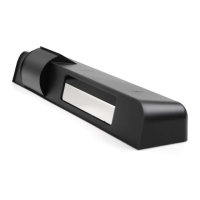
Once powered, observe LED status on the Wizard.
Stop all traffic through the doorway while
performing this step, and remain clear of the
Wizard’s detection zones.
STEP USER’S ACTION RESULT
The Wizard will flash a red / green LED during
the set-
up procedure. Once the Wizard
completes set-
up, the door will close and begin
normal operation thereafter.
STEP 1
Once set-up is complete, the LED indication will
reflect the status of the set-up. Observe the LED
while standing outside of the detection zones.
NO LED = Successful set-up
• RED LED ON = Presence being detected -
Wizard is seeing an object.
•
RED LED Flashing for 10 seconds. Infrared
curtains are too close to door. Adjust curtai
using the Spotfinder.
•
GREEN LED MOMENTARILY ON = MOTION
DETECTION (Wizard sees movement).
•
ORANGE LED ON = Wizard is executing a
Self-
Monitoring test (only when SMR mode is
enabled). LED should expire in approx. 6
seconds. If LED stays on, reset power an
observe LED. If it comes back on steady,
replace Wizard.
STEP 3
Proceed with fine tuning the mechanical , as well as
the program adjustments of the Wizard. Refer to
the applicable sections of this manual for altering
any settings. Be sure to check:
• Motion width & depth
• Presence width & depth
• Position of infrared curtain
• Sensitivity of motion field
Doors will always be adjusted to be in
compliance with ANSI A156.10
PROBLEM PROBABLE CAUSE CORRECTIVE ACTION
Wizard will not power up. 1. Faulty power supply. 1. Insure correct power supply of
VDC: -5% to +10%. Power shoul
an isolated transformer –
control.
Orange LED is illuminated on
Wizard.
1. Wizard is in self-monitoring mode
2. Internal fault within the Wizard
3. Faulty Power Input
1. Orange LED should expire after self-
monitoring test is complete
occurs every 60 minutes.
2.
If SMR is not being used, remove power from
the Wizard and re-
illuminates and door will not enter into a set-
up, replace faulty Wizard.
3. Remove power, then re-
may have fluctuated beyond tolerances.


 To Next Page