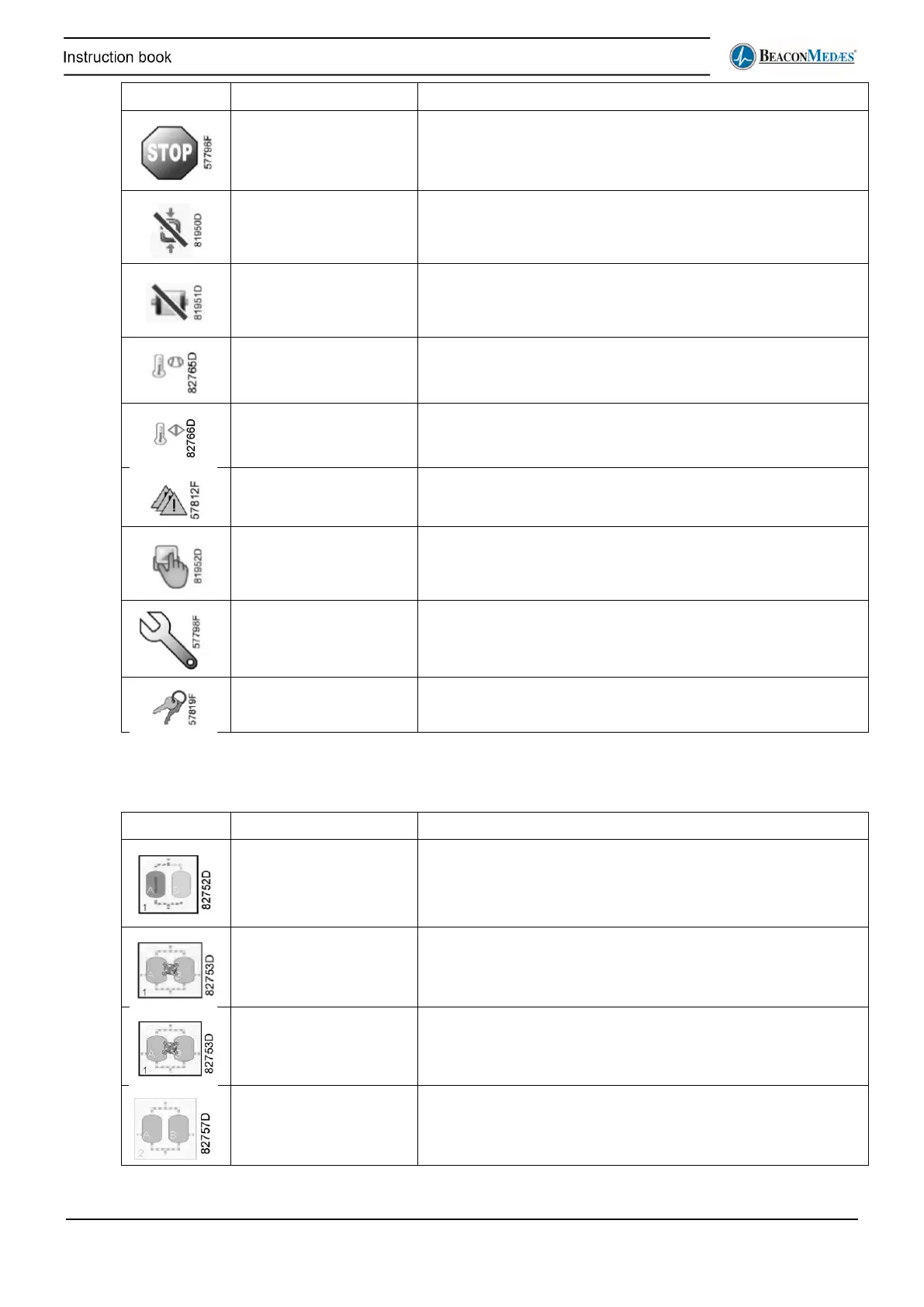
Compressor Shutdown Compressor is in Shutdown condition.
Failed to go on load The pressure switch at the compressor outlet detects a too low
pressure when it should not.
Overload The motor draws too much current and the overload has
isolated the compressor.
Element temperature
warning
The compressor element outlet temperature is too high
Aftercooler temperature
warning
The compressor aftercooler temperature is too high
Sensor error The compressor has a sensor error.
Local mode The compressor has either been manually set to local, was
forced locally from an ES command, or was forced locally by
the Emergency Forced Local backup system.
Service required The compressor’s running hours have surpassed the
predefined interval and maintenance must be carried out.
Isolated User has isolated this compressor controller. It will not transmit
faults or alarms.
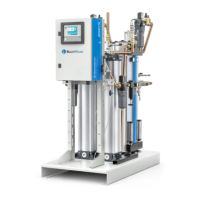
The icons used in the Dryer overview screen (ES_6) are as follows:
Dryer is operational The dryer is delivering conditioned air to the system.
Dryer is in purge saving The dryer is in purge saving mode, operating its solenoid
valves based on the dew point.
Dryer is in economy
saving
The dryer is in economy mode, operating its solenoid valves
based on the working status of all connected compressors.
Dryer is in standby The dryer is in standby mode, ready to be switched on.


 To Next Page