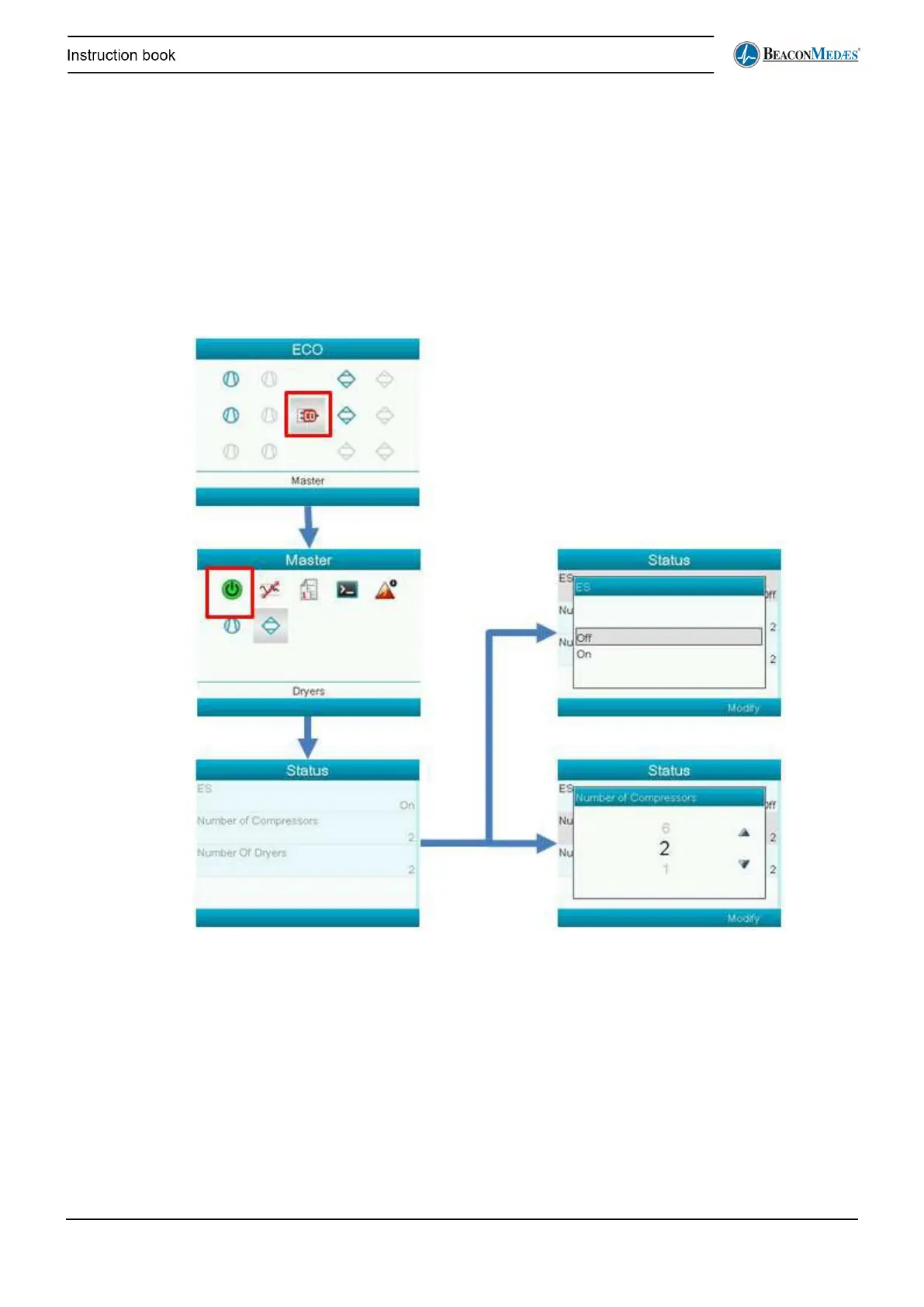
The ECO menu is accessed through the main menu. Before the user can access the ECO menu
the password for full access has to be entered (see above). In the ECO menu all the different
compressors are shown on the left, the dryers on the right and in the middle is a shortcut to the
master ECO screen, with the general settings of the ECO. Selecting one of the compressors or
the dryers will take you to the Compressor or dryer page where specific information or settings
can be seen or chosen for that component (see further).
Selecting the amount of compressors
To set the quantity of compressors refer to the following procedure, which can only be done when
the ECO is not running. Note: although the number of dryers is shown, this cannot be adjusted in
the menu. This can only be selected when downloading the controller program.


 To Next Page