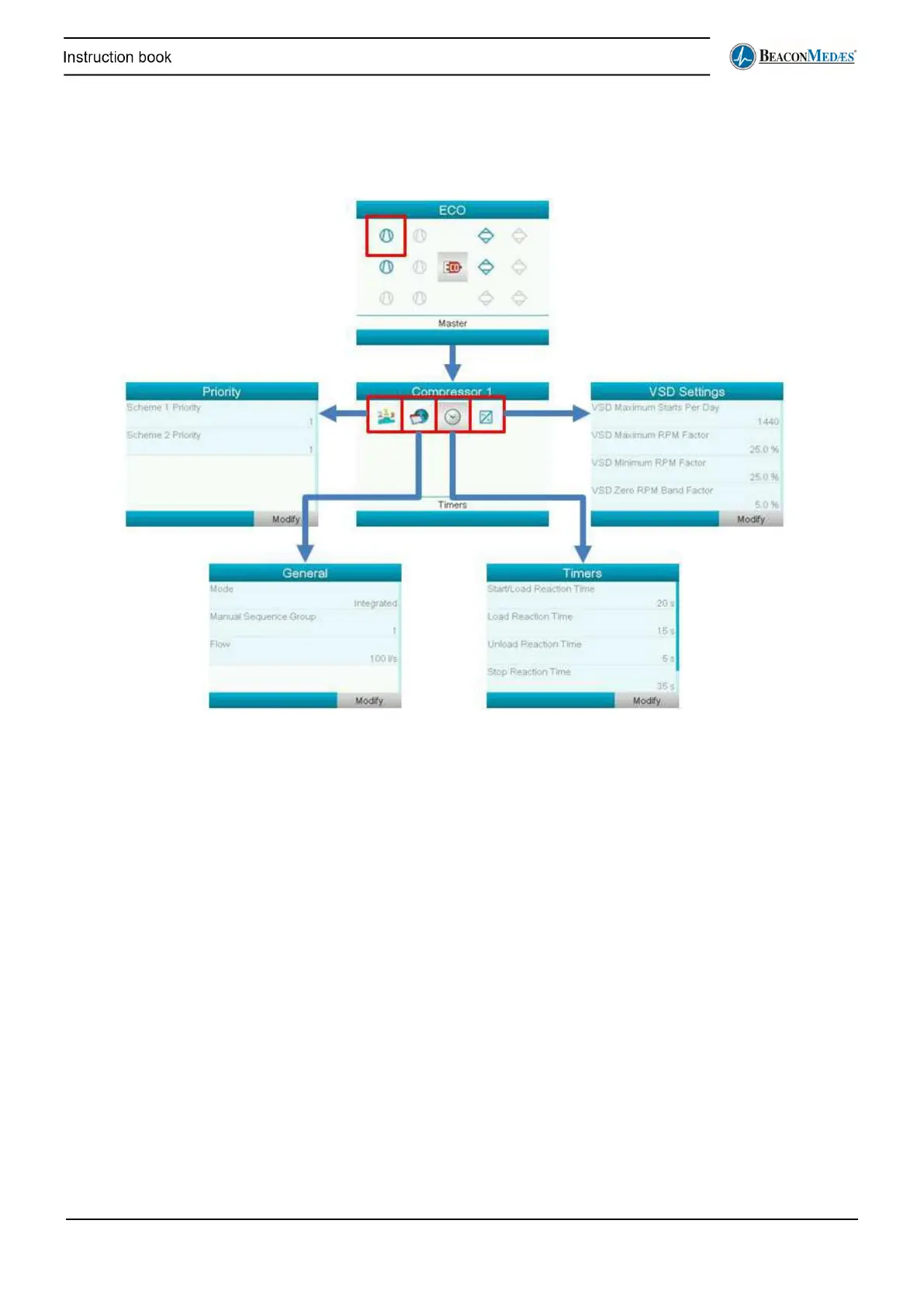
ECO Compressor menu
In the compressor menu the user can see and adapt some settings of the compressor.
The different icons on the Compressor screen lead to the following submenu’s (left to right):
Priority: here the user can select a priority scheme for the compressor
General: here the user can select whether the compressor is integrated or not (for normal ECO
operation, this should be set to integrated)
Timers: specific timer settings for the compressor. These normally shouldn’t be changed. VSD
settings: specific settings for a VSD compressor


 To Next Page