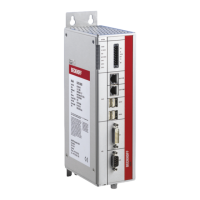
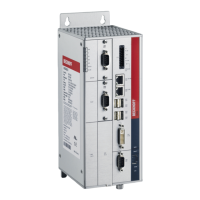
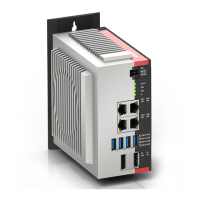
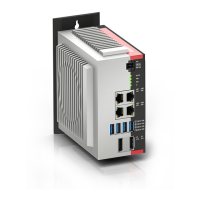
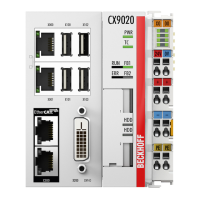
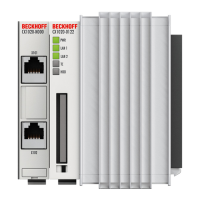
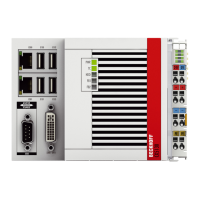
The Beckhoff C61xx series Industrial PCs are robust and versatile computing solutions designed specifically for mounting in control cabinets within machine and plant engineering applications. These devices serve as the central processing unit for industrial automation tasks, providing the necessary computational power and connectivity to manage complex processes. The C61xx series is engineered to operate reliably in demanding industrial environments, ensuring continuous and stable performance for critical applications.
Function Description
The primary function of the C61xx Industrial PC is to execute control software and manage industrial processes. It acts as the brain of an automation system, processing data, controlling machinery, and facilitating communication between various components of a plant. The PC is equipped with a standard ATX motherboard, which houses the processor, memory, and various plug-in cards, allowing for flexible configuration and expansion to meet specific application requirements.
Connectivity is a key aspect of the C61xx series. The basic version of the Industrial PC features two serial interfaces (COM1 and COM2) for RS 232 communication, enabling connection to a wide range of legacy industrial devices. For modern peripherals, four USB interfaces (USB1-USB4) are provided. Depending on the processor generation, these include a combination of USB 2.0 and USB 3.0 interfaces, offering high-speed data transfer capabilities. Network connectivity is robust, with two RJ-45 connectors (LAN1 and LAN2) supporting 10/100/1000BASE-T Local Area Networks, crucial for integrating the PC into plant-wide communication systems.
For human-machine interface (HMI) applications, the C61xx series offers DVI-D (Digital Visual Interface) and DisplayPort outputs for video signal transfer, allowing connection to industrial monitors or control panels. PS/2 connectors are also available for a mouse and keyboard, providing traditional input methods. An optional CP-Link interface card can be fitted to connect a control panel directly to the Industrial PC, supporting parallel use with an external keyboard for enhanced operational flexibility. The PC also includes Sound-On-Board features with Line In, Line Out, and Microphone jacks, which can be useful for audio feedback or communication in certain industrial settings.
The power supply unit is integral to the PC's operation, with options for either a 100-240 VAC, 50-60 Hz power supply or a 24 VDC power supply, the latter often with an uninterruptible power supply (UPS) option for enhanced reliability. The power supply connection is made via a 5-pin CAGE CLAMP plug connector with a mounting flange, designed for secure and stable power delivery.
Usage Features
The C61xx Industrial PCs are designed for straightforward installation and operation within control cabinets. The housing is constructed to be robust, protecting internal components from the typical stresses of an industrial environment. For installation, four fixing bolt holes are provided, aligning with the PC's dimensions for secure mounting. Adequate space for ventilation (at least 50 mm clearance above and below) is essential to ensure proper cooling and prevent overheating, especially given the PC's fanless design in many configurations. The ventilation slots must not be covered.
Earthing measures are critical for dissipating interference from external power supply cables, signal cables, or peripheral equipment. A low-impedance connection from the earthing point on the PC housing to the central earthing point on the control cabinet wall is required to maintain electromagnetic compatibility and stable operation.
Connecting devices to the Industrial PC follows a specific sequence to ensure safety and prevent damage. All devices to be connected must first be switched off and disconnected from their power supply. After connecting all cables between the Industrial PC and the devices, including data transfer cables, all devices can then be reconnected to the power supply. It is crucial to check the voltage rating of the power supply before connecting it to the Industrial PC, ensuring it matches the unit's requirements (100-240 VAC or 24 VDC).
Switching the Industrial PC on and off is integrated into the plant's power control. The PC does not have its own mains switch; it starts automatically when power is supplied. Similarly, it switches off when the plant power is disconnected. A Reset button is provided on the front cover for rebooting the system. Three LEDs on the front panel indicate operational status: a red LED for hard disk activity, a green LED for voltage supply presence, and a yellow LED for Turbo operation.
When first switching on the Industrial PC, if an operating system was ordered, it will be pre-installed with all necessary drivers for additional hardware components. If no operating system was ordered, the user must install the operating system and drivers themselves, following the instructions provided with the operating system and devices.
Maintenance Features
The C61xx Industrial PC is designed for minimal maintenance. Regular cleaning of the Industrial PC is recommended to ensure optimal performance and longevity. This should be done with the PC switched off and disconnected from the power supply. A soft, damp cloth is suitable for cleaning; aggressive cleaning materials, thinners, scouring material, or hard objects should be avoided to prevent scratches or damage to the housing.
One specific maintenance task mentioned is the replacement of the battery on the motherboard. This is a critical procedure that requires caution. The battery must only be replaced with an identical type or an alternative type recommended by the manufacturer, and correct polarity must be observed to prevent the danger of explosion. Lithium batteries, commonly used in these devices, should not be recharged, exposed to fire, or opened, and must be protected against sunlight and moisture. Disposal of used batteries must comply with national electronics scrap regulations.
In the event of a fault, a troubleshooting guide is provided to help identify and correct common issues. This guide covers scenarios such as the PC not switching on, not booting fully, incorrect software operation, or disk access errors. For more complex issues or defective components, users are advised to contact Beckhoff Service.
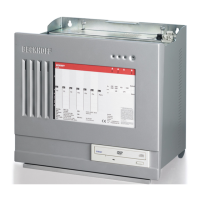
The housing of the C61xx series is designed to be opened by removing the cover, providing access to internal components like the floppy drive, hard disk, CD-ROM drive, power supply, and motherboard. This accessibility facilitates potential upgrades or repairs by trained personnel. However, it is explicitly stated that only trained persons may open the Industrial PC housing, and no parts should be exchanged while the unit is under power to prevent damage or injury.
For comprehensive support, Beckhoff offers a range of services including technical assistance, design, programming, commissioning, and training programs. They also provide on-site service, repair service, spare parts service, and a hotline for after-sales support. When requesting service, quoting the project number of the Industrial PC is essential for efficient assistance. The documentation itself emphasizes the importance of adhering to safety instructions and national regulations throughout the device's lifecycle, from installation to disposal.


 To Next Page
 General