EasyManua.ls Logo

Beckhoff C6920 - User Manual

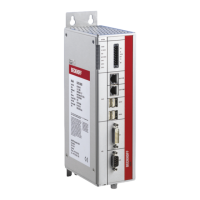
Beckhoff C6920
52 pages
Print Icon
To Next Page IconTo Next Page
Loading...
Manual | EN
C6920
Industrial PC
10/7/2021 | Version: 3.2

Table of Contents

Other manuals for Beckhoff C6920

Questions and Answers

  • J
    John WilliamsAug 17, 2025
    What to do if Beckhoff C6920 Industrial PC does not boot fully?
    • T
      Taylor BryantAug 17, 2025
      If your Beckhoff Industrial PC isn't booting completely, the issue might stem from incorrect setup settings. To resolve this, verify the setup settings. If the problem persists, further assistance is needed.
  • P
    Pamela FosterAug 19, 2025
    What to do if Beckhoff C6920 Industrial PC boots but control doesn't operate correctly?
    • D
      Dalton AndersonAug 20, 2025
      If your Beckhoff Industrial PC boots, and the software starts, but the control system isn't working as expected, the problem likely lies within the software or external plant components, not the Industrial PC itself. Contact the machine and software manufacturer for assistance.
  • J
    Julie WardAug 22, 2025
    Why nothing happens after switching on Beckhoff Industrial PC?
    • W
      William CarterAug 22, 2025
      If nothing happens after you switch on your Beckhoff Industrial PC, the issue could be a missing power supply. Check the power supply cable to ensure it is properly connected and functioning. If the problem persists, further assistance is needed.
  • C
    Calvin WilliamsAug 26, 2025
    What to do if Beckhoff C6920 Industrial PC won't turn on?
    • S
      spencer10Aug 26, 2025
      If your Beckhoff Industrial PC doesn't turn on, the issue might be with the power supply. First, check the power supply cable to ensure it is properly connected and functioning. If the problem persists, it could be due to another cause, and you may need to contact Beckhoff Service for further assistance.
  • F
    felicia53Aug 28, 2025
    Why my Beckhoff C6920 won't boot completely?
    • S
      Stacey FloresAug 28, 2025
      If your Beckhoff Industrial PC isn't booting fully, the setup settings might be incorrect. Check the setup settings to ensure they are properly configured. If the issue continues, there may be another underlying cause, and you should contact Beckhoff Service.
  • A
    allendonnaAug 31, 2025
    What causes partial function in Beckhoff Industrial PC?
    • A
      Alexis MontoyaAug 31, 2025
      If your Beckhoff Industrial PC functions only partially or intermittently, such as displaying no picture while the disk drive responds when switching on, it indicates defective components within the Industrial PC. In this case, you should contact Beckhoff Service.
  • S
    Spencer FranklinSep 2, 2025
    What to do if Beckhoff Controller Industrial PC does not boot fully?
    • J
      Joanne BurgessSep 3, 2025
      If your Beckhoff Controller-based Industrial PC doesn't boot fully, first remove any floppy disks or CDs from the drive and press any key. If the problem persists, check the setup settings. If problems continue after these steps, further assistance may be needed.
  • D
    danielle72Sep 5, 2025
    Why does Beckhoff Controller software start but control does not operate correctly?
    • E
      Emily GriffithSep 5, 2025
      If your Beckhoff Controller computer boots but the control doesn't operate correctly, the issue likely lies within the software or parts of the plant external to the Industrial PC. In this case, it's best to contact the manufacturer of the machine or the software for assistance.
  • G
    Gina SantiagoSep 8, 2025
    How to troubleshoot a Beckhoff Controller Industrial PC that does not turn on?
    • A
      Andrew JohnsonSep 8, 2025
      If your Beckhoff Controller Industrial PC shows no signs of life after being switched on, the most likely cause is a lack of power supply. Check the power supply cable to ensure it is properly connected and functioning. If the problem persists, further assistance may be needed.
  • S
    Samantha GillespieSep 12, 2025
    What to do if I get a Beckhoff Controller floppy disk or CD access error?
    • J
      Jeffery MillerSep 12, 2025
      If you're getting a floppy disk or CD access error on your Beckhoff Controller, the issue might be a faulty disk or CD, or a faulty disk drive. Try checking the disk or CD in another drive to see if the problem persists. If problems continue after these steps, further assistance may be needed.

Summary

Notes on the Documentation

For Your Safety

Description of Safety Symbols

Explains safety symbols used in the manual to prevent injury and damage.

Intended Use

Defines the proper application and operating environment for the Industrial PC.

Fundamental Safety Instructions

Lists essential safety guidelines for handling and operating the Industrial PC.

Operators Obligation to Exercise Diligence

Outlines the operator's responsibilities for safe and correct product usage.

Product Overview

Structure

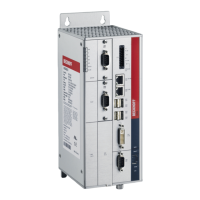
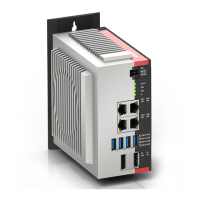
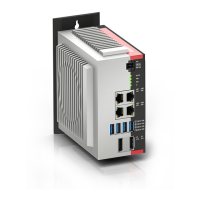
Details the physical components and layout of the C6920 Industrial PC.

Interface Description

Describes the various ports and connectors available on the Industrial PC.

Optional Interfaces

Lists available expansion options and plug-in card slots for the Industrial PC.

Status LEDs

Explains the meaning of the status LEDs on the Industrial PC.

Name Plate

Details the information provided on the device's name plate.

Commissioning

Transport and Unpacking

Provides instructions for safely transporting and unpacking the Industrial PC.

Installation in the Control Cabinet

Guides on how to correctly install the Industrial PC within a control cabinet.

Dimensions

Presents the physical dimensions of the Industrial PC for cabinet planning.

Installation in the Control Cabinet

Specifies requirements for installing the Industrial PC in a control cabinet, including ventilation.

Connecting the Industrial PC

Details the steps for connecting the Industrial PC to power and other systems.

Installing the Supply Cable

Provides instructions on how to mount and connect the power supply cable.

Grounding of the Industrial PC

Explains the importance and procedure for grounding the Industrial PC for safety and EMC.

Connecting Cables and Power Supply

Covers the procedures for connecting data cables and the power supply unit.

Switching the Industrial PC On and Off

Explains the procedure for starting up and shutting down the Industrial PC, including UPS considerations.

Beckhoff Device Manager

First Start Beckhoff Device Manager

Guides through the initial setup and security wizard for the Device Manager.

Secure Passwords

Emphasizes the importance of strong passwords for system security and provides guidelines.

Decommissioning

Disconnecting the Power Supply and Cables

Outlines the steps to safely disconnect power and data cables from the Industrial PC.

Disassembly and Disposal

Provides instructions for safely removing and disposing of the Industrial PC.

Maintenance

Cleaning

Describes how to clean the Industrial PC safely and effectively.

Maintenance

Recommends precautionary replacement intervals for key PC components.

Access to Device Components

Explains how to access internal components like the battery and storage media.

Replacing the Battery

Provides detailed instructions for replacing the motherboard battery.

Replacing the Storage Media

Guides on how to replace CFast and SSD storage media.

Replacing the Fan

Details the procedure for replacing the fan cartridge.

Troubleshooting

Technical Data

Appendix

Service and Support

Provides contact information and details for Beckhoff service and support.

Approvals

Lists the regulatory approvals for the Industrial PC based on device generation.

Beckhoff C6920 Specifications

General IconGeneral
BrandBeckhoff
ModelC6920
CategoryIndustrial PC
LanguageEnglish

Related product manuals