16 Bedrock SMxx operating manual © Bedrock Audio BV, 2019
6. Speech intelligibility measurements
6.1 Quick STIPA (not featured on the Bedrock SM30)
The Quick STIPA module is intended to do simple and straightforward STI measure-
ments using the STIPA test signal. A comprehensive explanation of the STI method is
beyond the scope of this device manual; there are several online and offline resources that
provide guidance and information on doing STI measurements, such as our own white
paper on this topic.
In this section of the manual, we will briefly explain how to set up your equipment for
measuring the STI. The Quick STIPA module makes the process as simple as possible.
For any STI measurement, you need a source of the STIPA test signal as well as an STI
analyzer. In your case, the analyzer is your Bedrock SMxx. You can choose whatever type of
STIPA signal source that suits your application best (TalkBox, media player or otherwise).
The Embedded Acoustics reference STIPA test signal is included with the SMxx (on a
USB flash drive) and can also be downloaded from the Bedrock website, free of charge. We
supply IEC-60268-16 rev.4 and rev.5 test signals, fully compliany and compatible with all
STIPA meters that conform with the standard.
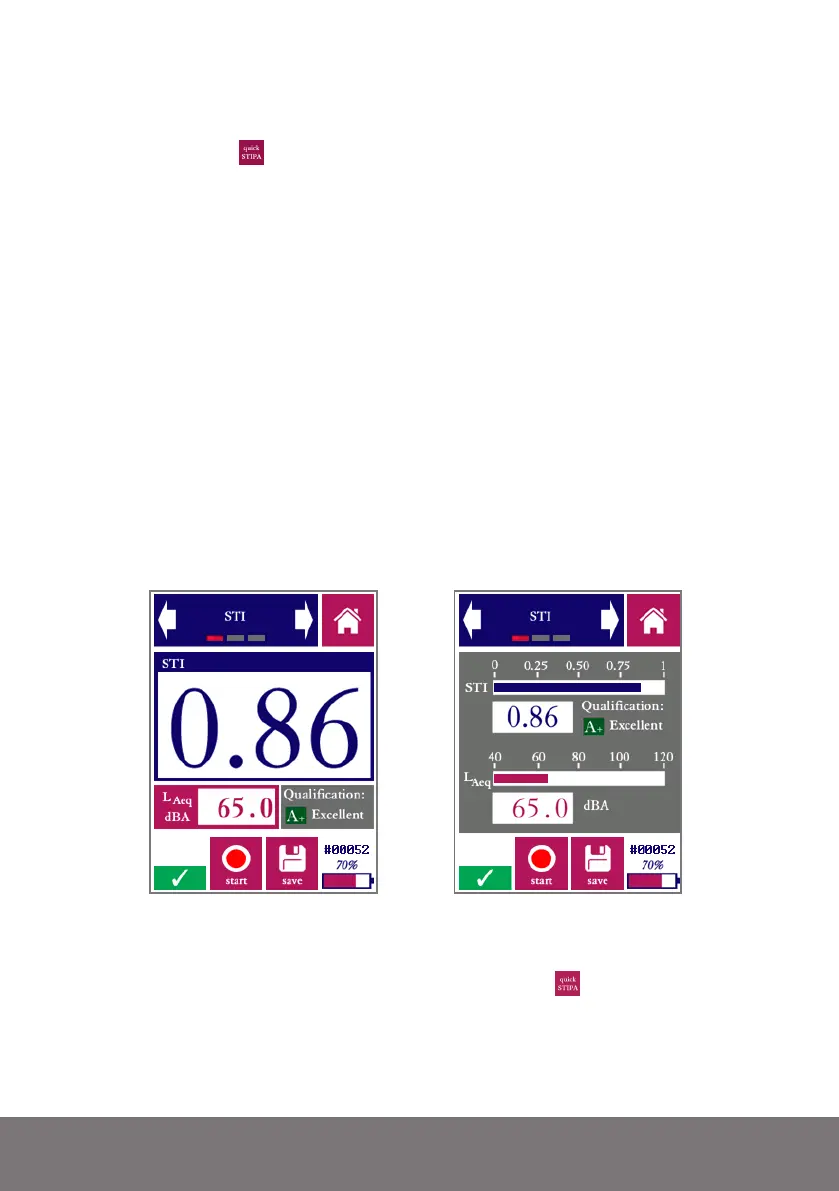
Measurement screen of the Quick STIPA module, in digit mode (left) and bar mode (right)
In order to carry out an STI measurement, complete the following steps:
• Power on your Bedrock SMxx and go to Quick STIPA
• Now start playback of the STIPA test signal through the channel or system
which you intend to test.



 To Next Page