30 Bedrock SMxx operating manual © Bedrock Audio BV, 2019
31
7.2. LAEQ logging
The LAEQ logging module is intended for long-term monitoring and logging applications.
When running this module, the Bedrock SMxx keeps track of how the equivalent-continu-
ous A-weighted sound pressure level (LAEQ) develops over time. This is displayed on the
device and also logged, for download to a PC later on. Other frequency weightings (C,Z)
are also applied, and the corresponding levels are logged - but only LAEQ is displayed.
This module can be used for several purposes:
• monitoring of environmental noise sources
• monitoring and logging of sound levels at music venues
• measuring sound levels of multiple events across a large time span
Instantaneous and time-averaged data are shown on the display. If you enter a level limit,
a warning (“traffic light”) will be displayed to indicate whether the limit is currently being
exceeded. The log file is automatically saved, and can be used to demonstrate that (legal)
limits were not exceeded.
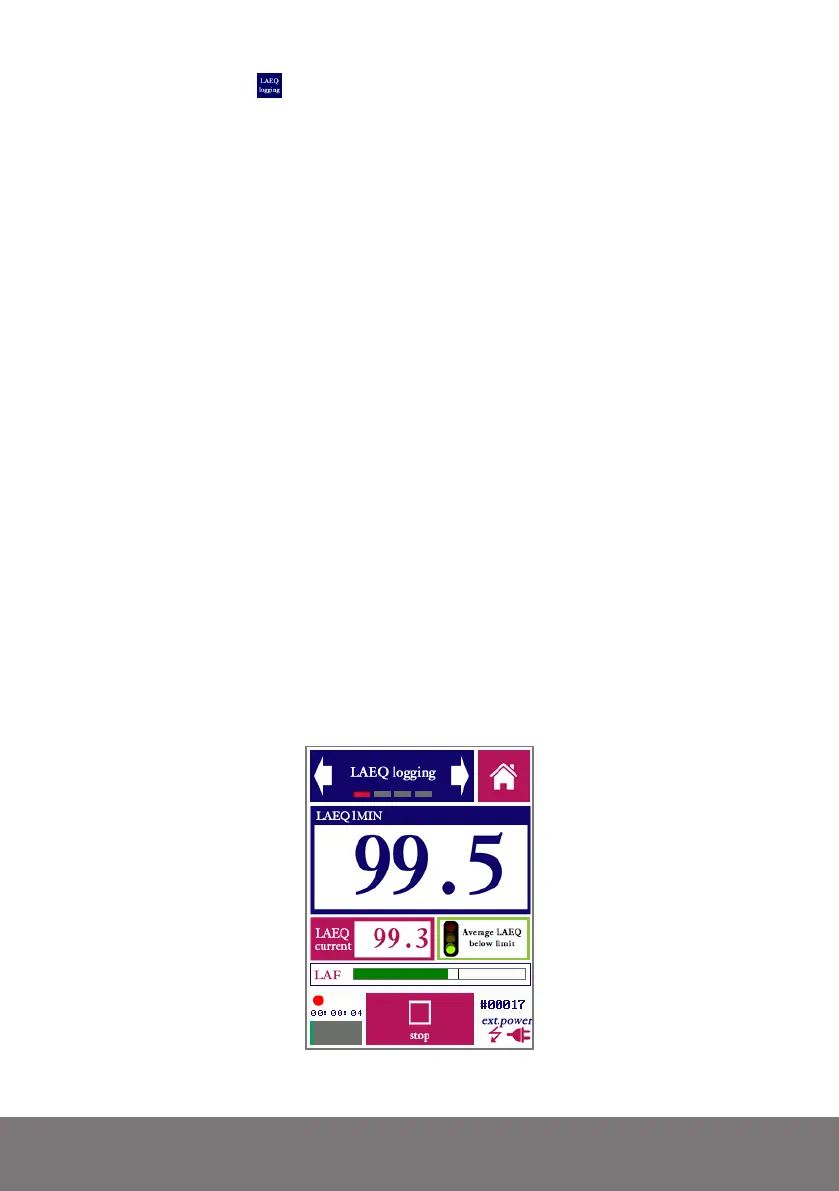
The LAEQ logging app measures three different metrics:
• The LAEQ during a short time period between 1 and 60s. This is level (“LAEQ cur-
rent”) can be thought of as the current contribution to the overall sound exposure.
• The LAEQ across a longer time span (1-60 minutes), calculated as a movering aver-
age of a series over shorter time periods (i.e. a moving average of the series of “LAEQ
current” measurements). For example: the average LAEQ across a time span of 15
minutes is indicated as LAEQ15MIN.
• The current instantaneous level with FAST time weighting (LAF). This measure is
not logged; it is only displayed as in the form of a bar plot, to obtain a quick impression
of how the instantaneous level at any moment is affecting the LAEQ.
The LAEQ module showing the moving average LAEQ across 15 minutes.



 To Next Page