18 Bedrock SMxx operating manual © Bedrock Audio BV, 2019
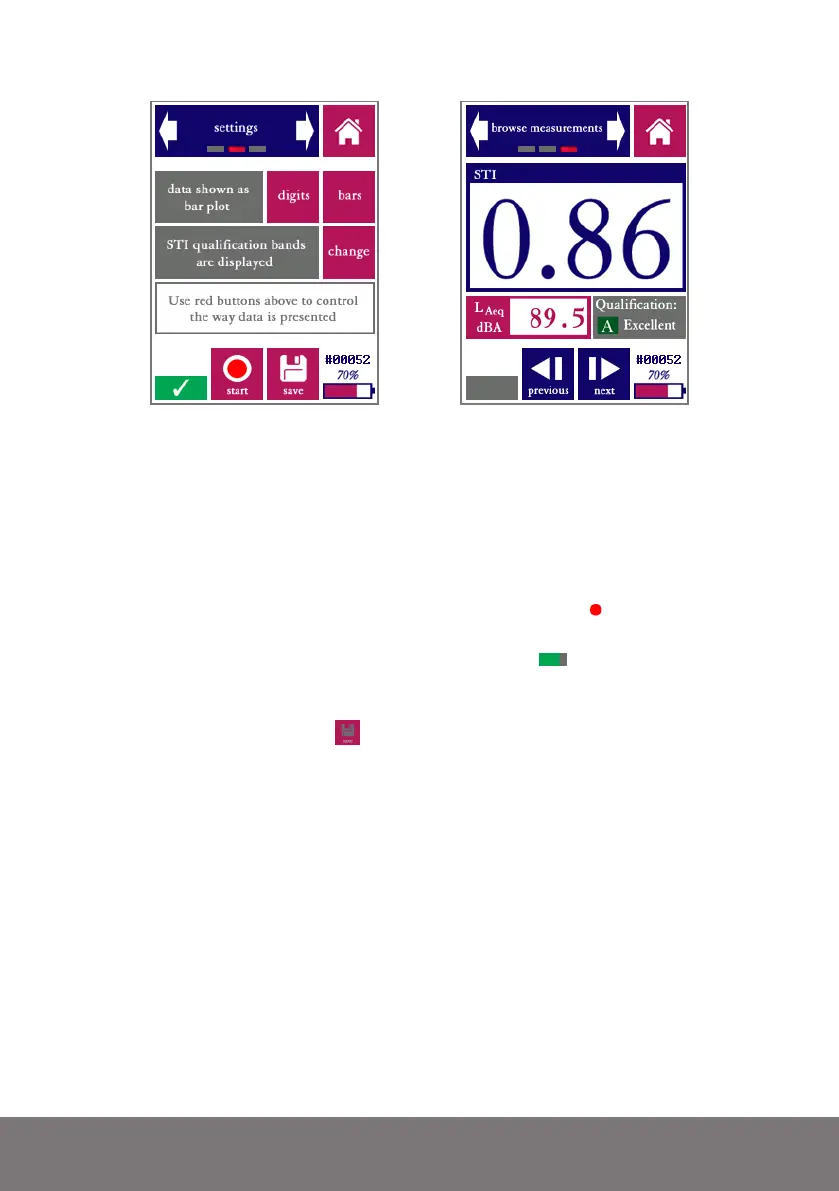
“Settings” screen and “browse measurements” screen. The latter screen is nearly identical to the
STI measurement screen, but with previous/back buttons instead of start/stop and save buttons.
Reviewing larger numbers of STIPA measurements by using the “browse measurements”
screen will be inefficient; we recommend downloading the data to a PC for this. Please refer
to the section “accessing saved measurements through a PC.”
Please take note of the following features of the Quick STIPA module:
• On the bottom left of the screen, a red “recording dot” ( ) is displayed
whenever a measurement is running. Below this red dot, the progress of the
current measurement is indicated by a progress bar ( ).
• The “save” button is only operational when new (unsaved) measurement
data is available from a finished measurement. If this is not the case, the
save icon is colored gray ( ).
• The qualification band (a letter between A and U) is just a different way to
represent the STI number; it is fully redundant. We currently recommend
working only with the STI value itself, unless the use of qualification bands
is explicitly required.
• The Bedrock SMxx calculates a heuristic reliability metric for each STI
measurement. If the measurement is found to be unreliable (e.g. due to
disturbance by impulsive sounds), then a red cross is displayed across the
STI value. Crossed-out STI values are more often seen at the beginning of
measurements, when the calculation has not ran long enough to compute
a reliable STI. As soon as the cross disappears, the STI value can be trusted
to be within the usual STI measurement error of 0.03.



 To Next Page